

Decision guide
Finding passages
How does someone find the passage they are looking for?
Someone hears a reference in a sermon. Someone else remembers a story but not where it is. A third person only came for today’s reading and needs no catalogue at all. All three deserve a clear way in, and they don’t need the same controls.
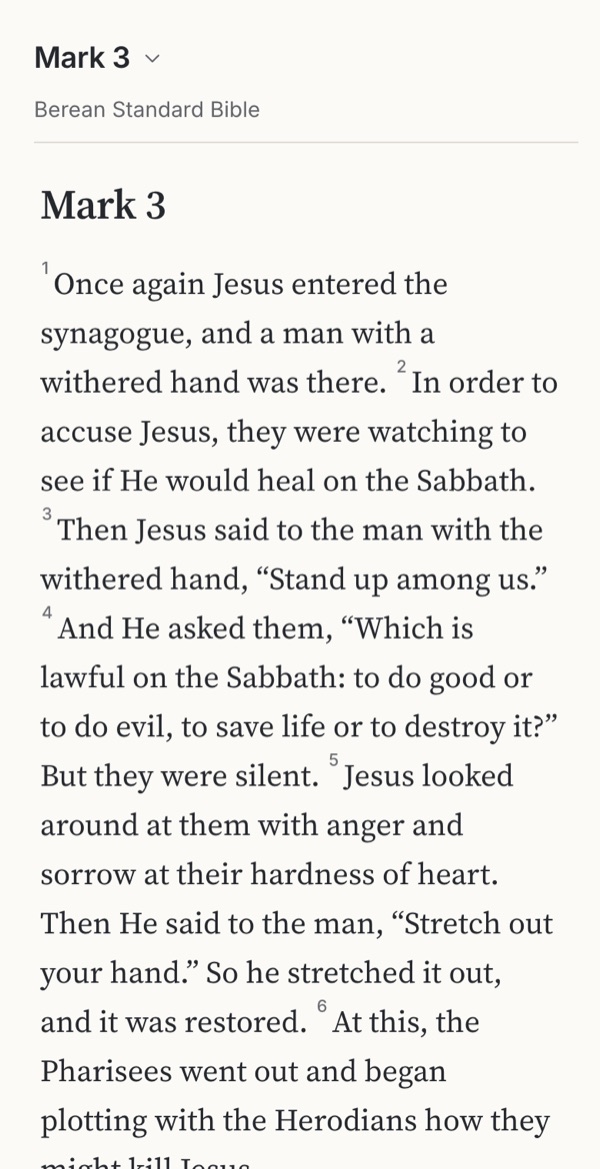 1Reading Mark 3 when a friend mentions John 3
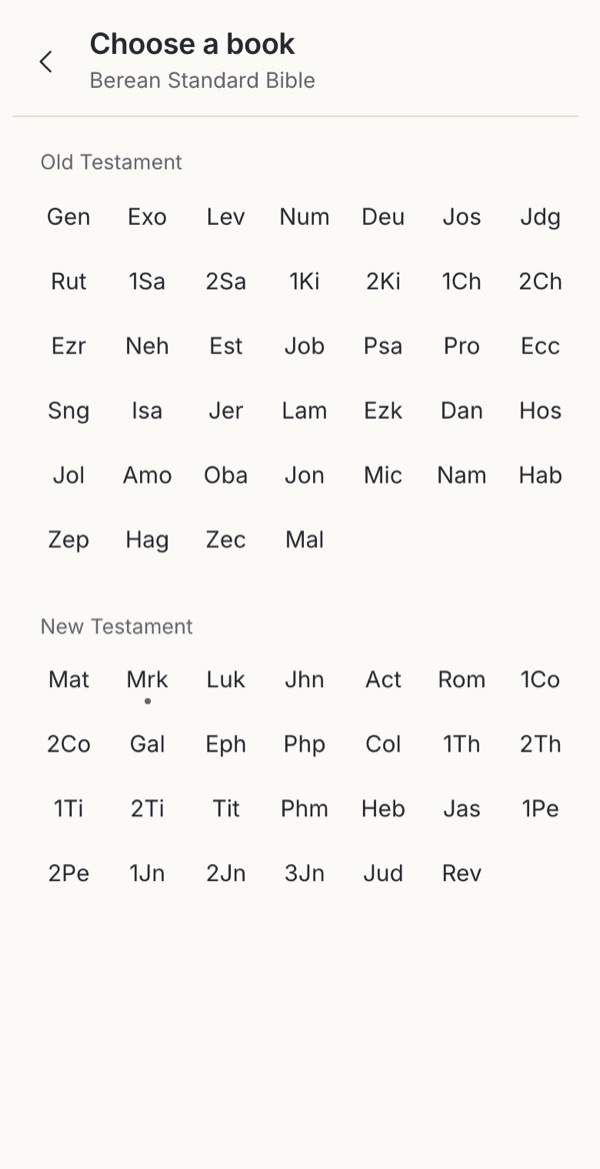 2Every book in one view
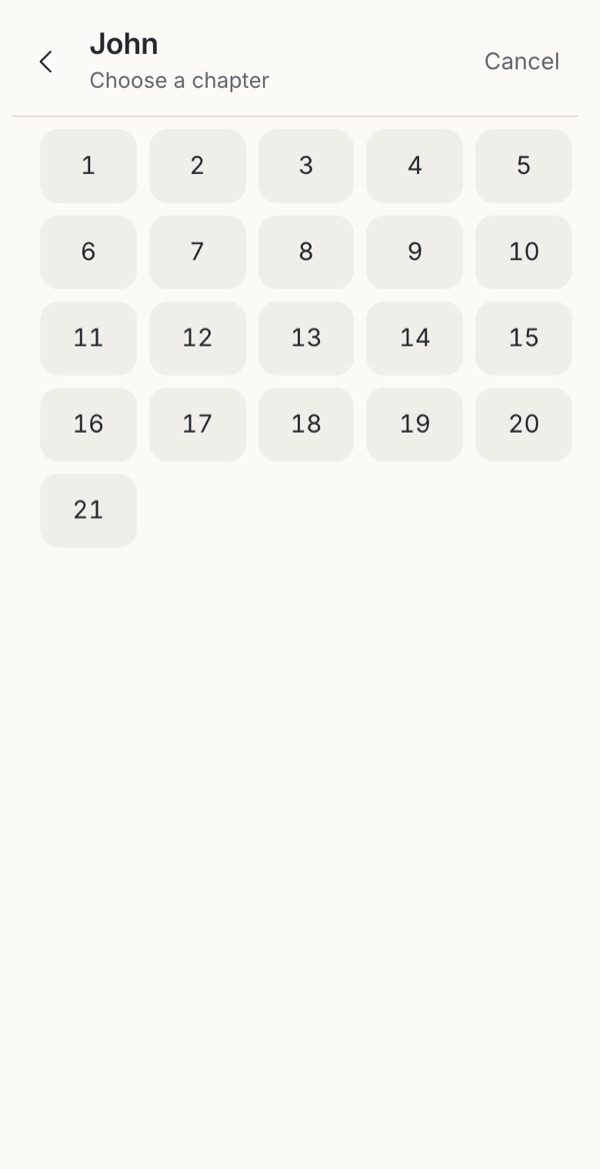 3Then the chapter
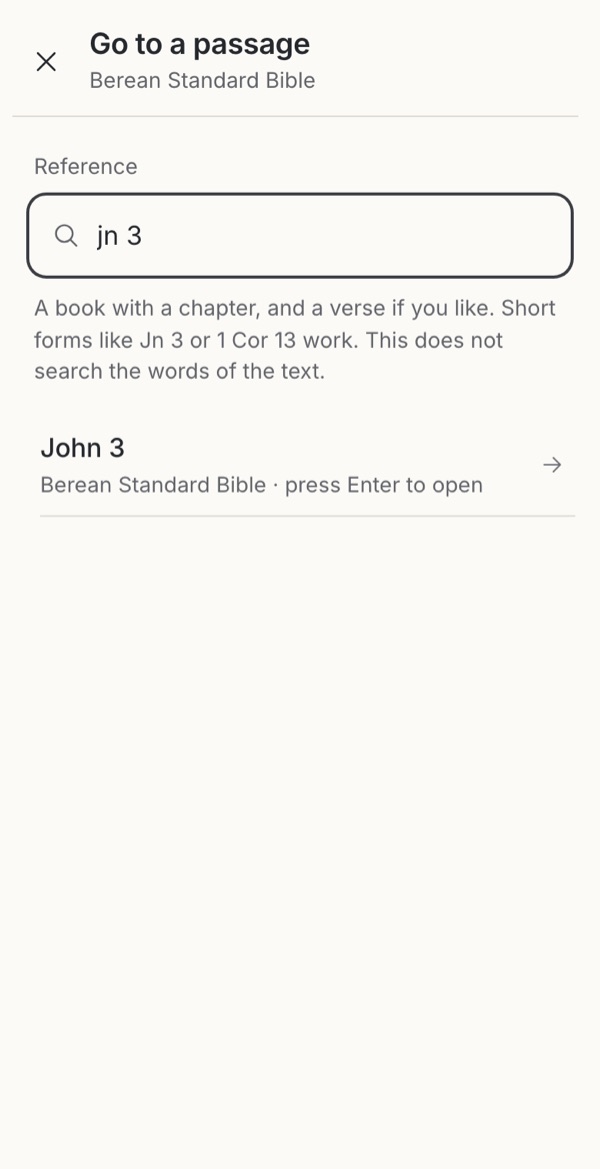 4Or type the reference straight away
- 4 decisions
- One question for your next review
- Design guidance to test in your context
Where does navigation start?
On the reading page, the label at the top already makes promises. A single “Mark 3 · KJV” control is the most compact, but people have to guess what tapping it changes. Separate reference and translation controls make two frequent actions distinct: changing the edition should keep the passage, and changing the passage should keep the edition. Separate book, chapter and translation controls give the fastest access to a known level, as long as long book names don’t squeeze the targets.
Some readers hide navigation behind a gesture to keep the page quiet, as Mere Bible’s chapter rail does. That needs a visible, accessible way to open it as well. A bounded passage with a quiet “Read in context” link is a legitimate choice too, when the task is one reflection rather than open reading.
Follow the whole journey, not just the picker
A chapter grid is one step in a longer path: know where you are, choose a route, pick a destination, open it, and be able to get back. A chapter control should skip choosing the book again; cancelling should leave the reader exactly where it was. “Back to where I was” and “Previous chapter” are different actions and deserve different controls.
Verses are optional precision. Don’t require a verse to open a chapter, but when someone does choose one, open the chapter at that verse and mark it briefly, so they can see where they have landed.
Try itFour ways to reach a passage, with switches for tap or review, book grid and verse stepWhen one field does several jobs
One search field can filter book names, recognise a typed reference and suggest passages with AI. These can share an input, but they are different kinds of answer: a recognised reference is a destination, and an AI suggestion is a proposal. Label results by what they are, and only promise text search if the product actually searches the text.
The trigger matters. In the Video Study Bible prototype, book filtering is instant and local, a complete reference resolves locally, and other input asks the AI for suggestions after a short pause, so even a half-typed book name leaves the device. Automatic suggestions save a step but add latency, cost and privacy questions; an explicit “Find related passages” action gives people more control. Either way, keep local results useful offline and don’t let a slow answer replace what the person is now typing.
PatternOne field for browsing, references and AI discoveryBook order is a decision too
Start from the chosen edition’s actual books and order. Not every Bible has the same 66 books, and the same position in a list is not the same book in another edition. Edition order supports familiarity; alphabetical order helps find a known name but changes with language; genre groups can help exploration if the headings explain the classification. Colour can reinforce a group label, never replace it.
When someone switches edition, keep the book and reference wherever a valid mapping exists. If the book or verse is missing or numbered differently, say so and offer a clear destination rather than silently opening whatever sits at the same index.
PatternBook and chapter pickers: list, grid or drill-down?Take into your next review
What does this person already know, and where should this action take them?
Exercise
Before choosing controls, try the journey with people. Ask them to follow a spoken reference, find an unfamiliar book, open a precise verse, switch to an edition with different books, and get back to where they started. Include long book names, enlarged text, a keyboard and a screen reader, offline use and a reference that does not exist.
Note wrong destinations, abandoned searches and lost places, and whether people understood what they opened. Speed is useful evidence; it is not a measure of spiritual formation.
Details
Go further
Starting points by situation
| Situation | Start with | Watch for |
|---|---|---|
| Following a spoken reference | Visible location, predictable book order, quick chapter access and optional verse entry | Too many confirmation steps; losing the group’s passage while exploring |
| Finding an unfamiliar book | Full names, local aliases, search and clearly named groups | Abbreviations and assumed knowledge of the canon |
| Comparing distant passages for study | Direct reference entry, recent destinations and a back trail | Recents replacing book order; back confused with previous chapter |
| Continuing to read | Resume the current place, with the next chapter named at the end | Making someone choose the book again just to continue |
| Reading one daily passage | Open that passage directly, with optional wider context | Turning a complete encounter into pressure to keep browsing |
What we saw in VSB, Mere Bible and Dwell
VSB. A review of the author’s prototype on 6 October 2026 found separate book, chapter and translation actions in the reader header, and one adaptive search field. That field filters book names immediately, resolves complete references locally and requests AI passage suggestions after 450 ms for other input; book matches and suggestions can appear together. The code review did not establish exact verse-text search or a sourced inline answer. It is a local code review, not a device test or user study.
Mere Bible (formerly NeuBible; the publisher listing confirms the rename). Contributed screenshots show a vertical chapter rail beside the text, and a book list that expands a chapter grid inside the chosen book. Still images do not establish the gesture, or when a scrubbed chapter becomes the destination. Capture date and build are unverified.
Dwell. Its release announcement documents a book and chapter picker. A dated capture is still needed before describing its reported genre colours.
Book identifiers follow the USFM catalogue, which includes deuterocanonical and additional books; identifiers do not prescribe one display order or genre taxonomy.
Whom does the arrangement welcome?
A browser quietly reveals the reader a team imagines: someone who knows the order, recognises abbreviations, reads consecutive chapters or starts with a question. None of these describes everyone, or every faithful encounter with Scripture.
Ask together whose knowledge the arrangement assumes, and whether someone can find enough context without being pushed into more activity. In a prayerful review, consider how the interface could welcome a newcomer while respecting an experienced reader’s practice.