

PatternsReading the BibleHighlights and notes
Highlights and notes
How should readers mark a passage?
Readers mark Scripture to come back, to remember, to ask a question or to talk with others. Every mark says something and is kept somewhere: a ribbon says only “return here”, a highlight says “this”, a note says what the reader thinks, and a shared note says it to others. Decide how much a mark asks, how it looks, and who can see it. A mark is a small act of attention, sometimes of prayer. Treat what people mark as theirs.
- 5 working options
- 149 app screens
- 5 takeaways
- Prototypes awaiting user testing
The spectrum
From a silent mark to a shared note
- 1
Bookmark
Familiar convention- A place to return to
- Records no thought
- 2
Highlight
Observed- One tap, the exact words
- Stays with one translation
- 3
Labelled marks
Familiar convention- Readable without colour
- A scheme to maintain
- 4
Private note
Familiar convention- Your own words, remembered
- Sensitive, so must stay private
- 5
Shared note
Observed- Reading with others
- Others’ words inside Scripture
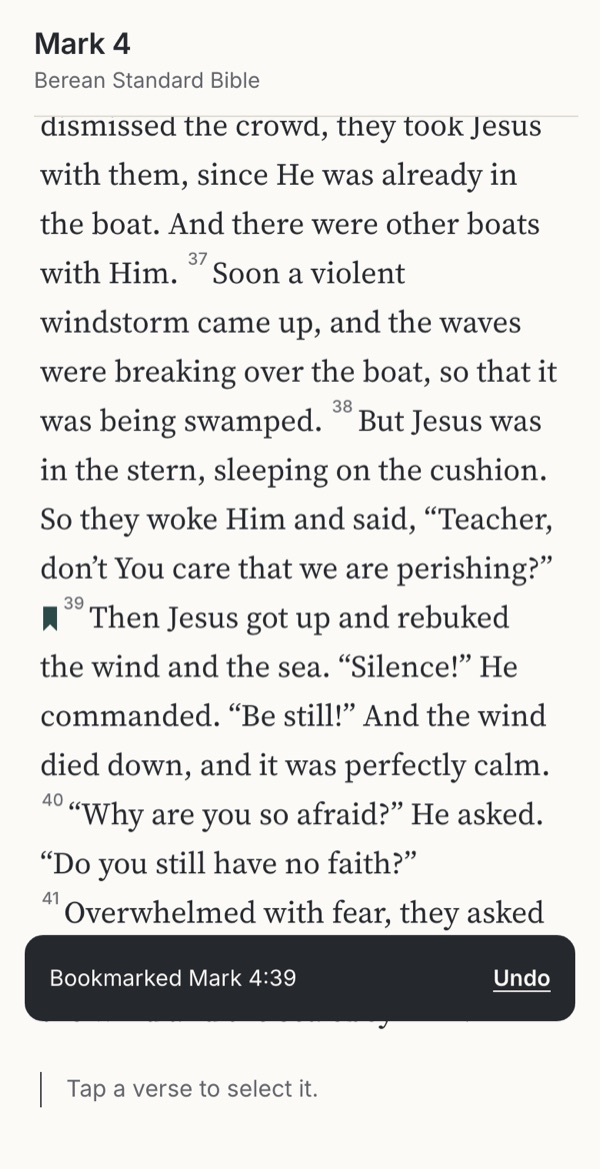
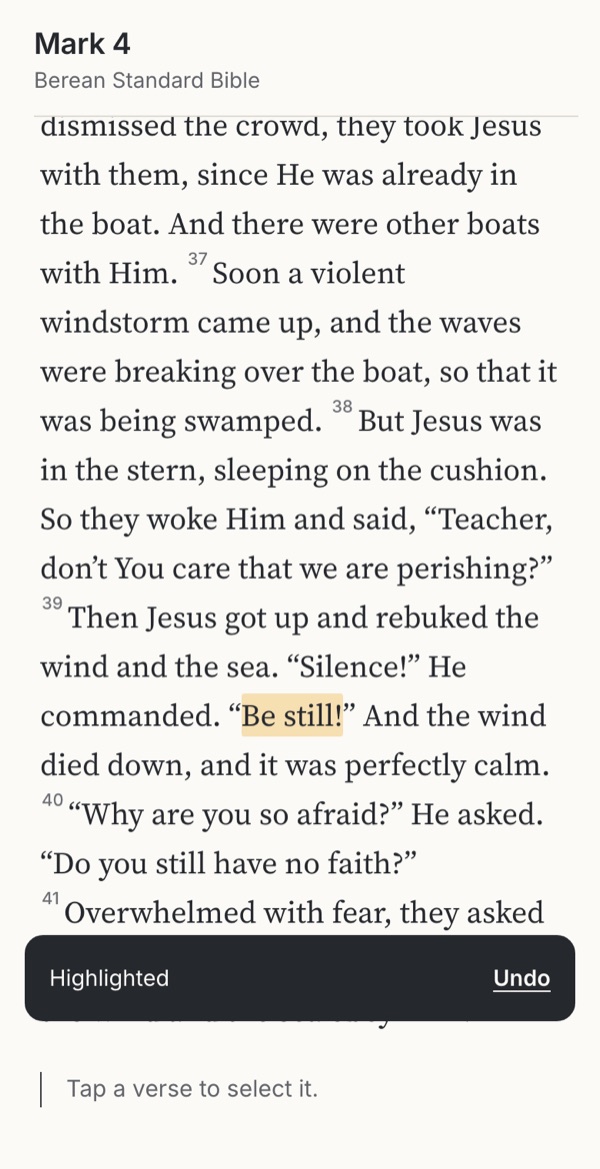
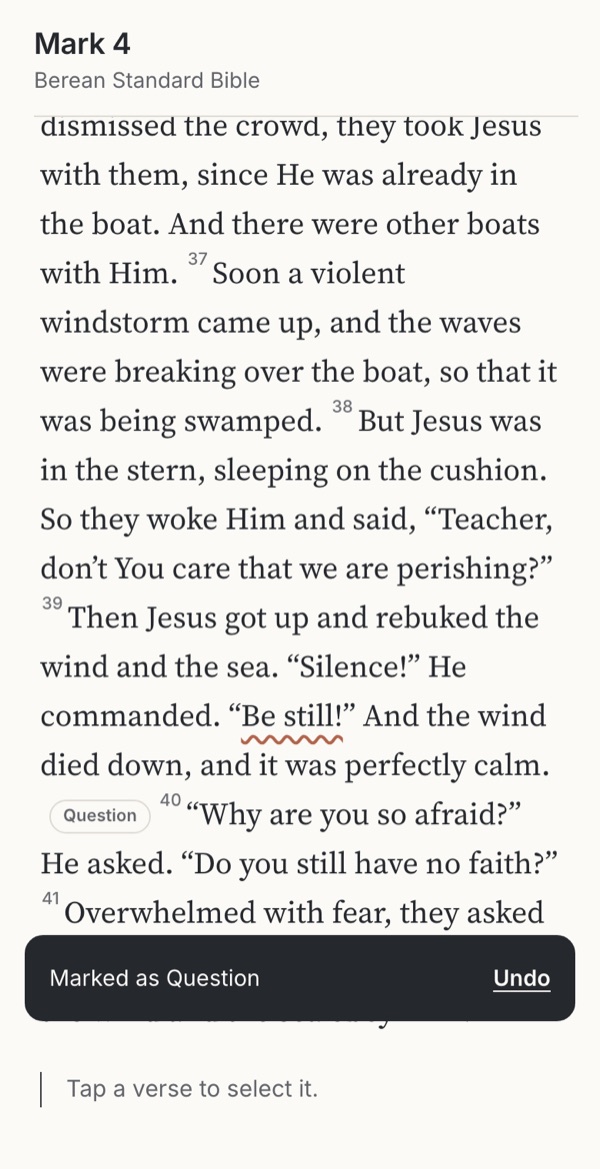
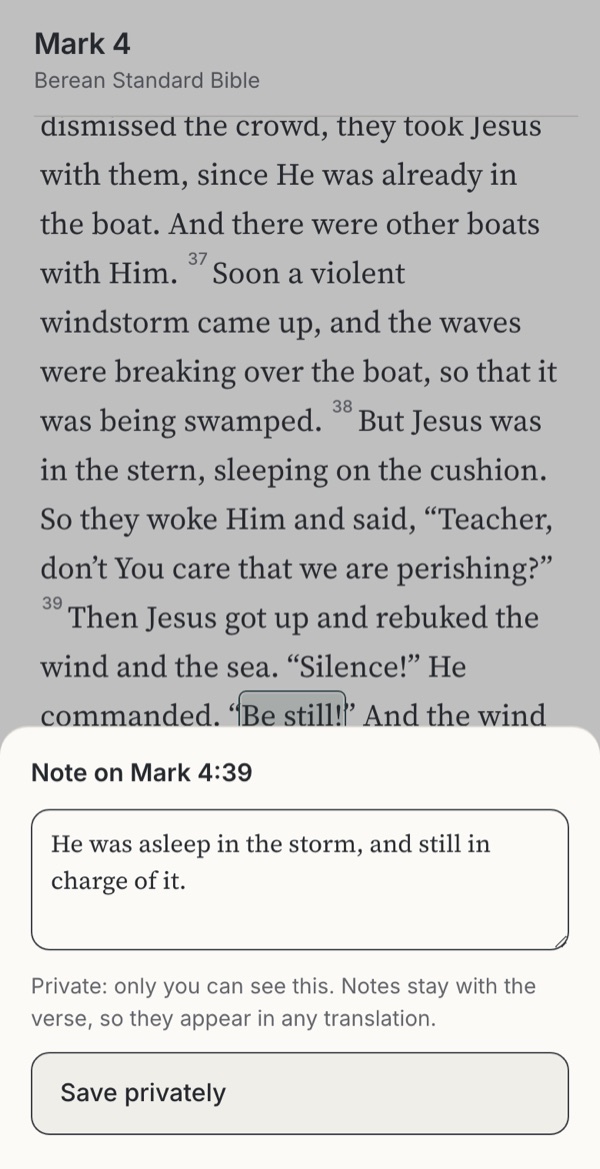
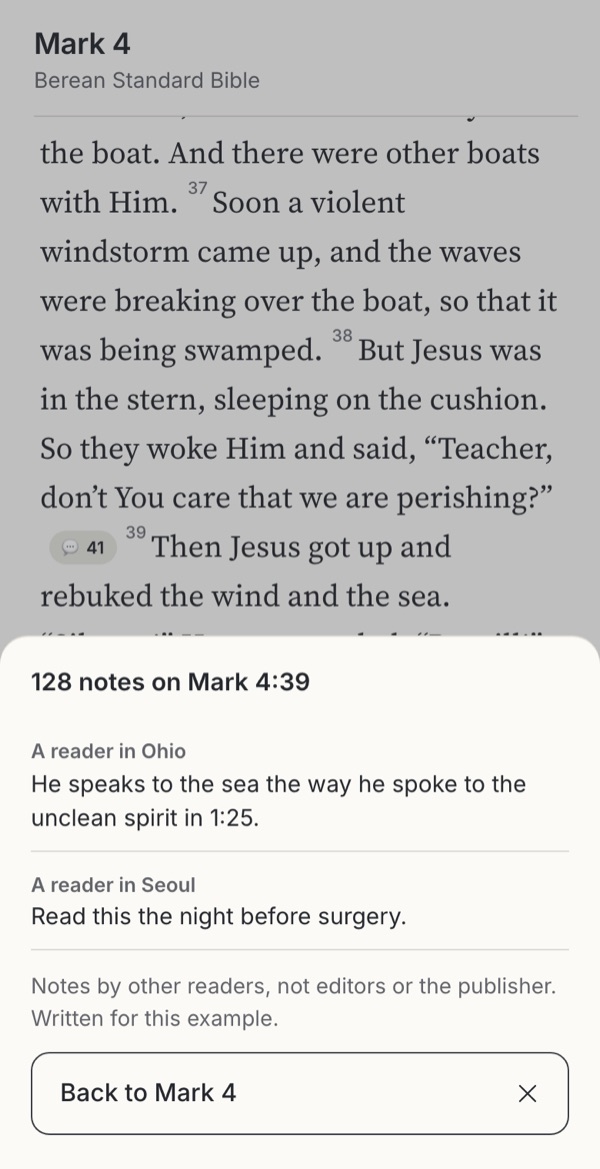
Stills from the working example below. Choose one to try it.
Try it
Try five ways to mark “Be still!”
Mark 4:35–41 in the Berean Standard Bible, with the words “Be still!” in verse 39 already selected. Each option offers a different kind of mark, from a silent bookmark to a note others can read. Make a mark, then switch the translation to the BSB and see what happens to it.
Option
Why these settings?
Highlights on exact words belong to the translation they were made in: “Be still!” has no exact match in the KJV’s “Peace, be still.” Bookmarks and notes attach to the verse, so they follow any translation. With audio playing, the playing verse is underlined so it cannot be mistaken for a saved highlight.
Familiar convention
1. Bookmark
A familiar convention: a ribbon that means only “return here”, as in NeuBible’s three-item menu (Highlight, Copy, Bookmark); see the screenshot below.
Try this
Bookmark the verse, then switch the translation.
Makes easier
Says nothing and asks nothing: a place to come back to.
Costs
Records no thought; many bookmarks become a list nobody returns to.
Ask your teamIs a place to return to enough for what readers are trying to keep?
Observed
2. Highlight
Observed in the Joseph Prince app (“Highlight added · Add Note”) and most Bible apps; see the screenshot below.
Try this
Highlight the words, then undo. Turn audio on and compare the two cues. Switch to the BSB.
Makes easier
One tap, with undo; marks the exact words that stood out.
Costs
Highlighting alone does little for learning; a mark on exact words cannot follow a different translation.
Ask your teamWhat happens to a highlight on exact words when the reader switches translation?
Familiar convention
3. Labelled marks
A familiar convention in study tools, which offer named highlighter styles. Here each label has its own shape, not only a colour.
Try this
Mark the words as a Question, then a Promise. Notice how each looks.
Makes easier
A personal shorthand that is readable without colour and easy to find later.
Costs
Asks for a decision before saving; labels can drift into a scheme to maintain.
Ask your teamAre labels optional, readable without colour, and owned by the reader?
Familiar convention
4. Private note
A familiar convention: a note attached to the verse, private by default. Here it follows the verse into any translation.
Try this
Add a note, save it, then switch to the BSB.
Makes easier
The reader’s own words, which are remembered better than words they only read.
Costs
Takes effort; notes on Scripture reveal faith and struggles, so privacy is not optional.
Ask your teamWhere are notes stored, who can see them, and do people know?
Design considerations
Takeaways
Reading with a pen is old
Readers have marked Bibles for centuries; Jonathan Edwards filled an interleaved Bible with over five thousand notes. A study of used textbooks found placemarks, signals, interpretation and problem working, and students sought out well-annotated copies. Support several kinds of mark, not one palette.
Highlighting is for returning, notes are for remembering
A review of study techniques rated highlighting low for learning, and decades of studies show people remember what they put in their own words. That does not make highlights pointless: they say “come back here”. Offer a note one tap away, never as a requirement.
Colour cannot carry the meaning alone
Marks, selection, search and read-along highlighting often share the same tint. Give each label a shape (underline, outline, wavy line) and show playback with a different cue, so the reader can tell a saved mark from a moving one without relying on colour.
A mark belongs to a translation, a note to the verse
A highlight on the BSB’s “Be still!” has no exact match in the KJV’s “Peace, be still.” Keep exact-word marks with their translation and say so when the reader is elsewhere; let bookmarks and notes follow the verse.
Notes on Scripture are sensitive
Notes record faith, doubt, grief and sin. Under European data law, religious belief is special-category data. Keep notes private by default, make sharing a separate step that names the audience, and label other readers’ notes as theirs, as Glorify’s Public Notes switch begins to do.
Use cases
Which situation, which option?
People come with different needs, sometimes in the same week. Each need fits some options better than others.
| Situation | Needs | 1 Bookmark | 2 Highlight | 3 Labelled marks | 4 Private note | 5 Shared note |
|---|---|---|---|---|---|---|
| Keeping a place | Come back later | Good fit | Possible | Possible | Poor fit | Poor fit |
| Marking what stood out | Quick, the exact words | Poor fit | Good fit | Good fit | Possible | Poor fit |
| Study and teaching | Find marks by kind | Poor fit | Possible | Good fit | Good fit | Possible |
| Prayer and reflection | Private, in my own words | Possible | Possible | Possible | Good fit | Poor fit |
| Small group | Share with known people | Poor fit | Poor fit | Poor fit | Possible | Good fit |
| Reading in greyscale or with a screen reader | Marks that are not only colour | Good fit | Poor fit | Good fit | Good fit | Possible |
Suggested fits based on the research below. Test these choices with people in your context.
The research behind it
Theology, practice and science
Scripture and practice
Keeping the word
Write it, hide it, ponder it
Deuteronomy 6:9; Psalm 119:11; Luke 2:19. Marking and noting are ways of keeping Scripture, not only of studying it.
Reading with a pen
Edwards’s Blank Bible; annotated textbooks valued by later readers.
Learning science
What marks do for memory
Highlighting is low utility for learning
Rated low in a review of ten study techniques.
Own words are remembered
Information people generate is remembered better than information they read.
Privacy and access
Best practice
Religious belief is special-category data
Processing needs an Article 9 condition; inferences about belief from behaviour count too.
How Bible apps handle it
Current annotation and plan privacy settings in Olive Tree and YouVersion.
Not colour alone
Colour must not be the only way to tell marks apart.
Find the supporting research under Go further → Sources and their limits.
Where to start
Which fits your product?
IfPeople mainly want to keep their place
Start withA bookmark, one tap, following the verse
IfPeople mark what stands out as they read
Start withOne-tap highlight with undo, attached to the translation
IfPeople study and want to find marks again
Start withA few labelled marks, each with its own shape
IfPeople pray and reflect
Start withPrivate notes on the verse, stored and exported carefully
IfGroups read together
Start withSharing as a separate step that names the group; others’ notes switchable
Suggested fits based on the research on this page. Test these choices with people in your context.
In real apps
Examples in real apps
Attributed screenshots with dates and review limits. A screenshot shows an implementation; it does not show that it works for every audience.
Annotated examples
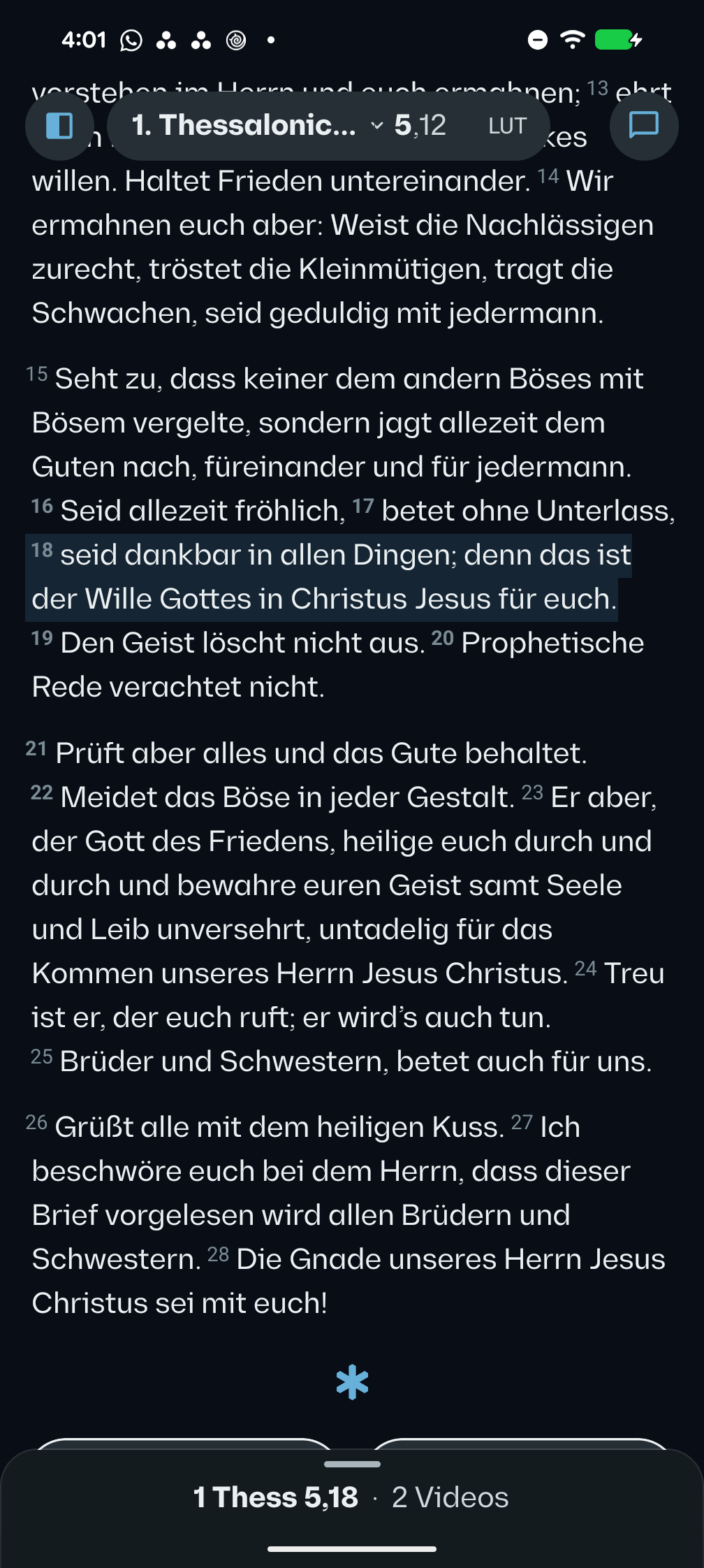 VSB · Android 17 · Pixel 8 Pro · German interface
A selection survives returning from its study sheet
Direct Android prototype capture
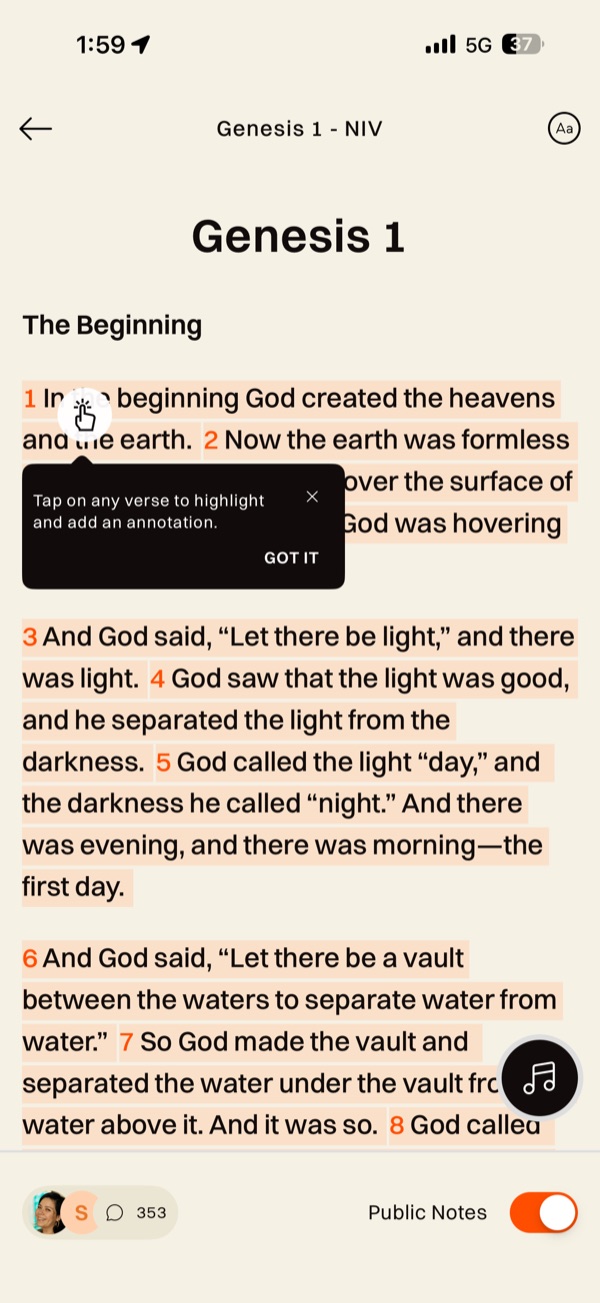 Glorify · iOS app · device model not recorded
Other readers’ notes inside the text
User-contributed screenshot · resized, content unchanged
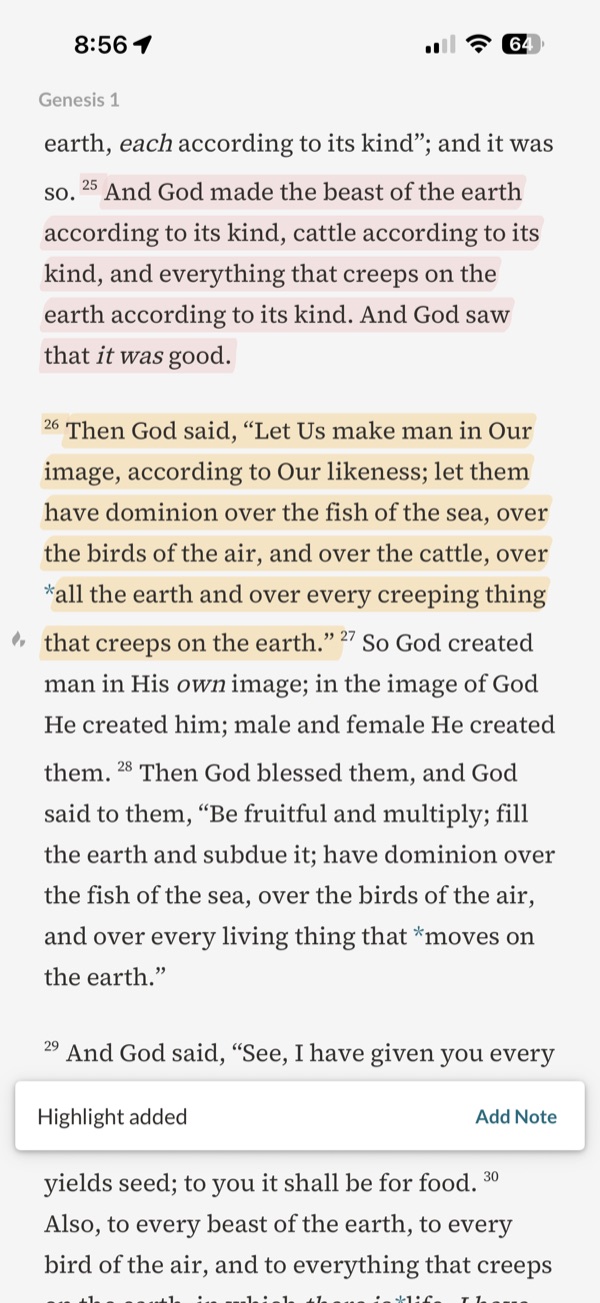 Joseph Prince · iOS app · device model not recorded
“Highlight added”, with a route to a note
User-contributed screenshot · resized, content unchanged
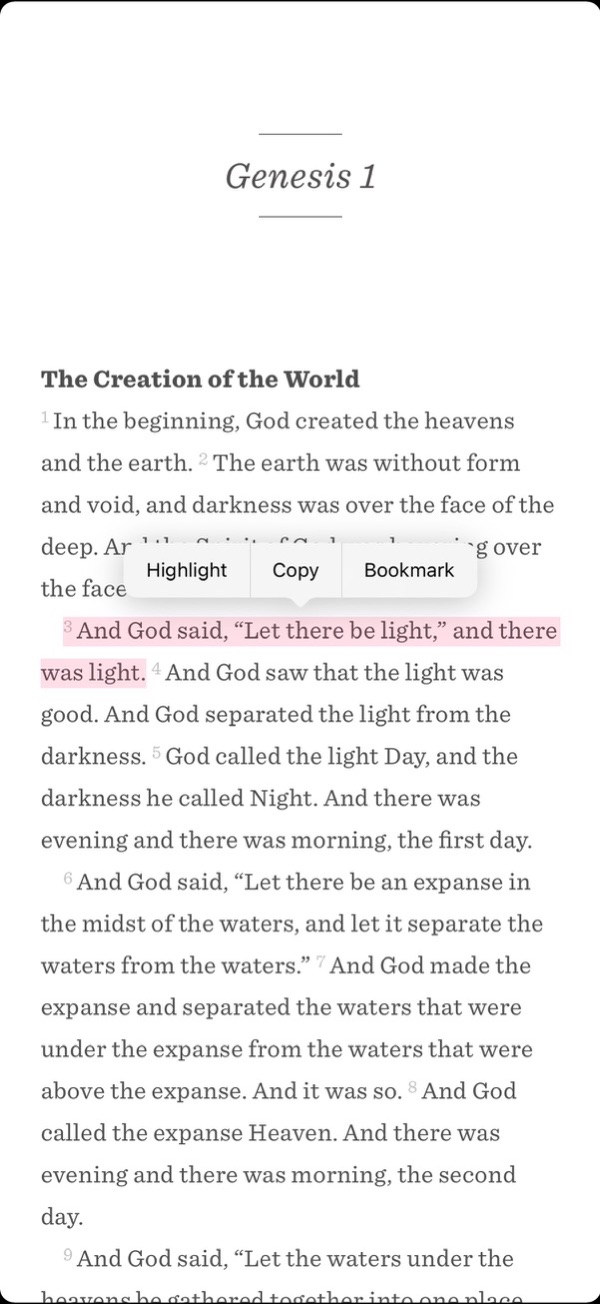 NeuBible (now Mere Bible) · iOS app · device model not recorded
Three actions over a selected verse
User-contributed screenshot · resized, content unchanged
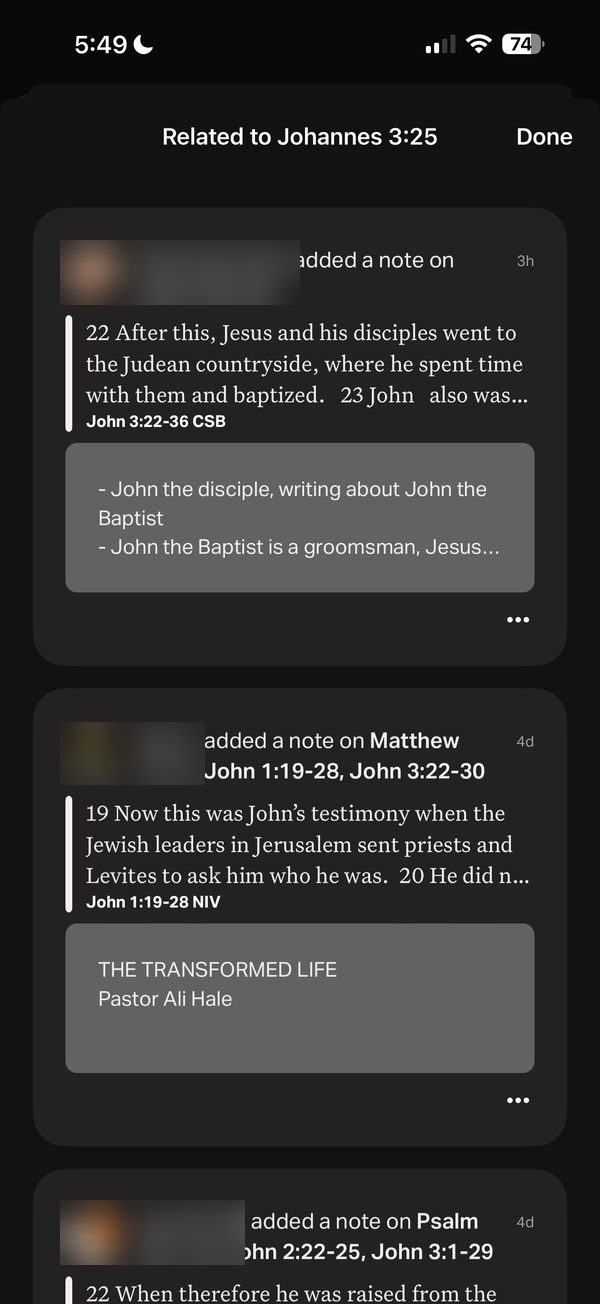 YouVersion · iOS app · device model not recorded
Other readers’ notes related to a verse
User-contributed screenshot · resized, content unchanged
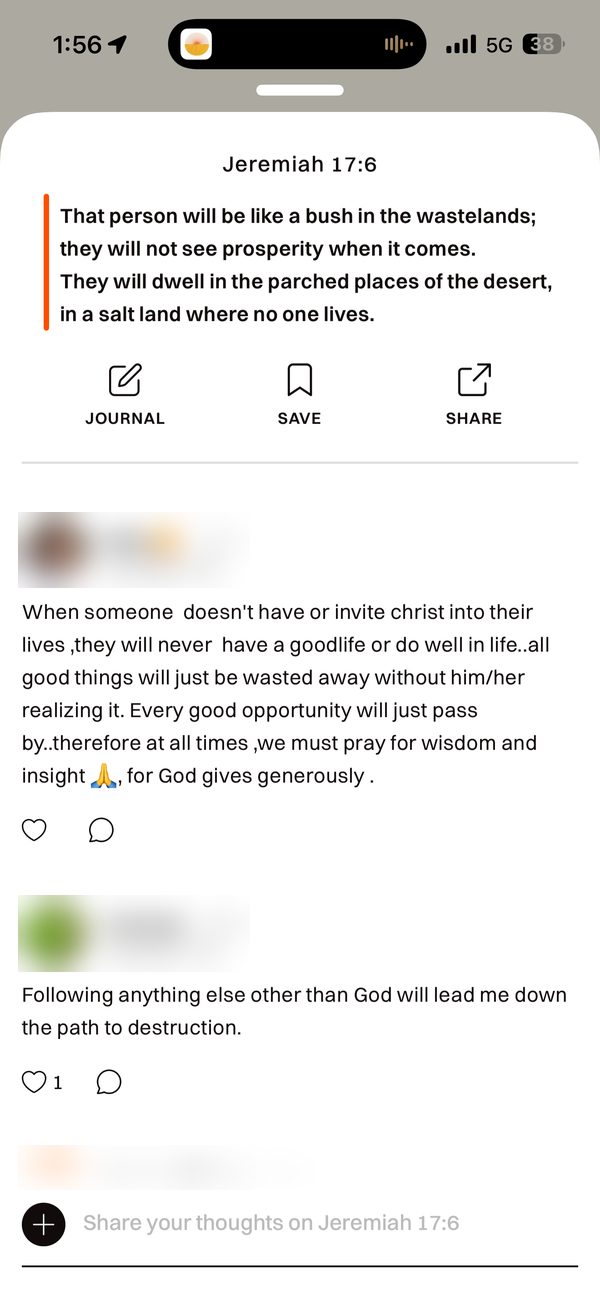 Glorify · iOS app · device model not recorded
A public thread under a verse
User-contributed screenshot · resized, content unchanged
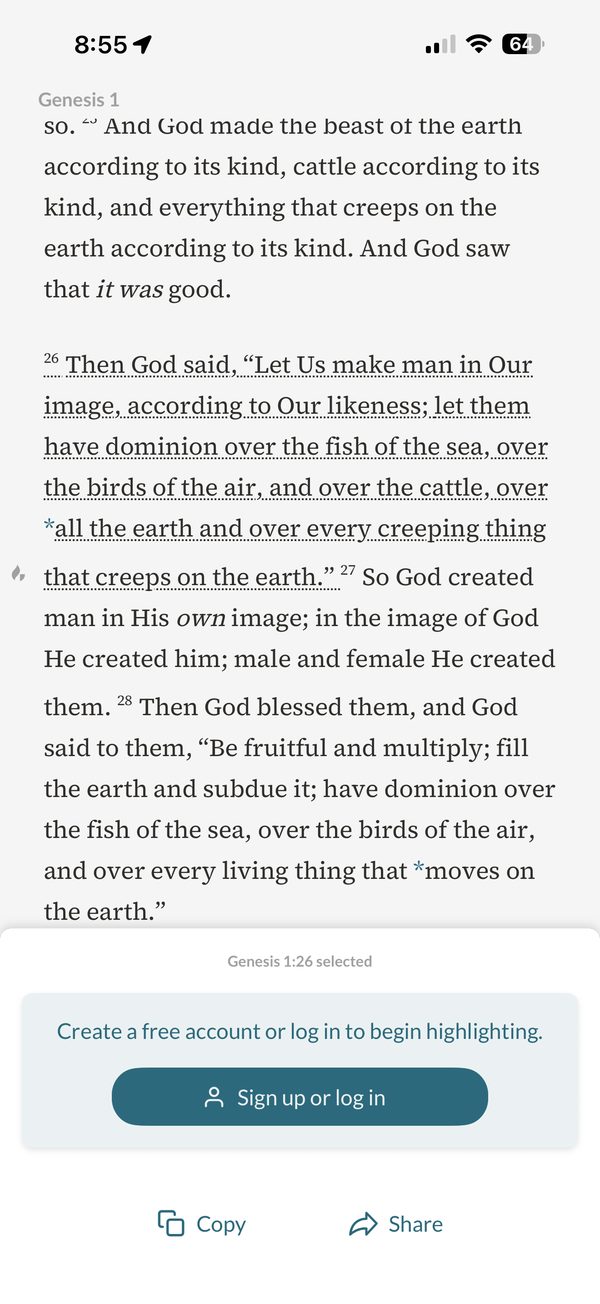 Joseph Prince · iOS app · device model not recorded
An account asked for at the moment of highlighting
User-contributed screenshot · resized, content unchanged
Research screens
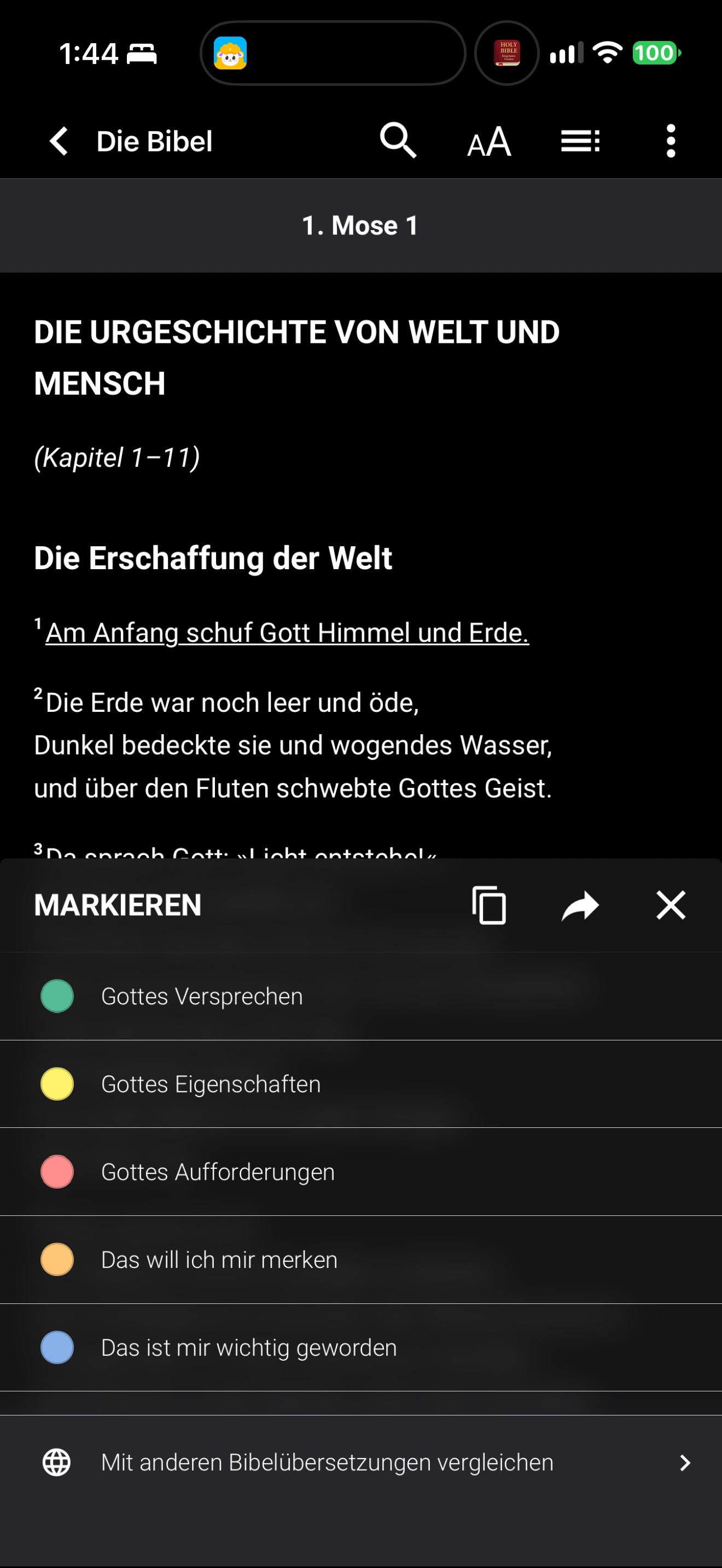
Bibelzeit labels its highlight colours with theological and personal meanings.
Bibelzeit · 2026-10-25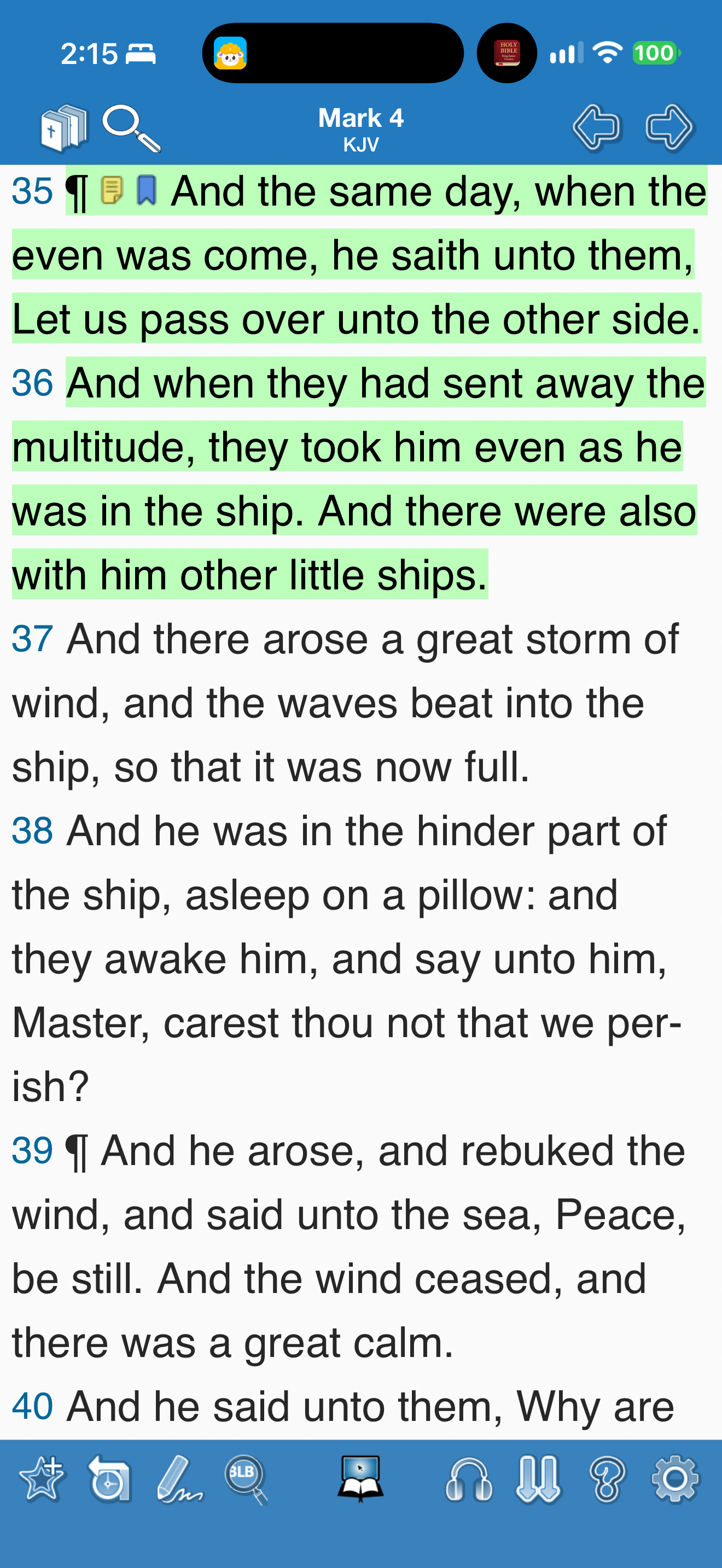
Blue Letter Bible uses separate note and bookmark icons beside highlighted verses.
Blue Letter Bible · 2026-10-25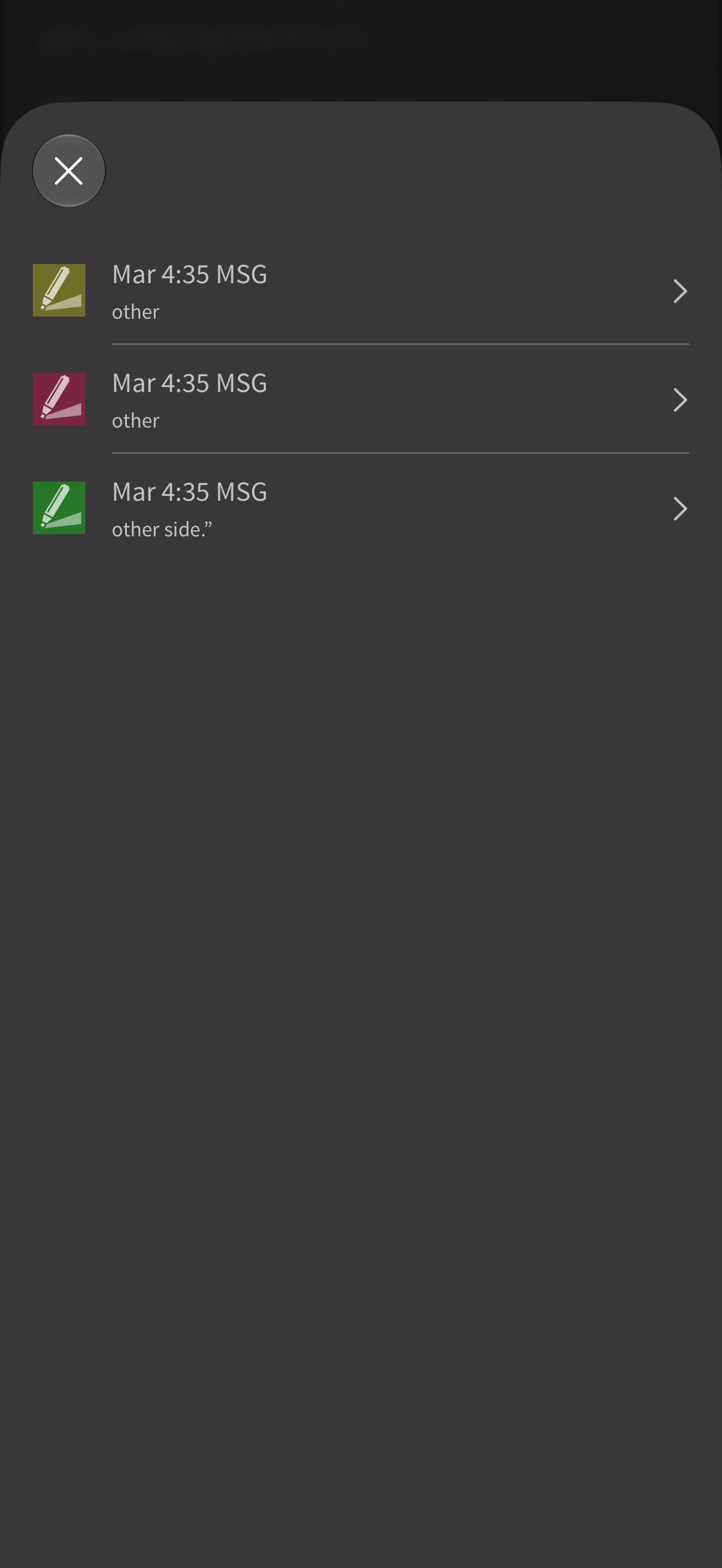
Olive Tree lists three Mark 4:35 highlight records: two anchored to “other” and one to “other side.”
Olive Tree Bible · 2026-10-25
Logos shows Mark 4 in a dark reader after the captured session turned Show Notes/Highlights off.
Logos Bible · 2026-10-24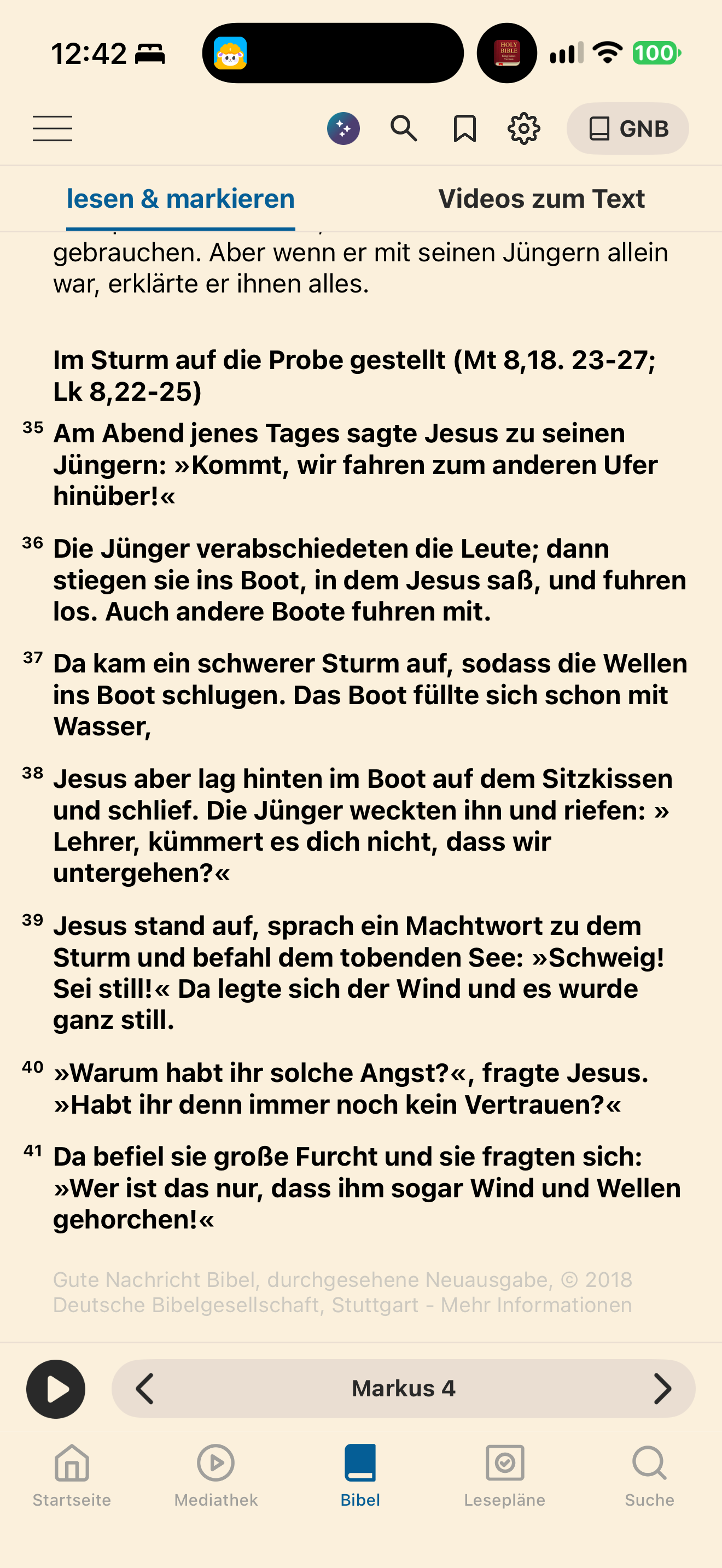
Bibel TV displays Mark 4:35–41 in bold after an exact passage lookup, distinct from the surrounding regular-weight text.
BibelTV · 2026-10-25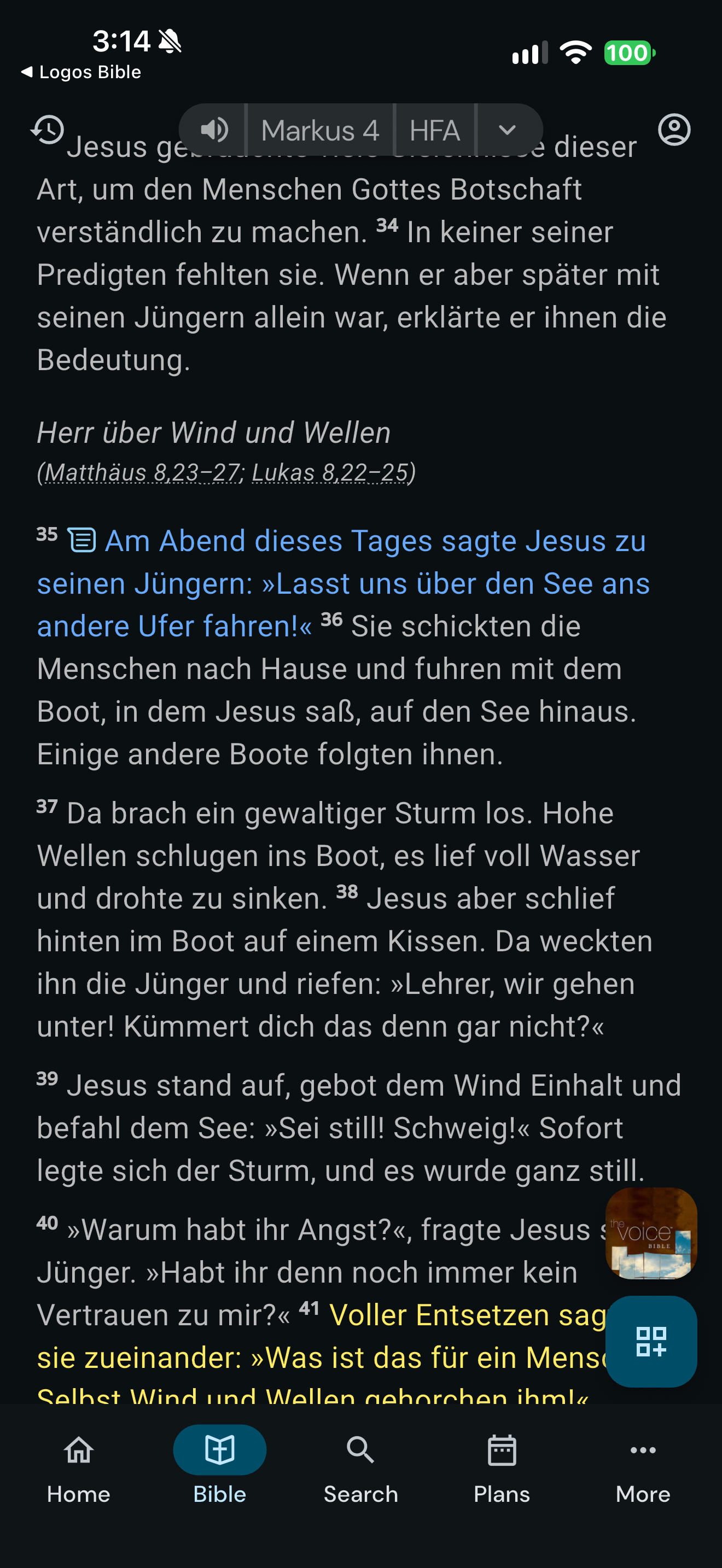
Life Bible shows blue text with a note icon at Mark 4:35 and yellow marked text at verse 41 in a dark reader.
Life Bible · 2026-10-24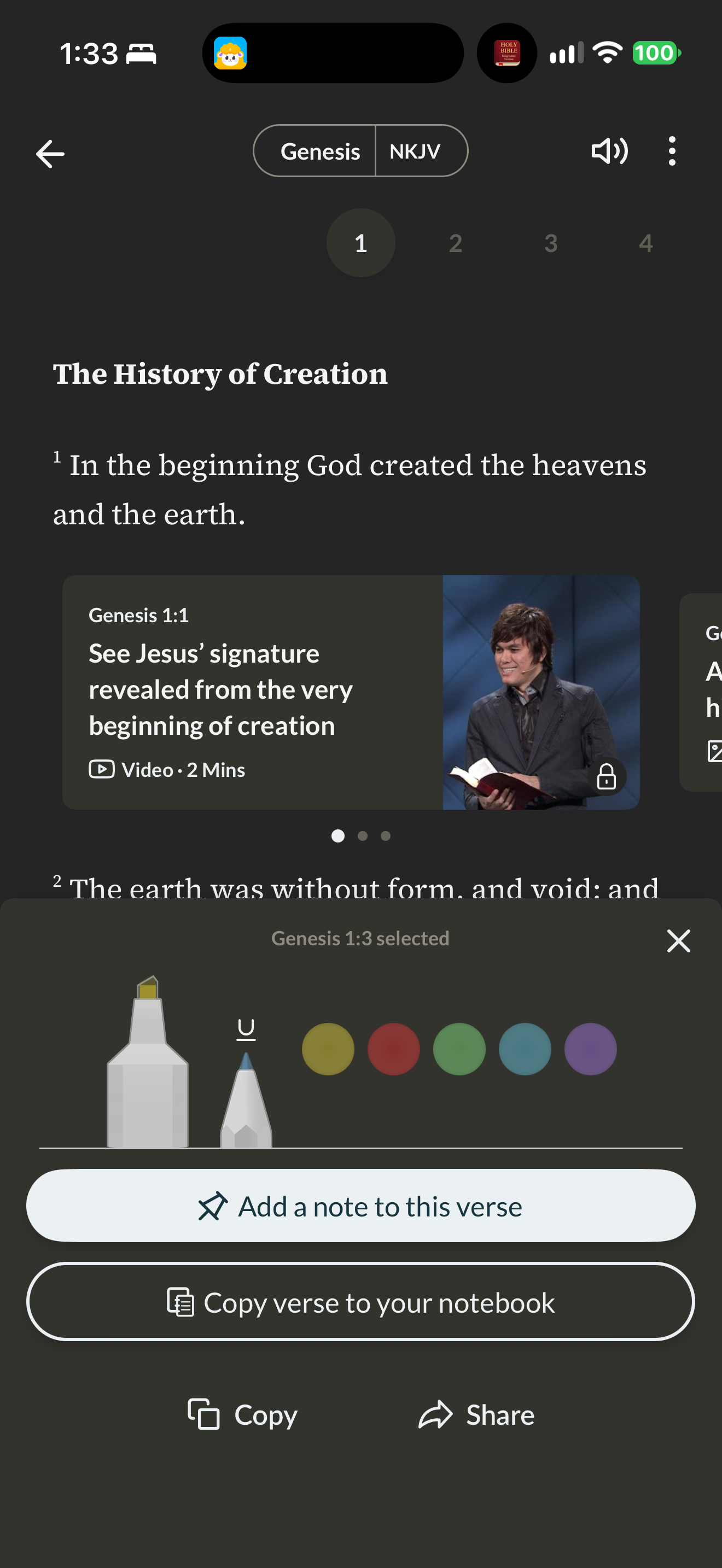
Gospel Partner opens colour, underline, note, copy and share actions for a verse.
Gospel Partner · 2026-10-25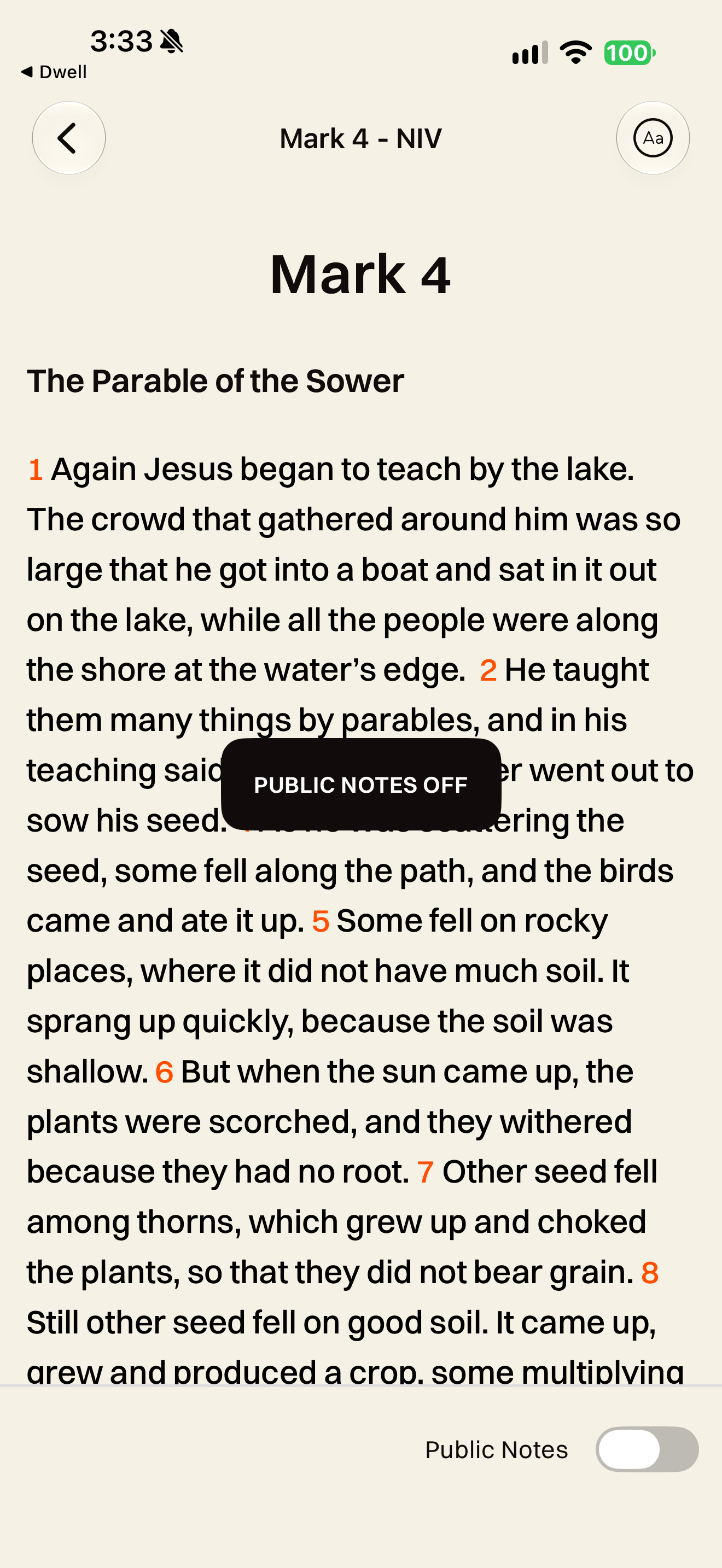
Glorify shows an off confirmation as community overlays disappear from the reader.
Glorify · 2026-10-24See all 149 screens for this pattern · Browse apps · How we review
Screenshots: respective app publishers. Captions describe the captured state; generated responses can differ.
Theological reflection
What is this practice for?
What keeping the word is for
Scripture asks to be kept: written “on the doorposts of your houses” (Deuteronomy 6:9), hidden in the heart (Psalm 119:11), pondered as Mary “treasured up all these things” (Luke 2:19). The blessed person meditates on the law “day and night” (Psalm 1:2). A mark is often a prayer, a question or a promise held onto in a hard week.
Where Christians differ
Some traditions treat the physical book with great reverence: the Gospel book is carried in procession and kissed, and some believers would not write in a Bible. Others have read with a pen for centuries: Jonathan Edwards filled an interleaved Bible with thousands of notes. Traditions also differ on how personal interpretation relates to the church’s reading (2 Peter 1:20).
What follows for design
A mark belongs to the reader. Keep it private unless they choose otherwise, let it travel with them if they leave, and never mine it for advertising. Make marks distinguishable from the text itself, so a reader’s note is never mistaken for Scripture.
In conversation with
- Eugene Peterson, Eat This Book (2006) commends lectio divina, dwelling on a short passage until it is taken in; a mark is often the trace of that dwelling.
- Dietrich Bonhoeffer, Life Together (1939) pairs life together with time alone with Scripture: what a reader keeps privately belongs to that time alone.
Scripture is quoted from the Berean Standard Bible. This reflection is the editor’s, written from within the Christian tradition and open to correction. How we approach theology here →
Three ways to build
What would each way do here?
ExploitativeTakes from the person
Notes are public by default to grow a feed, and locked into the app.
EthicalDoes no harm
Keep notes private by default, allow undo, and make every mark readable without colour.
RedemptiveGives something up for them
Let people export all their notes in an open format and take them elsewhere, giving up lock-in.
The three ways are Praxis’s frame for redemptive entrepreneurship; their application here is ours. Why we use it, and its limits →
Take into your next review
Can someone mark in one tap and undo, tell every mark apart without colour, and say exactly who can see each note?
Exercise
Ask three readers to mark Mark 4:39 as they would at home, then switch translation and explain where their mark went. Turn the screen to greyscale and repeat. Finally, ask who can see the note they wrote, and check.
Record the decision with the worksheet
Something missing or wrong here? Send a correction or suggest a topic.
A mark is a reader’s answer to the text; keep it as carefully as they made it.
Details
Go further
Explore 4 related design decisions, with guidance, wireframes and sources.
Edge cases to design for
Offer a small menu over the selection with one-tap marking and undo; leave labels and organisation for later. Give each kind of mark its own shape, and keep selection, search and playback cues visibly different from saved marks. Attach highlights to the exact words in their translation and say so elsewhere; attach bookmarks and notes to the verse so they follow any translation. Keep notes private by default and treat them as sensitive data. Make sharing a separate step that names the audience and previews what they will see; label other readers’ notes as theirs and let people turn them off.
What tends to go wrong
A colour picker before every highlight; colour as the only difference between marks; read-along highlighting that looks like a saved mark; highlights silently lost or moved onto different words after switching translation; notes public by default; a “share” that publishes to everyone; others’ notes styled like study notes; inferring mood or belief from marks for analytics.
How to test it
Mark, undo and re-mark a phrase; repeat with a screen reader and in greyscale. Switch translation and ask where each mark went and why. Play audio over marked verses. Ask people who can see a note they just shared, and compare with the truth.
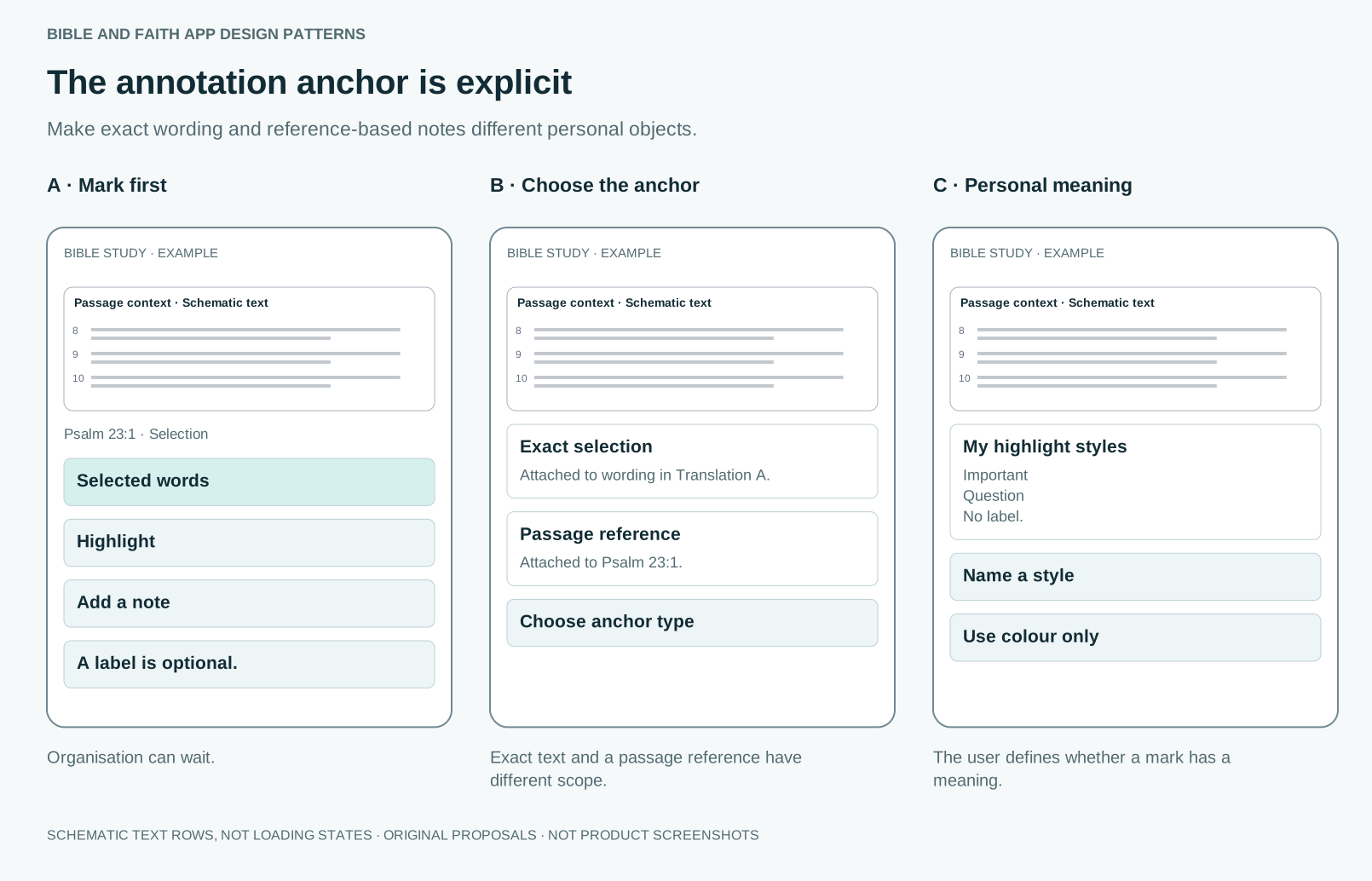
Related decision: The annotation anchor is explicit
Make exact wording and reference-based notes different personal objects.
Guidance
Allow quick marking without forced organisation. Explain whether the annotation targets an exact edition-specific selection or a passage reference. Colours and labels are optional personal conventions.
What tends to go wrong
Assuming a colour reveals theology or mood; requiring tags before saving; promising exact word transfer across translations.
How to test it
Can users understand where their note will appear after switching editions? Test unlabelled highlights and annotations across verse ranges.
Sources
- Record your insights using NotesOfficial documentation reviewed · Documentation does not validate all proposed sync or overlap behaviour.
- Android Annotation OverviewHelp updated July 2026; reviewed 5 October 2026 · Provider documentation; edition mapping and actual accessibility need separate testing.
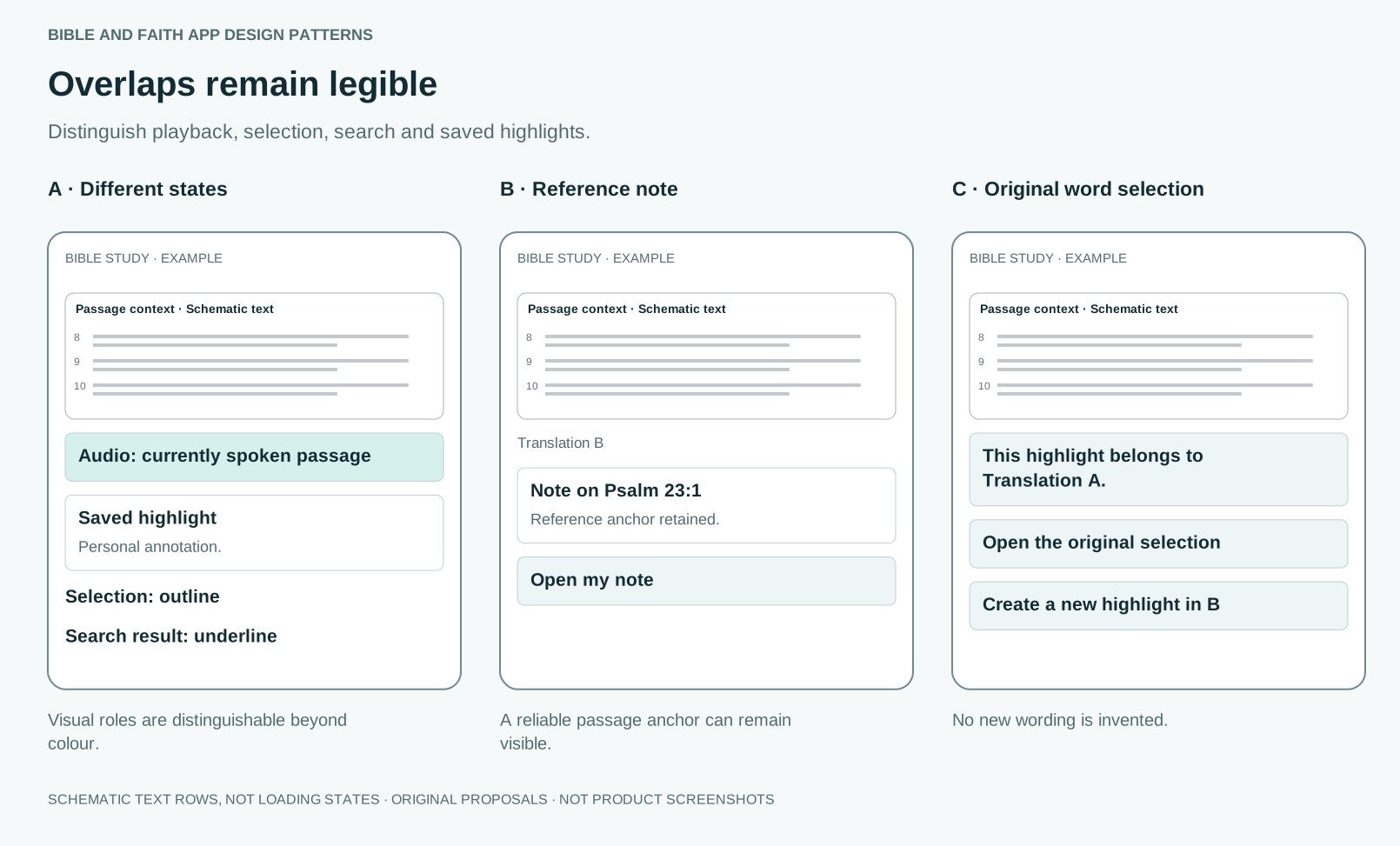
Related decision: Overlaps remain legible
Distinguish playback, selection, search and saved highlights.
Guidance
Use different visual and accessible cues for transient and saved states. Carry reference-based notes through reliable reference mappings. Keep exact selections attached to their original edition when no word alignment exists.
What tends to go wrong
Everything represented by background colour; inventing a new selection in another edition; hiding the original annotation when mapping fails.
How to test it
Combine playback, search and a personal mark on one verse. Switch editions and check that every annotation remains explainable and recoverable.
Sources
- Record your insights using NotesOfficial documentation reviewed · Documentation does not validate all proposed sync or overlap behaviour.
- EPUB Media OverlaysRelevant specification section reviewed · Verify support in the app and edition you intend to use.
- Understanding ReflowGuidance reviewed · Some content has defined exceptions; test the actual experience.
- Android Annotation OverviewHelp updated July 2026; reviewed 5 October 2026 · Provider documentation; edition mapping and actual accessibility need separate testing.
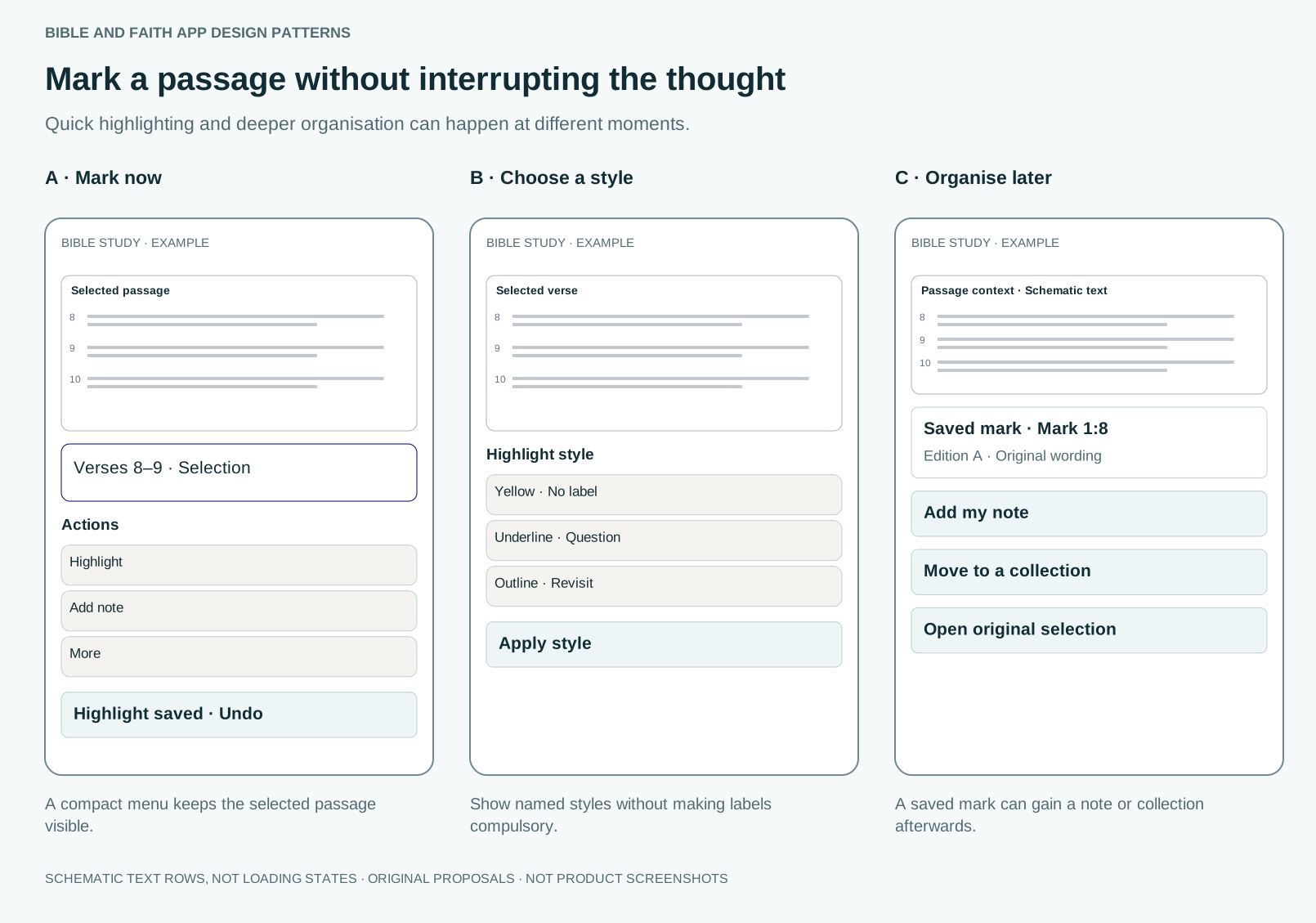
Related decision: Mark a passage without interrupting the thought
Quick highlighting and deeper organisation can happen at different moments.
Guidance
Offer a small selection menu with Highlight, Note and More. Apply a sensible last-used or default style with undo. Make style labels and organisation optional, preserve the selection anchor, and provide an accessible selection path beyond long press.
What tends to go wrong
Marking the wrong range; gesture-only selection; requiring a colour taxonomy; confusing an audio cue with a saved mark; losing marks on edition changes.
How to test it
Select a range crossing paragraphs, apply and undo a mark, add a note, then switch editions. Check narrow screens, handles near screen edges, keyboard access and save feedback.
Sources
- Android Annotation OverviewHelp updated July 2026; reviewed 5 October 2026 · Provider documentation; edition mapping and actual accessibility need separate testing.
- Understanding ReflowOfficial guidance reviewed on 5 October 2026 · Semantic scroll restoration is an original design proposal, not a requirement stated by this criterion.
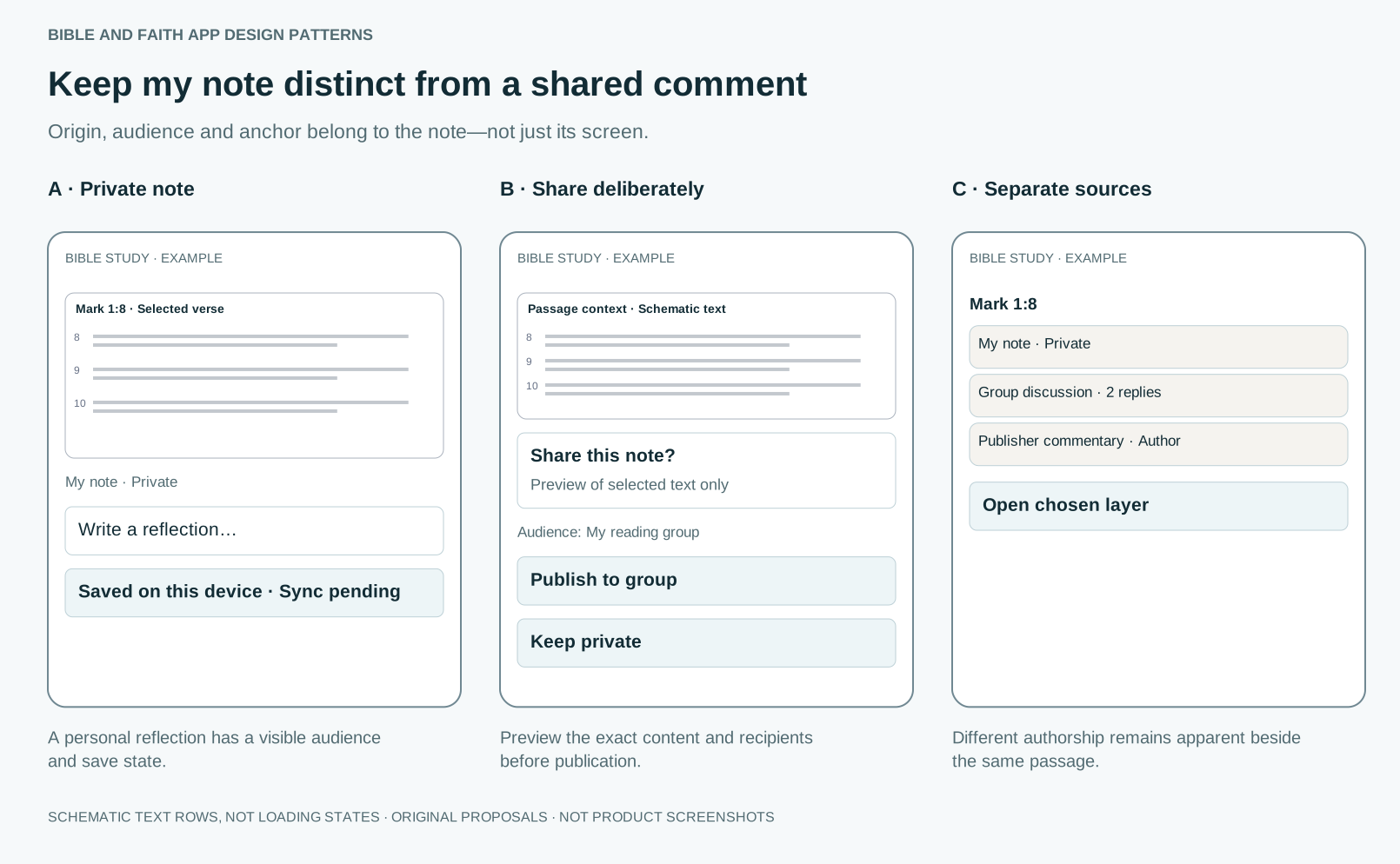
Related decision: Keep my note distinct from a shared comment
Origin, audience and anchor belong to the note—not just its screen.
Guidance
Start personal notes as private. Show the passage or exact-text anchor and save state. Make sharing a separate previewed action with an explicit audience. Keep publisher commentary and AI suggestions visibly separate from the person’s own words.
What tends to go wrong
A public composer styled like a private journal; changing visibility without confirmation; silent sync failure; quoting someone else’s disclosure into a shared thread.
How to test it
Create a private note offline, inspect its anchor and preview sharing with a group. Cancel sharing, change edition and find the original note. Check what deletion can and cannot remove from recipients’ copies.
Sources
- Android Annotation OverviewHelp updated July 2026; reviewed 5 October 2026 · Provider documentation; edition mapping and actual accessibility need separate testing.
- Android: Plan PrivacyOfficial help article reviewed 5 October 2026 · Documented Android behaviour, not a captured or tested flow. Help text may change.
Sources and their limits
Research-informed design proposal. Original prototypes await user testing.
- Annotation: from paper books to the digital libraryPaper reviewed · Textbooks in one university setting; paper, not apps.
- The Works of Jonathan Edwards, vol. 24: The “Blank Bible”Publisher description reviewed · One exceptional reader.
- Improving students’ learning with effective learning techniquesSummary reviewed · Educational learning outcomes, not devotional reading.
- The generation effect: a meta-analytic reviewAbstract reviewed · Laboratory memory tasks, mostly word lists.
- Process personal data lawfullyOfficial guidance reviewed · Specific lawful basis, retention and DPIA decisions require the actual data flows.
- What is special category data?Categories and inference guidance reviewed · Context and processing intent matter; not every Bible-page visit automatically establishes a belief.
- Android Annotation OverviewHelp updated July 2026; reviewed 5 October 2026 · Provider documentation; edition mapping and actual accessibility need separate testing.
- Android: Plan PrivacyOfficial help article reviewed 5 October 2026 · Documented Android behaviour, not a captured or tested flow. Help text may change.
- Understanding Use of ColorGuidance reviewed · Accessibility guidance.
Faith and interpretation
Scripture asks to be kept, not only read: “Write them on the doorposts of your houses” (Deuteronomy 6:9); “I have hidden Your word in my heart” (Psalm 119:11); Mary “treasured up all these things and pondered them in her heart” (Luke 2:19). Christians have long read with a pen: Jonathan Edwards filled an interleaved Bible with over five thousand notes across three decades. A mark is often a prayer or a question, and belongs to the reader.