Moving through the text
Feeds, cards and stories
How should a reader move from one verse to the next?
A growing number of Bible apps borrow the vertical feed from TikTok and Instagram: one verse per full-screen card, a swipe up to the next, sometimes with a background, likes and a share button. Some go through the Bible in order; others shuffle verses chosen for you and never end. Others offer a small daily set of stories, or pages to turn like a book. The question here is not how much text a screen shows, but how the reader gets from one verse to the next, how far each verse stays from its setting, and where the reading ends. A feed can help a new reader begin. It can also turn the Bible into one more thing to scroll.
- 6 working options
- 2 app examples
- 6 takeaways
- Prototypes awaiting user testing
The spectrum
From a page you turn to a feed that never ends
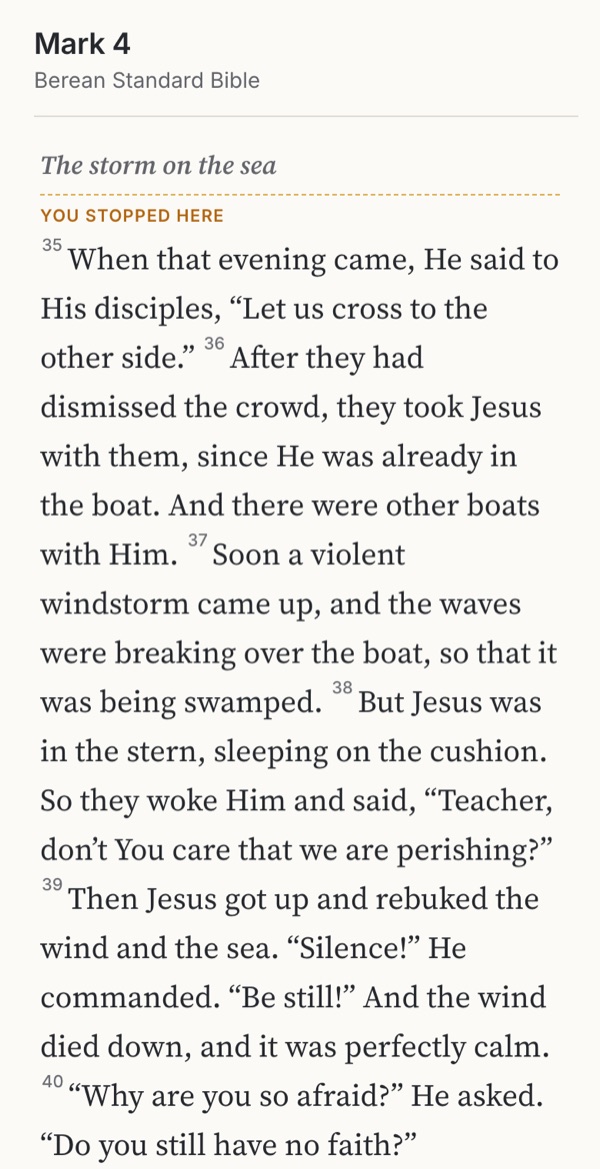 Familiar convention The story stays whole Long on a phoneTry it →
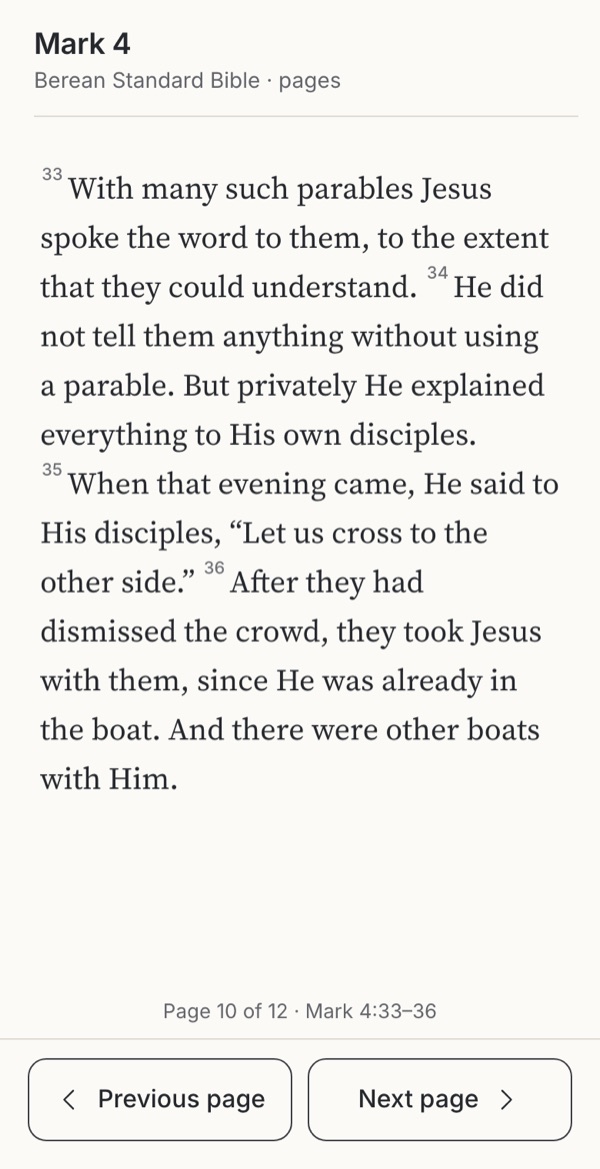 Familiar convention A place and an end Breaks mid-thoughtTry it →
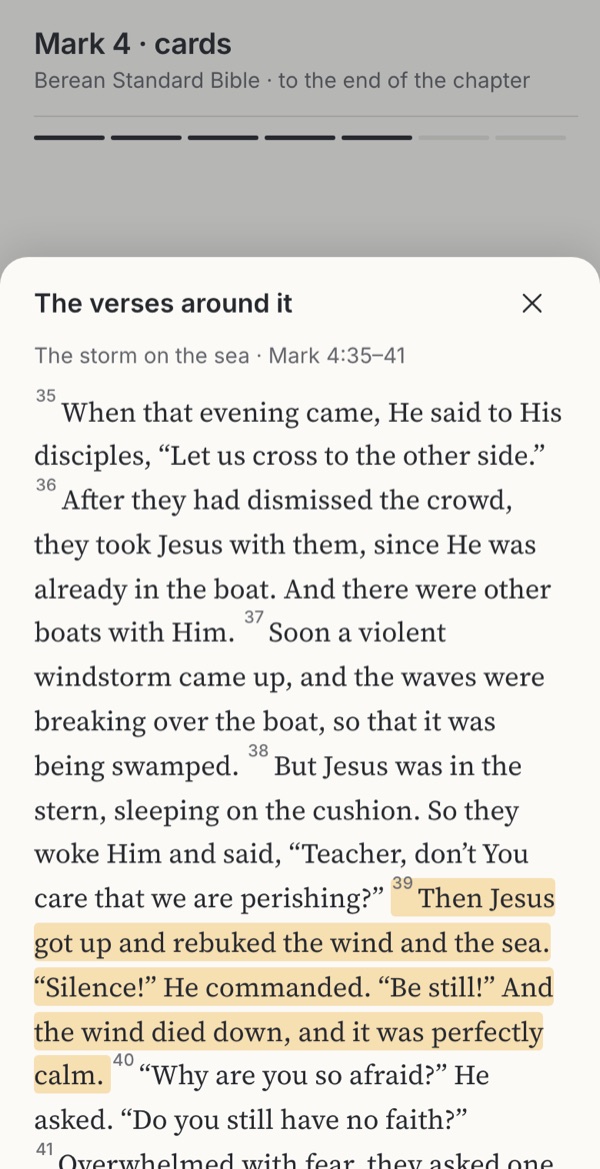 Observed One verse, then a clear end Context a tap awayTry it →
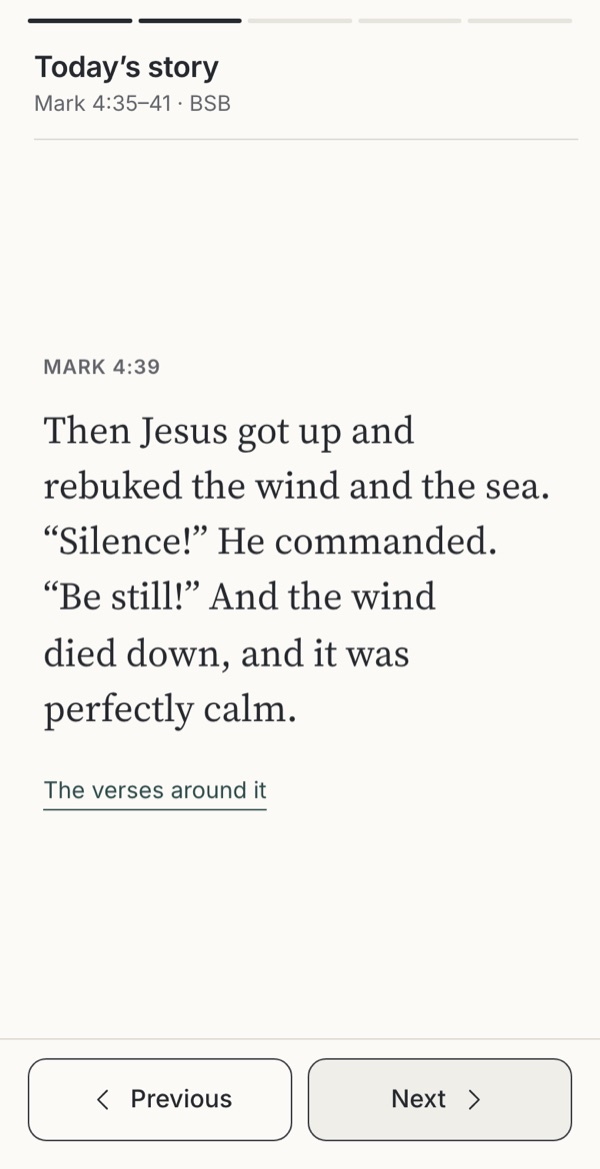 Observed Small and finished Someone else choseTry it →
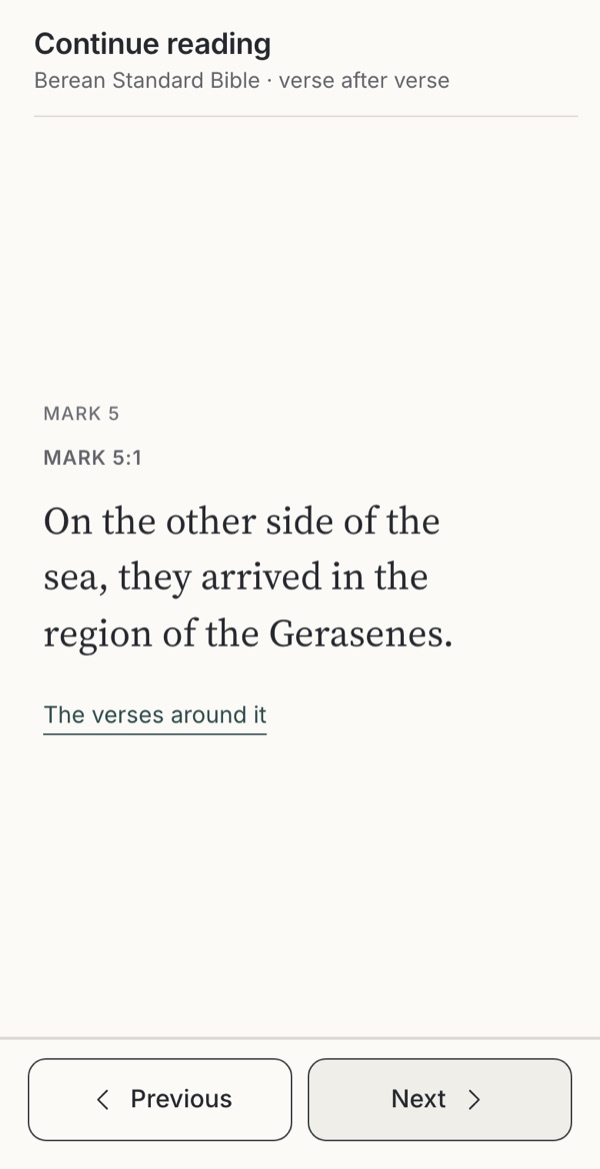 Observed Reads on easily No end to stop atTry it →
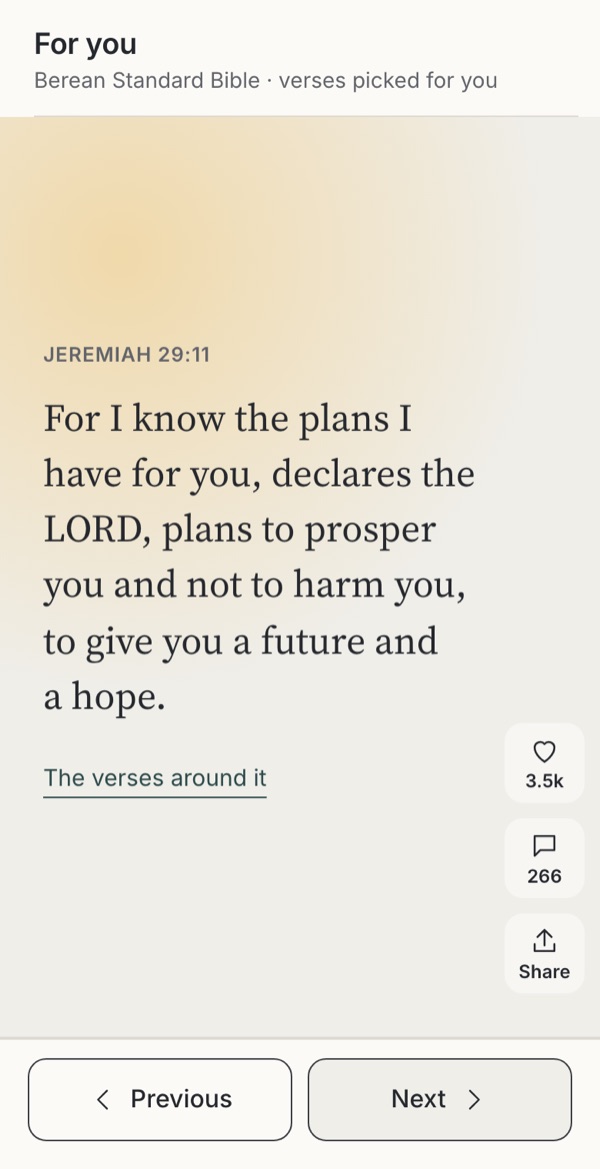 Warning case Effortless and familiar Out of context, endlessTry it →
Stills from the working example below. Choose one to try it.
Try it
Try six ways to move through the storm on the sea
Someone opens Mark 4 at the storm on the sea (4:35–41) in the Berean Standard Bible, with a few minutes to spare. Move through the passage in each design with the buttons, the arrow keys or a swipe. Watch what happens after Mark 4:41, the last verse of the chapter, and open the verses around a card.
Option
Why these settings?
Every view moves with Previous and Next, with the arrow keys and with a swipe, so nobody needs a gesture to read; each card is announced to screen readers with its position, and with reduced motion switched on nothing slides. “The verses around a card” opens the passage the card belongs to, with its verse marked. The shuffled feed always shows likes and shares, as the feeds it stands for do; the counts are written for this example. Stories that advance on their own move every six seconds and can be paused.
Familiar convention
1. The page
A familiar convention in Bible apps and e-books: the chapter as one continuous text, opened where the reader stopped. Section titles here are our own.
Try this
Scroll up to the parable before the storm, then down to the end of the chapter.
Makes easier
The story and the argument stay whole, and the context is simply there, above and below.
Costs
Long on a phone, and a reader can lose their place; it asks for more attention to begin.
Ask your teamDo your readers mostly read through, or dip in?
Familiar convention
2. Pages to turn
A familiar convention from e-readers and printed books: one screen of text at a time, turned with a button, a tap or a sideways swipe. The page breaks here are our own.
Try this
Turn the pages to the end of the chapter, then back. Try the arrow keys.
Makes easier
A sense of place and progress, a calm screen that does not move under the reader, and a natural end.
Costs
A page break can fall in the middle of a thought, and text size changes every page.
Ask your teamWill a page end where the text pauses, or where the screen runs out?
Observed
3. Cards in order
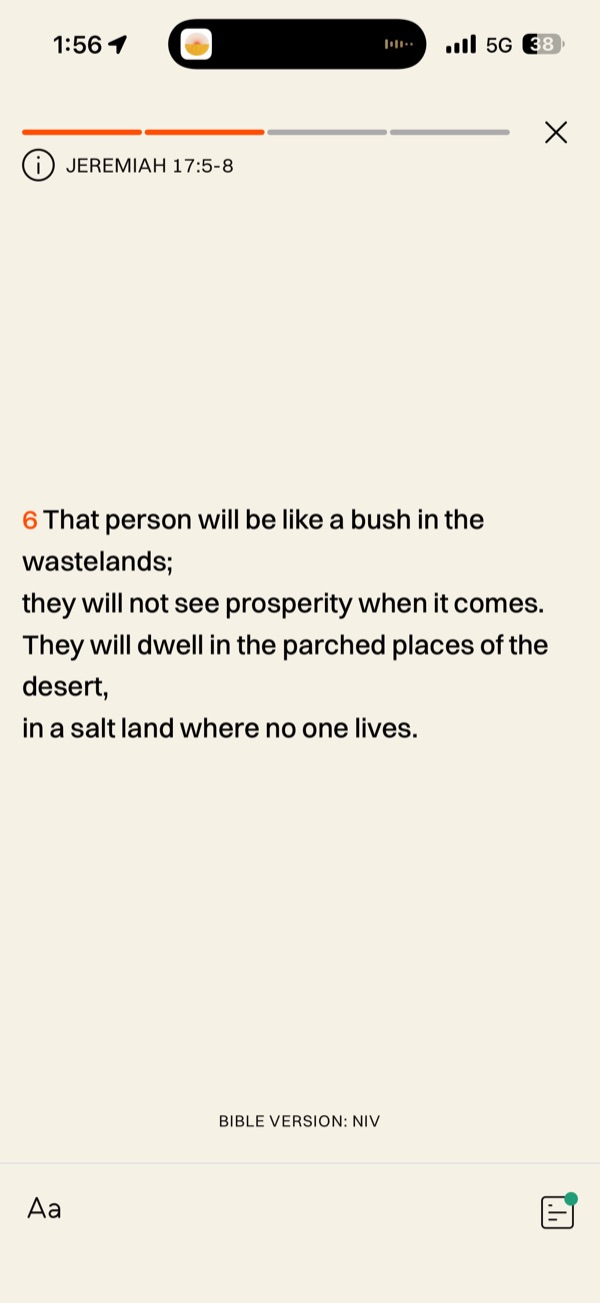
Observed in Glorify, which shows a short passage one verse per screen under a step bar; store listings for Holy Scroll, Scroll The Bible and HolyScroller describe full-screen verse cards moved by a vertical swipe. Ending with the chapter, the end card and the verses around each card are our proposal.
Try this
Move to Mark 4:39 and open “The verses around it”. Then go on past Mark 4:41.
Makes easier
One verse at a time is easy to start and slow enough to notice each sentence; the position and a clear end let the reader stop well.
Costs
The passage is a tap away, not in view, and a single verse is easy to read or share apart from its setting.
Ask your teamHow far is every card from its context, and what tells the reader they have reached the end?
Observed
4. A daily set of stories
Observed in YouVersion, whose help page says “Swipe up or down to navigate through the sections of Guided Scripture”, ending in a streak page; borrowed from the stories of Instagram and Snapchat, tapped through sideways under a segmented bar. The selection and the question are written for this example.
Try this
Tap through the set, open the verses around a card, then switch on “Advance on its own” and pause it.
Makes easier
Small, finished and easy to fit into a morning; a set with an end is a habit that can be completed.
Costs
Someone else chose which verses to show and which to leave out, and a timer that advances on its own takes the pace from the reader.
Ask your teamWho chooses the verses in a set, and does the set show where they come from?
Observed
5. A feed in order, without end
Observed in store listings: Holy Scroll describes “verse-by-verse infinite scroll. Just like your Instagram feed, just like TikTok”, opening where the reader stopped; Scroll The Bible’s main feed is “a smooth, full-screen, vertical scroll through every book and chapter of the Bible”. The cards and the likes here are written for this example.
Try this
Go on past Mark 4:41 into Mark 5. Look for where the chapter ended.
Makes easier
Keeps the order of the text and makes reading a lot feel easy; people may read further than they meant to.
Costs
Nothing marks the end of a story or a chapter, so the only place to stop is when life interrupts; reading turns into scrolling.
Ask your teamIf your feed never ends, where will your readers stop?
Warning case
6. A shuffled, endless feed
A warning case. Scroll The Bible’s Discover page “is a feed of random Bible verses”, Verity offers “an engaging, infinite scroll experience—like your favorite social apps”, and YouVersion’s Verse of the Day can be hearted, commented on and shared. After Mark 4:41 this feed goes on to verses from other books, chosen for this example, with likes and shares as such feeds show them.
Try this
Go on past Mark 4:41. Open the verses around Ephesians 5:22, then around Jeremiah 29:11.
Makes easier
Effortless, varied and familiar to anyone who uses social apps; it reaches people who will never open a chapter.
Costs
Lifts each verse out of its setting, sets Scripture beside likes and counts, and removes the place to stop. Some verses read very differently alone.
Ask your teamWould you show this verse to this person without the verse before it?
Design considerations
Takeaways
Let the text set the order
Cards in the order of the text keep a story and an argument together, one step at a time. A shuffled feed sets each verse beside whatever comes next, chosen by popularity or by what you liked. Some verses survive that; others, read without the verse before, say something the passage does not.
Scripture and harm →Give the reading an end
Show the position (“card three of seven”) and end with the passage or the chapter: an end card that names what was read, offers to read it again or see the whole passage, and plays nothing next. People leave an endless feed only when life interrupts; a reading can let them go.
Make room for rest →Keep the context one tap away
Every card needs a route to the verses around it and to the chapter, as short as the swipe to the next card. Mark the card’s verse in the passage, and say where a verse comes from when it is out of order. A card is also a decision about how much text is shown.
How much text at once →Keep counts off the text
Likes, comment counts and trending numbers turn a verse into content and make some verses winners. If people may respond, let them save, note or share the passage, and leave popularity out of the reading view.
Comments on verses →Every swipe needs a button
Give Previous and Next buttons and keys for every gesture, announce each card with its position, honour reduced motion, and pause anything that advances on its own. A feed that only moves by swiping shuts out people who cannot swipe.
Cards can be a welcome
For a new reader, someone with little time or someone who finds long text hard, one verse at a time in order can be the easiest way in. Make it a door into the passage, and make the page or pages to turn one tap away when they want more.
First use →
Use cases
Which reader, which movement?
People come to the text with different time, attention and purposes, sometimes in the same week. Each fits some movements better than others.
| Reader | Needs | 1 The page | 2 Pages to turn | 3 Cards in order | 4 A daily set of stories | 5 A feed in order, without end | 6 A shuffled, endless feed |
|---|---|---|---|---|---|---|---|
| Reading a chapter or a book through | The story whole, and a kept place | Good fit | Good fit | Possible | Poor fit | Possible | Poor fit |
| A few minutes on the train | An easy start and a clear end | Possible | Good fit | Good fit | Good fit | Possible | Poor fit |
| New to the Bible, or reading little | One thing at a time, and the story around it | Possible | Possible | Good fit | Good fit | Possible | Poor fit |
| Finds long text hard (attention, dyslexia, literacy) | Short units, own pace, no timer | Poor fit | Possible | Good fit | Possible | Possible | Poor fit |
| Meditation, or memorising a verse | Slowness, and the passage close by | Possible | Possible | Good fit | Possible | Poor fit | Poor fit |
| Study, or preparing to teach | Context, references and the argument | Good fit | Possible | Poor fit | Poor fit | Poor fit | Poor fit |
| Uses a screen reader, switch or keyboard | Buttons, headings and a known position | Good fit | Good fit | Good fit | Possible | Possible | Poor fit |
Suggested fits based on the research below. Test these choices with people in your context.
The research behind it
Theology, practice and science
Scripture and tradition
Reading in order, and in context
“It is also written”
When the devil tempted Jesus, he quoted a psalm without its setting: “For it is written: ‘He will command His angels concerning You’” (Matthew 4:6). Jesus answered with more of Scripture: “It is also written: ‘Do not put the Lord your God to the test’” (Matthew 4:7). A verse alone can be made to say what the whole does not.
The whole story
On the road to Emmaus, “beginning with Moses and all the Prophets, He explained to them what was written in all the Scriptures about Himself” (Luke 24:27). Israel heard the law read and explained, “so that the people could understand what was being read” (Nehemiah 8:8).
Reading needs a guide
Philip asked the Ethiopian official, “Do you understand what you are reading?”, and he answered, “How can I … unless someone guides me?” (Acts 8:30–31). A card that ends a verse and offers the next one is not yet a guide.
Slow reading has a long history
The blessed person meditates on God’s law “day and night” (Psalm 1:2), and lectio divina dwells on a few verses read slowly and repeatedly. One verse at a time is not new; reading it quickly, and moving on, is.
Read the paragraph
Greg Koukl’s rule of thumb: “Never read a Bible verse. … Instead, always read a paragraph at least”, because “Meaning always flows from the top down, from the larger units to the smaller units”.
Products
What Bible apps do now
In order, without end
Holy Scroll describes “verse-by-verse infinite scroll. Just like your Instagram feed, just like TikTok”: “You look up twenty minutes later and you’ve read three chapters without trying.” Scroll The Bible’s main feed is “a smooth, full-screen, vertical scroll through every book and chapter of the Bible”; HolyScroller is “like TikTok, but for your soul”.
Shuffled, and endless
Scroll The Bible’s Discover page “is a feed of random Bible verses”: “Just keep scrolling.” Verity offers daily verses “through an engaging, infinite scroll experience—like your favorite social apps, but for your spiritual growth”, and Verses: Daily Bible asks people to “Swipe through” a feed of single verses, with a random mode.
Gabriel JacobsonLouis DerrienWeiyanda (Shanghai) Information Technology Co., Ltd.
Daily sets with an end
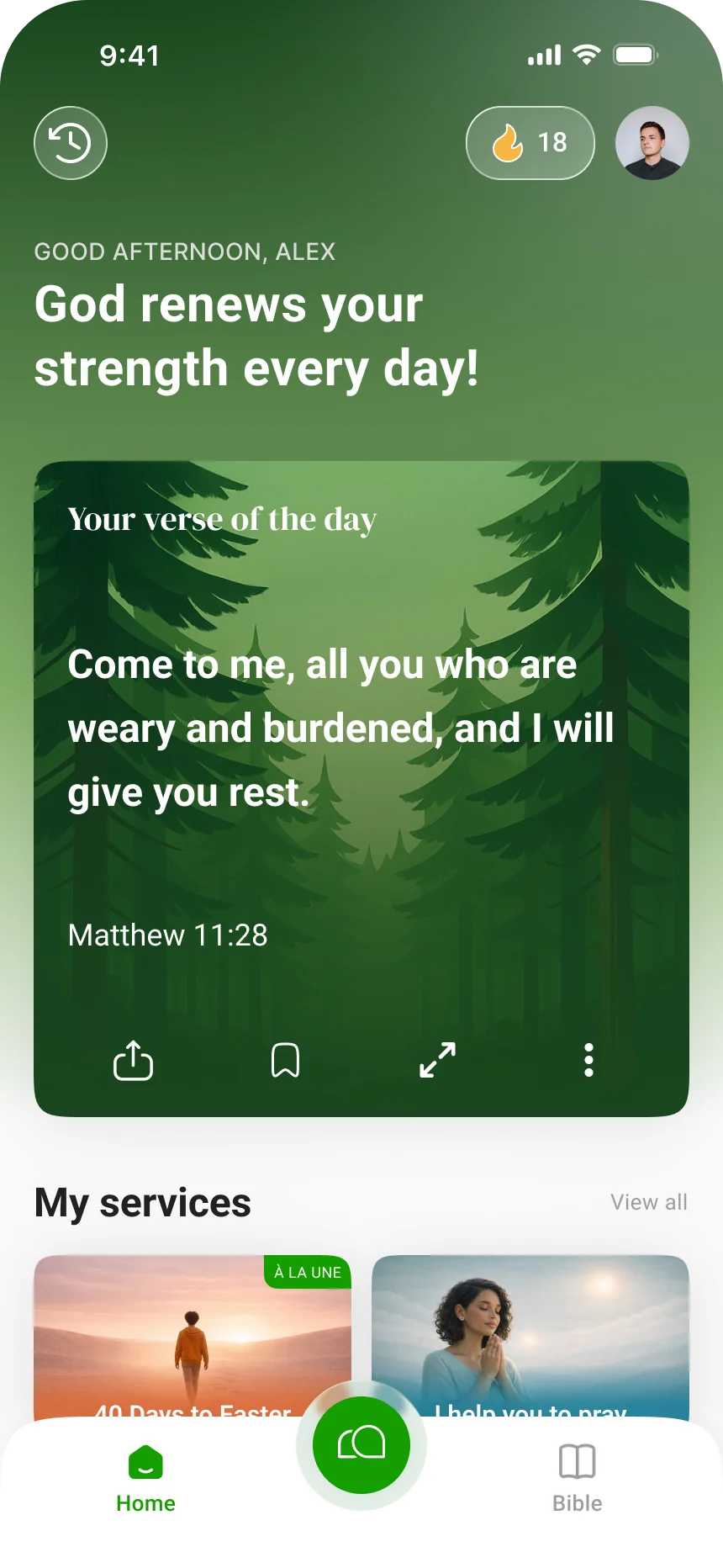
In YouVersion, “Swipe up or down to navigate through the sections of Guided Scripture”; “Complete all the slides to reach this page”, where the daily streak is counted. Its Verse of the Day links to “the full chapter the verse is found in”, and “You can heart, comment on, or share the verse of the day”. Glorify shows a short passage one verse per screen under a step bar.
Where people meet the Bible now
The editor’s Kairos paper reports from NRB and Barna that among younger people “Nearly a quarter engage with biblical content on TikTok”, and calls a verse of the day “Often underestimated, despite its role in everyday formation”. Many will meet Scripture in a feed whatever Bible apps do.
Research
Attention, and the place to stop
Infinite scroll removes the stop
Aza Raskin, who designed infinite scroll, later said: “If you don’t give your brain time to catch up with your impulses … you just keep scrolling.”
Caught in a loop
Infinite scrolling “has been reported to make users feel like they are being caught in a loop, regretfully elongating SM sessions”. In a week-long field study, “most reasons to break SM sessions were not related to the app but the user’s general context”: people stop when life interrupts.
Short video and attention
A meta-analysis of 71 studies with 98,299 participants found that heavier short-form video use was “most consistently linked to poorer attention span and reduced inhibitory control”; “The majority of the studies analyzed were cross-sectional”, so cause is not shown. In a lab study, switching between short videos made people worse at remembering what they had meant to do.
PsyPostFrancesco Chiossi, Luke Haliburton, Changkun Ou, Andreas Butz and Albrecht Schmidt (LMU Munich)
A decision to go on
Even TikTok gives teenagers a daily limit and asks for a passcode to continue, “requiring them to make an active decision to extend that time”. The end of a passage is a gentler point of decision.
Constraint forms
The Kairos paper: “Every historic formation practice works through chosen constraint, not infinite access.” And of the hurried reader: “Someone reading five fragmented minutes on the train isn’t failing spiritually.”
Accessible reading
Best practice
A button for every swipe
“Not everyone can perform complex and multi-touch gestures”: “Provide single-point operation for all functions”, and “Don’t rely on dragging for user actions.”
A feed screen readers can follow
A feed is “a dynamic list of articles that often appears to scroll infinitely”; marked up as one, it lets screen reader users “jump forward and backward by article” and know where they are.
Motion the reader controls
“Support user preferences for motion, and eliminate unnecessary motion effects.” Stories or verses that advance on their own need a pause.
Find the supporting research under Go further → Sources and their limits.
Where to start
Which fits your product?
IfReading a chapter or a book through
Start withThe page, or pages to turn
IfNew readers and a few minutes a day
Start withCards in order, ending with the passage, the verses around each card one tap away
IfA short daily habit
Start withA daily set of stories that names its source and ends, with no timer by default
IfPeople who find long text hard
Start withCards in order at their own pace, with buttons as well as swipes
IfYou are tempted to add a shuffled, endless feed with likes
Start withDon’t: give the reading an order and an end instead
Suggested fits based on the research on this page. Test these choices with people in your context.
Trade-offs to hold
Pulls against
Some choices here pull against choices in another deep dive. Each pair below says what pulls and one way to hold both.
Easy swipes, and counts that matter
HereCards in order · A daily set of storiesPulls againstProgress and streaks: Month calendar with a streak · Levels and badges
A feed makes every swipe easy to count, and a streak makes the count matter.
Holding itCount readings the person chooses, never swipes or cards, and keep the end card free of any tally.
A daily verse, and a feed without end
HereA feed in order, without endPulls againstNotifications and reminders: A daily word
A reminder that brings people back and a feed that never ends work as one loop.
Holding itIf you send a daily verse, let it open the passage with its end, not the feed: a reading that is enough for today.
One verse at a time, and the passage around it
HereCards in orderPulls againstHow much text at once: One passage · Whole chapter
One verse to a card is an easy way in, and the same split hides the verses that give it its meaning.
Holding itMake cards a door into the passage: keep the verses around each card one tap away, and let readers move to the whole passage whenever they are ready.
In real apps
Examples in use
Attributed screenshots with dates and review limits. A screenshot shows an implementation; it does not show that it works for every audience.
Theological reflection
What is this practice for?
What a feed cannot give
“Why spend money on that which is not bread, and your labor on that which does not satisfy? Listen carefully to Me, and eat what is good” (Isaiah 55:2). A feed promises that the next card will be the one, and so there is always a next card. Scripture is a story with a beginning and an end, told so that we may know the One who speaks in it; the disciples’ question at the end of the storm, “Who is this, that even the wind and the sea obey Him?” (Mark 4:41), is meant to be sat with, not swiped past.
Where Christians differ
Churches have always read Scripture in more than one measure: whole books read aloud in worship, appointed passages in a lectionary, single verses memorised, sung and prayed. Some traditions treasure a verse for the day; others warn that verse numbers, added in the sixteenth century, teach people to read sentences apart from their argument. Many would agree that a verse is safest in the company of the passage it belongs to, and of people who read it together.
What follows for design
The Bereans “examined the Scriptures every day to see if these teachings were true” (Acts 17:11): daily, and with the whole in view. Let the movement through the text serve that: in its own order, with the setting a tap away, at the reader’s pace, and with an end where the reader can put the phone down and live what they read.
In conversation with
- Albert Borgmann, Technology and the Character of Contemporary Life (1984) distinguished devices that deliver a commodity without effort from focal practices that ask for attention and engagement; an endless feed delivers verses, a reading asks for the reader.
- Eugene Peterson, Eat This Book (2006) calls for slow, attentive reading in which the text is taken in, not skimmed.
Scripture is quoted from the Berean Standard Bible. This reflection is the editor’s, written from within the Christian tradition and open to correction. How we approach theology here →
Three ways to build
What would each way do here?
ExploitativeTakes from the person
Give the Bible a shuffled feed that never ends, with music, likes and a streak for every day of swiping, because people already scroll and time in the app is what grows.
EthicalDoes no harm
Move through the text in its own order, one card or one page at a time, with the verses around each card one tap away, a button for every swipe and an end card that plays nothing next.
RedemptiveGives something up for them
Let the reading end where the passage ends, keep popularity off Scripture, and give up the minutes an endless feed would win.
The three ways are Praxis’s frame for redemptive entrepreneurship; their application here is ours. Why we use it, and its limits →
Take into your next review
How does a reader get from one verse to the next here, how far is each verse from its context, and where does the reading end?
Exercise
Read Mark 4:35–41 in your product as cards and as a page with two people, then ask each to retell it and say what Jesus was doing just before. Time how long it takes to reach the verses around a card and to find where the reading ends. Then scroll your feed for ten minutes and list every card that means something different without the verse before it. Finally, try every view with a screen reader, a keyboard and reduced motion.
Let the text set the order and the end, and give every reader a place to stop.
Record the decision with the worksheet →
Something missing or wrong here? Send a correction or suggest a topic.
Details
Go further
Edge cases to design for
Choose the movement for the reading. A chapter read through is best as one page or as pages to turn. For a new reader or a few minutes on the train, cards can carry one verse at a time, in the order of the text, with the verses around each card one tap away, a visible position (“card three of seven”) and an end card when the passage or chapter ends that names what was read and plays nothing next. A small daily set of stories can work the same way. If verses appear out of order, say where each comes from and show its setting. Give every gesture a button and a key, announce each card to screen readers, honour reduced motion, and give anything that advances on its own a pause.
What tends to go wrong
A feed that runs from Mark 4:41 straight into a shuffled verse from another book; “Wives, submit to your husbands” on a card with a heart count and no verse before it; no end card, no position and no way back to the chapter; music and backgrounds that start on their own; a like count on Scripture; a streak that counts swipes; stories that advance on a timer with no pause; a swipe-only interface with no buttons; the next card loading while a screen reader is still reading this one.
How to test it
Ask people to read Mark 4:35–41 as cards and as a page, then retell it and say what Jesus was doing just before. Time how long it takes to reach a card’s context and to find the end of a session. Count how many cards people swipe past without reading. Give a shuffled feed to someone who knows the Bible well and ask which cards mean something different in their setting. Test every view with VoiceOver and TalkBack, a switch or keyboard, and reduced motion.
Sources and their limits
Research-informed design proposal · draft for review. Original prototypes await user testing.
- Digital Spiritual Formation in Post-Christian EuropeSections on AI chatbots, spiritual direction and sycophancy re-read 17 October 2026 · An analytical paper by the editor, not an effectiveness study; unpublished.
- Holy Scroll: Scroll Your Bible (App Store listing)Listing reviewed 23 October 2026 (92 ratings) · A store listing in the developer’s own words; the app was not observed.
- Scroll The Bible (App Store listing)Listing reviewed 23 October 2026 (about 18,000 ratings) · A store listing; the study notes, comments and their moderation were not observed.
- HolyScroller (App Store listing)Reviewed 23 October 2026 · A small app with few ratings; the listing only.
- Verity: Bible Verse Daily (App Store listing)Reviewed 23 October 2026 · A small app with few ratings; the listing only.
- Verses: Daily Bible (App Store listing)Reviewed 23 October 2026 · A new app with few ratings; the listing only.
- Android: Guided ScriptureSections and navigation reviewed 5 October 2026 · Documentation, not a captured UI or outcome study.
- Are you getting the most from your Bible app?Article reviewed 23 October 2026 · A third-party guide; the current app was not observed for this page.
- Glorify: one verse per screen, with a step barScreenshot in the research corpus · A still image; gestures and what follows the last verse were not tested.
- Social media apps are “deliberately” addictive to usersArticle reviewed 23 October 2026 · A designer’s reflection reported in a news programme, not a study.
- The loop and reasons to break it: investigating infinite scrolling behaviour in social media applications and reasons to stopPaper reviewed 23 October 2026 · Social media apps, a small sample and one week; not Bible apps.
- Large meta-analysis links TikTok and Instagram Reels to poorer cognitive and mental healthNews report reviewed 23 October 2026; the paper itself was not accessible · Correlational, mostly self-reported and about video platforms, not verse feeds; reported through a news summary.
- Short-form videos degrade our capacity to retain intentions: effect of context switching on prospective memoryAbstract reviewed 23 October 2026 · A lab study with a small sample, about video, not text.
- New features for teens and families on TikTokAnnouncement reviewed 23 October 2026 · A company’s description of its own feature; its effect was not tested here.
- Never read a Bible verseArticle reviewed 23 October 2026 · An apologist’s teaching article; one approach to interpretation among several.
- Introduction to lectio divinaArticle reviewed · A description of practice, not a study.
- Gordon Fee and Douglas Stuart, How to Read the Bible for All Its WorthBook quotations reviewed · A widely used evangelical introduction to interpretation; one approach among several.
- Understanding SC 2.5.1: Pointer GesturesReviewed 23 October 2026 · Level A for web content; apply the same intent in native apps.
- Understanding SC 2.5.7: Dragging MovementsReviewed 23 October 2026 · Level AA for web content.
- Understanding SC 2.3.3: Animation from InteractionsReviewed 23 October 2026 · Level AAA; a strong target.
- Understanding SC 2.2.2: Pause, Stop, HideSpecification guidance reviewed · A Level A criterion for web content; apply the same intent in native apps.
- Feed patternReviewed 23 October 2026 · Guidance for the web; native platforms have their own equivalents.
- Design and the digital Bible: persuasive technology and religious readingAbstract reviewed · Design analysis of two apps; not a study of readers.
Faith and interpretation
When the devil tempted Jesus, he quoted Scripture without its setting: “For it is written: ‘He will command His angels concerning You’” (Matthew 4:6). Jesus answered with more of it: “It is also written: ‘Do not put the Lord your God to the test’” (Matthew 4:7). Verse numbers were added in the sixteenth century to help readers find their way, not to make each sentence a separate saying. A card can serve slow attention, as lectio divina does with a few verses; it serves badly when it cuts a verse loose from the story and the argument it belongs to.