

PatternsReading the BibleStudy helps
Study helps
Where should commentary and notes open?
Commentaries, cross-references, study notes and sermon clips can answer a question at the verse where it arises, or pull the reader away from the text for good. Where the help opens decides which. Decide how readers find help, where it opens, whose voice it carries, and how they get back to the verse. Help should serve the reader’s encounter with the text, never replace it.
- 5 working options
- 164 app screens
- 5 takeaways
- Prototypes awaiting user testing
The spectrum
From a glance to a page of its own
- 1
Preview card
Observed- A glance without leaving
- Room for a sentence
- 2
Sheet over the text
Observed- The whole resource, verse in sight
- Covers half the passage
- 3
Study panel
Observed- Reading and study together
- Half a screen each
- 4
Full page
Familiar convention- Full attention
- The passage disappears
- 5
On request
Observed- An undisturbed text
- Help may go unfound
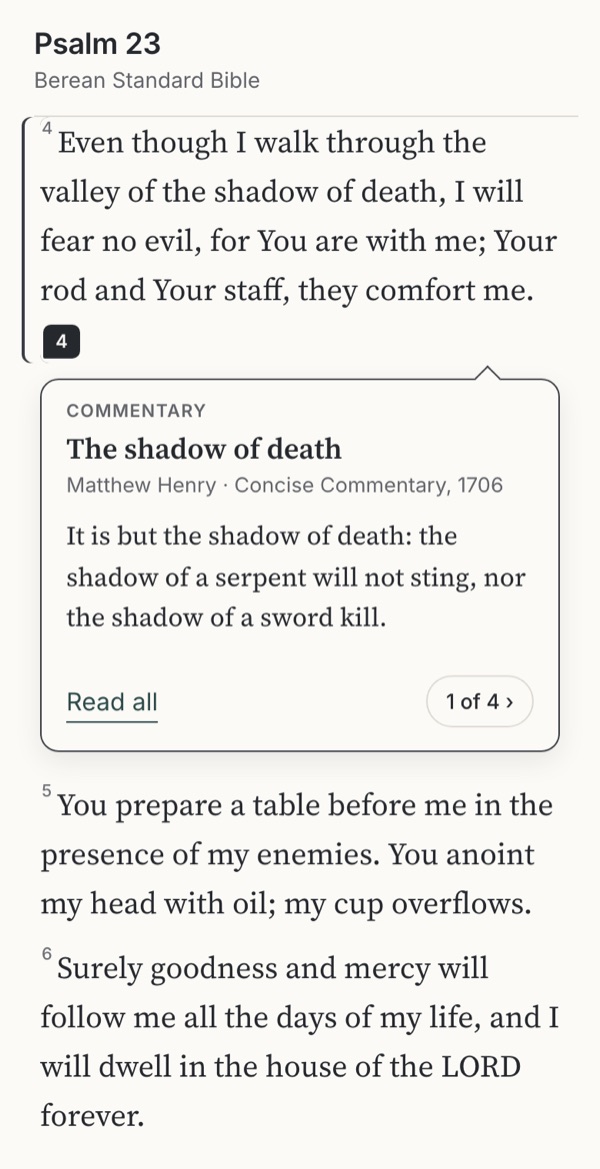
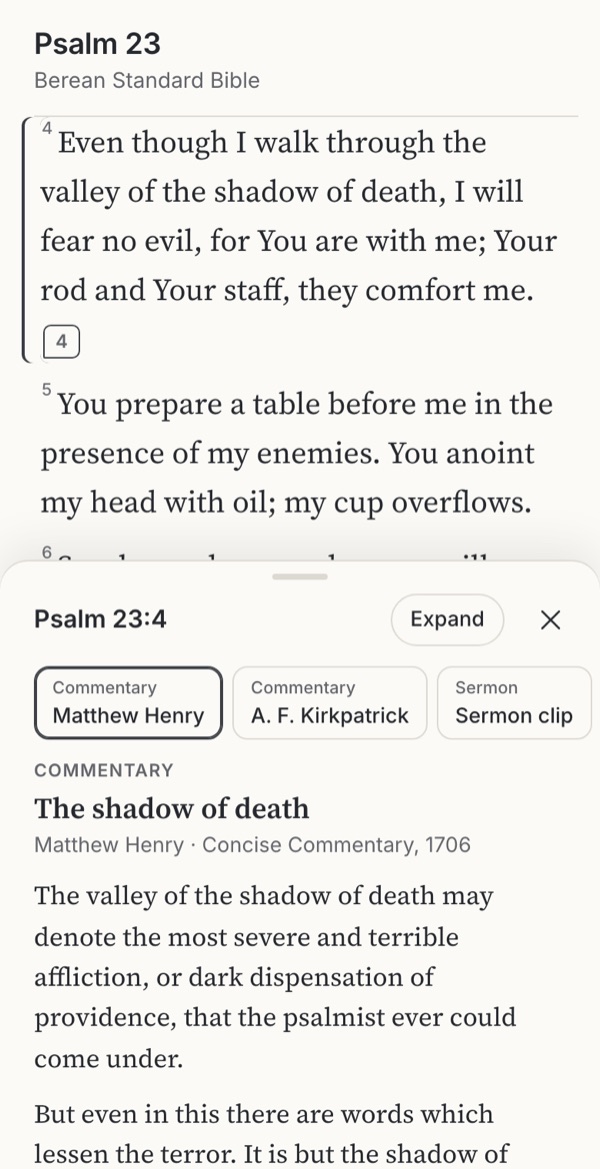
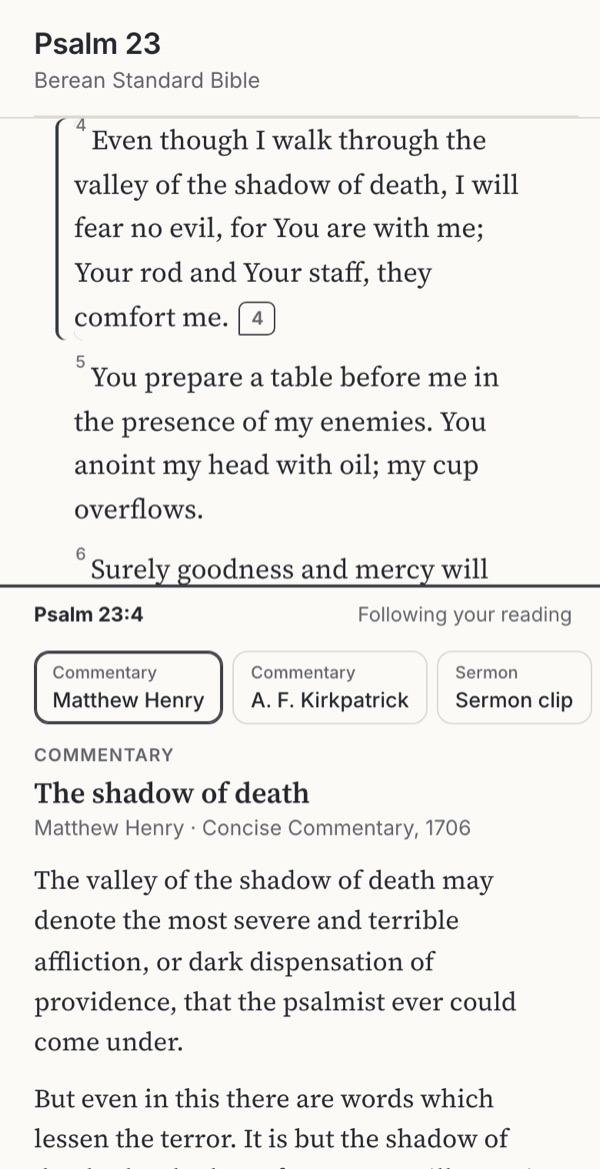
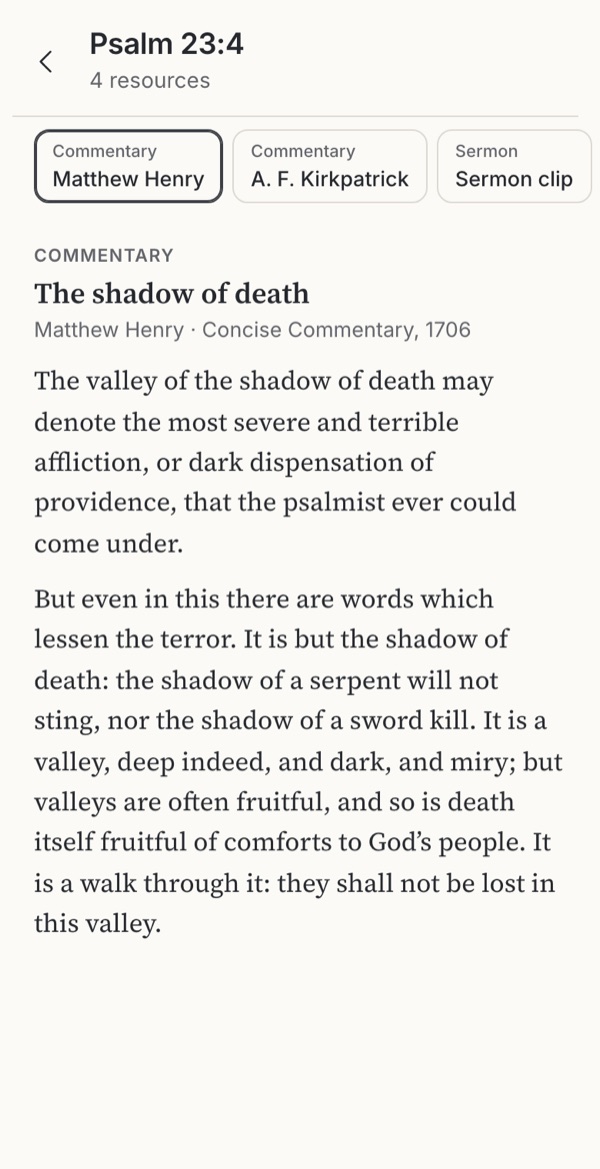
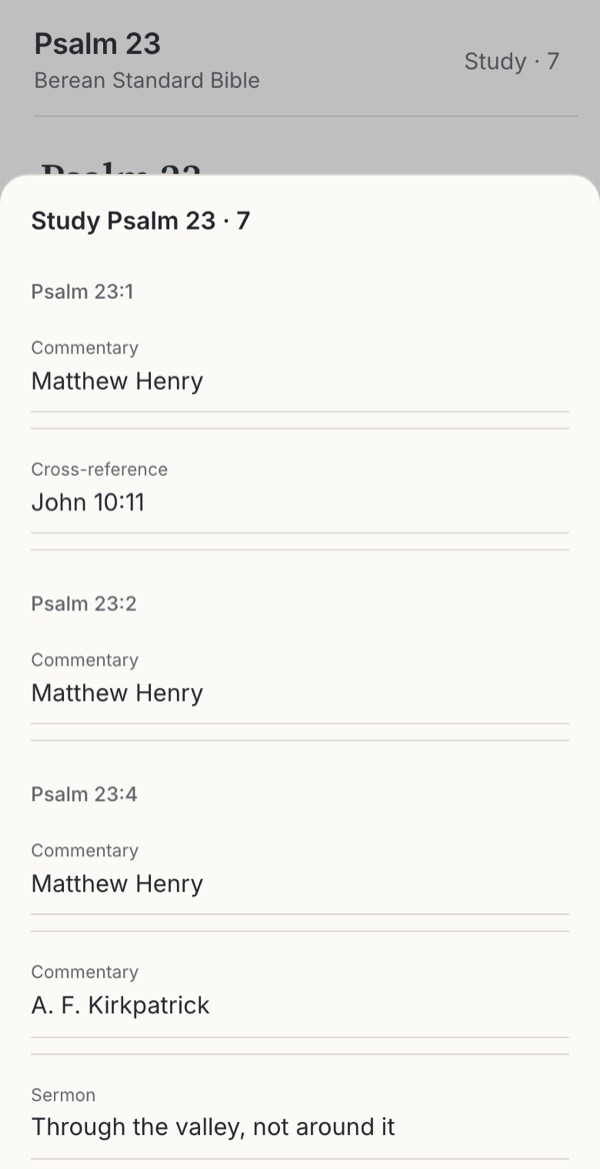
Stills from the working example below. Choose one to try it.
Try it
Try five ways to open help on Psalm 23:4
Psalm 23 in the BSB. Verse 4, “the valley of the shadow of death”, has two public-domain commentaries that read it differently, a sermon clip and a cross-reference. Each option opens the same help in a different place, from a small card under the verse to a page of its own. Open it, read, then go back to the psalm and notice whether you are still on verse 4.
Option
Why these settings?
Commentary shows who wrote it and when, and two commentaries on verse 4 disagree about what “the shadow of death” means. The sermon clip shows where the excerpt sits in the whole sermon, offers the two minutes before it, and has captions and a timestamped transcript. A following panel changes with the verse you are reading; a pinned panel stays on its verse and offers a way back to it.
Observed
1. Preview card
Observed in Bible Gateway, where a lettered footnote opens a small card while the passage stays visible, and in Spark Bible’s footnote tooltips; see the screenshots below. Wikipedia’s page previews work the same way.
Try this
Tap the marker after verse 4. Step through the four resources, then open one in full.
Makes easier
A glance without leaving the verse; the reader decides whether to go further.
Costs
Room for a sentence or two; a long note or a video needs somewhere else to go.
Ask your teamIs a short preview enough for most help, with the full resource one tap away?
Observed
2. Sheet over the text
Observed in Spark Bible, where a video docks over the reader with the verse still showing, and in the VSB prototype’s verse sheet; see the screenshots below.
Try this
Open the help on verse 4, switch to the sermon clip, then expand the sheet and come back.
Makes easier
Room for the whole resource while the verse stays in sight above it.
Costs
Covers half the passage; easy to lose track of which verse the sheet belongs to.
Ask your teamWhen the sheet is open, can the reader still see the verse it is about?
Observed
3. Study panel
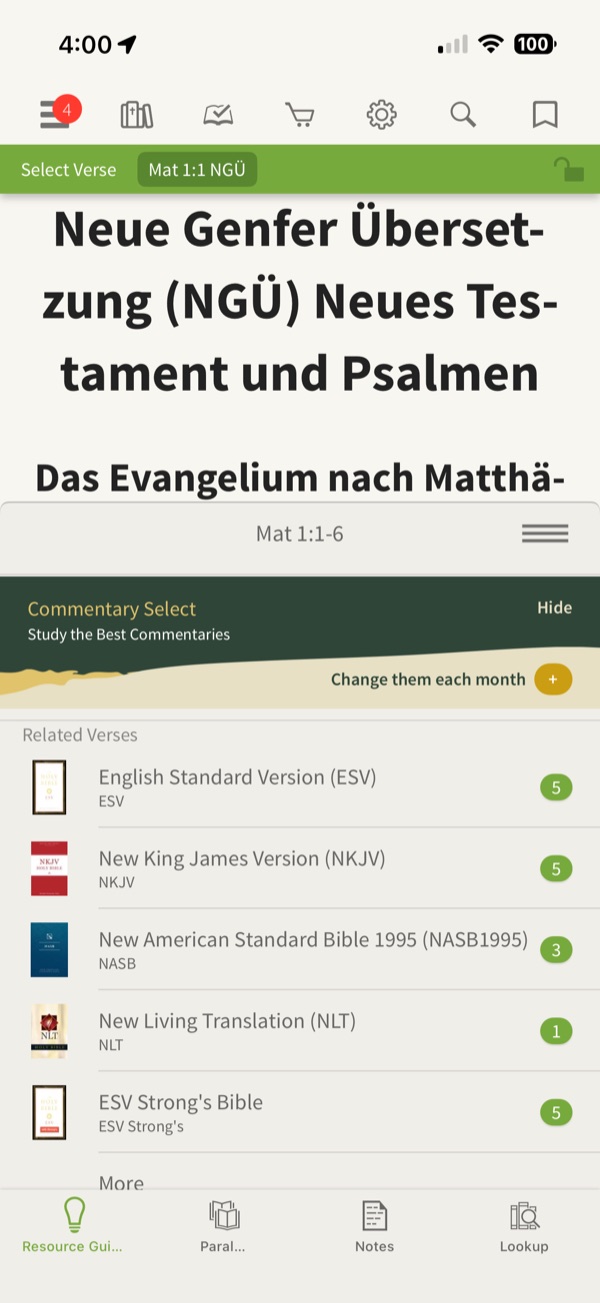
Observed in Olive Tree’s Study Center, whose Resource Guide follows the passage in a panel below the text; see the screenshot below.
Try this
Scroll the psalm and watch the panel follow you. Then pin it in the settings and scroll again.
Makes easier
Reading and study side by side; resources keep up with the reader.
Costs
Half a screen each on a phone; a following panel changes under you, a pinned one goes stale.
Ask your teamDoes the reader always know which verse the panel is showing, and why it changed?
Familiar convention
4. Full page
A familiar convention: the resource opens on its own page, and Back returns to the verse.
Try this
Open the help on verse 4, read the commentary, then go back.
Makes easier
Full attention and room for long commentary and video.
Costs
The passage disappears; the reader must find their way back and pick up the thread.
Ask your teamDoes Back return the reader to the same verse, and show them where they were?
Observed
5. On request
Observed in Spark Bible’s and Mere Bible’s reading settings, which let readers switch resource markers off. Here nothing marks the text; a Study button lists everything on the psalm.
Try this
Read the psalm, then open Study from the top bar and choose a resource.
Makes easier
An undisturbed text; help is there when someone asks for it.
Costs
People may never discover what is available; help is no longer tied to a verse at a glance.
Ask your teamCan someone who wants help find it, without the help interrupting everyone else?
Design considerations
Takeaways
Keep the verse in sight, or bring the reader back to it
People learn more when related material is placed together, and interruptions are paid for in stress and lost threads. A preview under the verse or a sheet that leaves it visible keeps the two together. When help takes the whole screen, Back should land on the same verse and show it.
A panel must say what it is following
Olive Tree’s Resource Guide follows the passage; a pinned panel stays on its verse. Both are useful, and both confuse when the reader cannot tell which is happening. Say “Following your reading” or “Pinned · Go to verse”.
Markers are an invitation, not a menu
Every link is a decision, and a review of 38 hypertext experiments found that the extra load falls hardest on readers with less background knowledge. Mark verses with help quietly, as Spark Bible does on Psalm 23:4, and let people switch markers off, as Spark and Mere Bible do.
Whose voice is beside the text?
Medieval glossed Bibles set the commentary around the text in a smaller hand; the King James translators kept interpretive notes out of the margin altogether. On screen, name the kind of resource, its author and date, and where readings differ, as Matthew Henry and the Cambridge Bible do on verse 4, show more than one.
A clip is part of a whole
A minute of a sermon can mean something different from the sermon. Show where the clip sits, offer what came before, and caption it. Spark Bible’s timestamped transcripts are useful, but its automatic transcription is visibly wrong in places (“Full Or Theological Seminary”); correct a transcript before anyone quotes it.
Use cases
Which situation, which option?
People come with different needs, sometimes in the same week. Each need fits some options better than others.
| Situation | Needs | 1 Preview card | 2 Sheet over the text | 3 Study panel | 4 Full page | 5 On request |
|---|---|---|---|---|---|---|
| Daily devotional reading | Help only when wanted | Possible | Possible | Poor fit | Poor fit | Good fit |
| A quick question on a verse | Glance and carry on | Good fit | Good fit | Possible | Poor fit | Poor fit |
| Group or sermon preparation | Several voices, read in full | Poor fit | Good fit | Good fit | Possible | Possible |
| Study on a tablet or desktop | Text and help side by side | Poor fit | Possible | Good fit | Poor fit | Poor fit |
| Watching teaching on a verse | Media with its context | Poor fit | Good fit | Possible | Good fit | Possible |
| 200% text or a screen reader | Clear focus and a way back | Possible | Possible | Poor fit | Good fit | Good fit |
Suggested fits based on the research below. Test these choices with people in your context.
The research behind it
Theology, practice and science
Scripture and history
Help beside the text
Giving the sense
Nehemiah 8:8; Acts 8:30–31. Scripture shows readers helped to understand as they read.
Text in the centre, help around it
Glossed Bibles separated Scripture and commentary by place and script; the King James translators allowed no interpretive notes in the margin.
Two voices on one verse
The commentaries quoted in the example read “the shadow of death” differently.
Reading and attention
What research says
Links add load
Hypertext decisions add cognitive load, most for less experienced readers.
Together, not apart
Related material placed together is learned better.
Interruptions cost
People compensate for interruptions with speed, stress and effort.
Practice and access
Products and standards
Preview before leaving
Wikipedia’s page previews let readers check a link without leaving the article.
Sheets that coexist with content
Standard and modal sheets, and study panels that follow the passage.
Captions and reflow
Captions for prerecorded media; layouts that work at 200% text.
Find the supporting research under Go further → Sources and their limits.
Where to start
Which fits your product?
IfMost help is short: footnotes, cross-references, a first look
Start withA preview card under the verse, with the full resource one tap away
IfPeople read commentary or watch teaching on a phone
Start withA sheet that leaves the verse in sight and expands on request
IfPeople study for long stretches on larger screens
Start withA study panel that says whether it follows the reading or is pinned
IfResources are long or need full attention
Start withA full page whose Back returns to the same verse and shows it
IfThe app is mainly for devotional reading
Start withNo markers by default; help on request, from one clear place
Suggested fits based on the research on this page. Test these choices with people in your context.
In real apps
Examples in real apps
Attributed screenshots with dates and review limits. A screenshot shows an implementation; it does not show that it works for every audience.
Annotated examples
A study workspace beside the passage
Publisher help screenshot
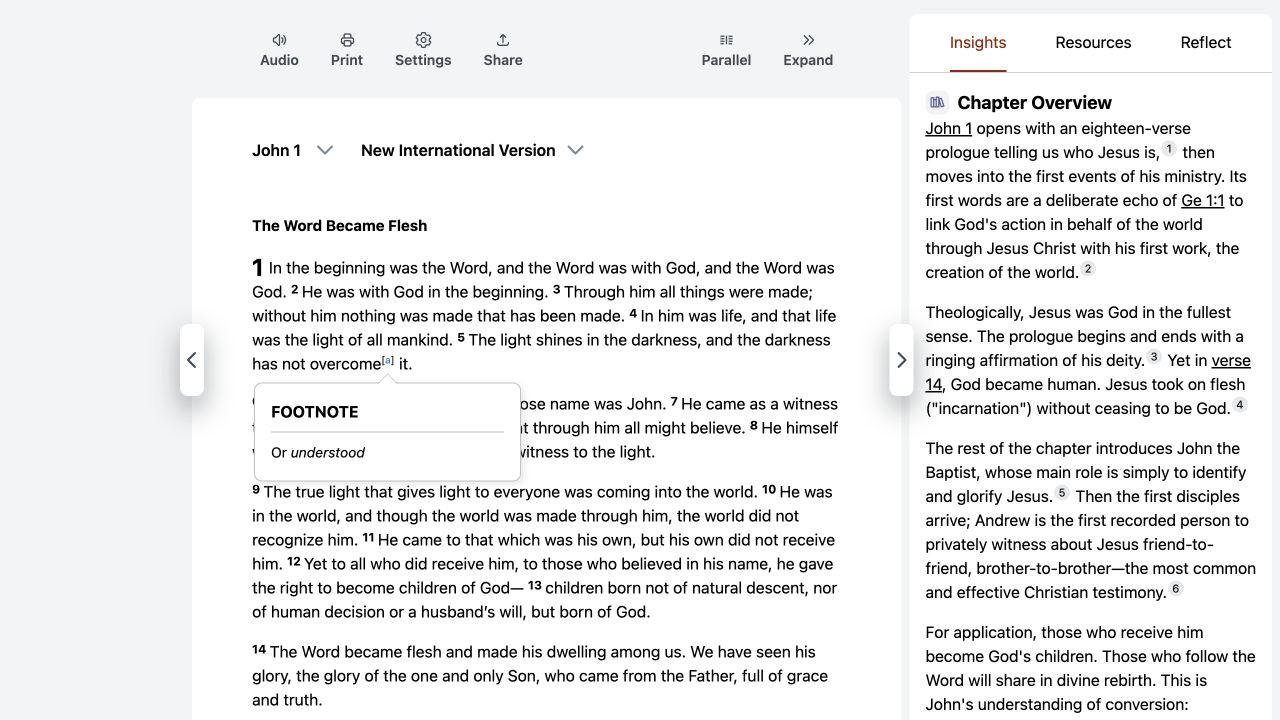 Bible Gateway · Desktop web
A footnote preview inside the passage
Direct web capture
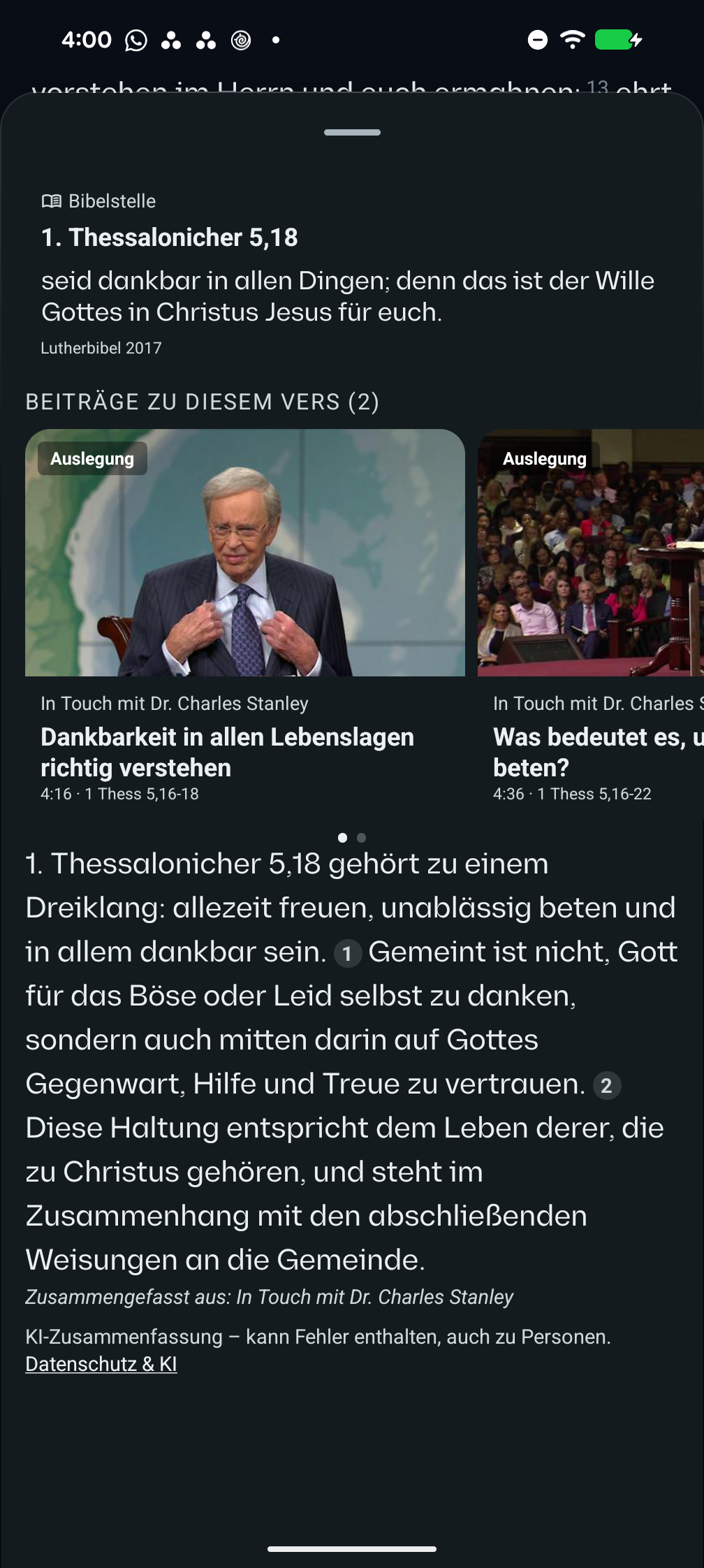 VSB · Android 17 · Pixel 8 Pro · German interface
A verse sheet combines media evidence and a summary
Direct Android prototype capture
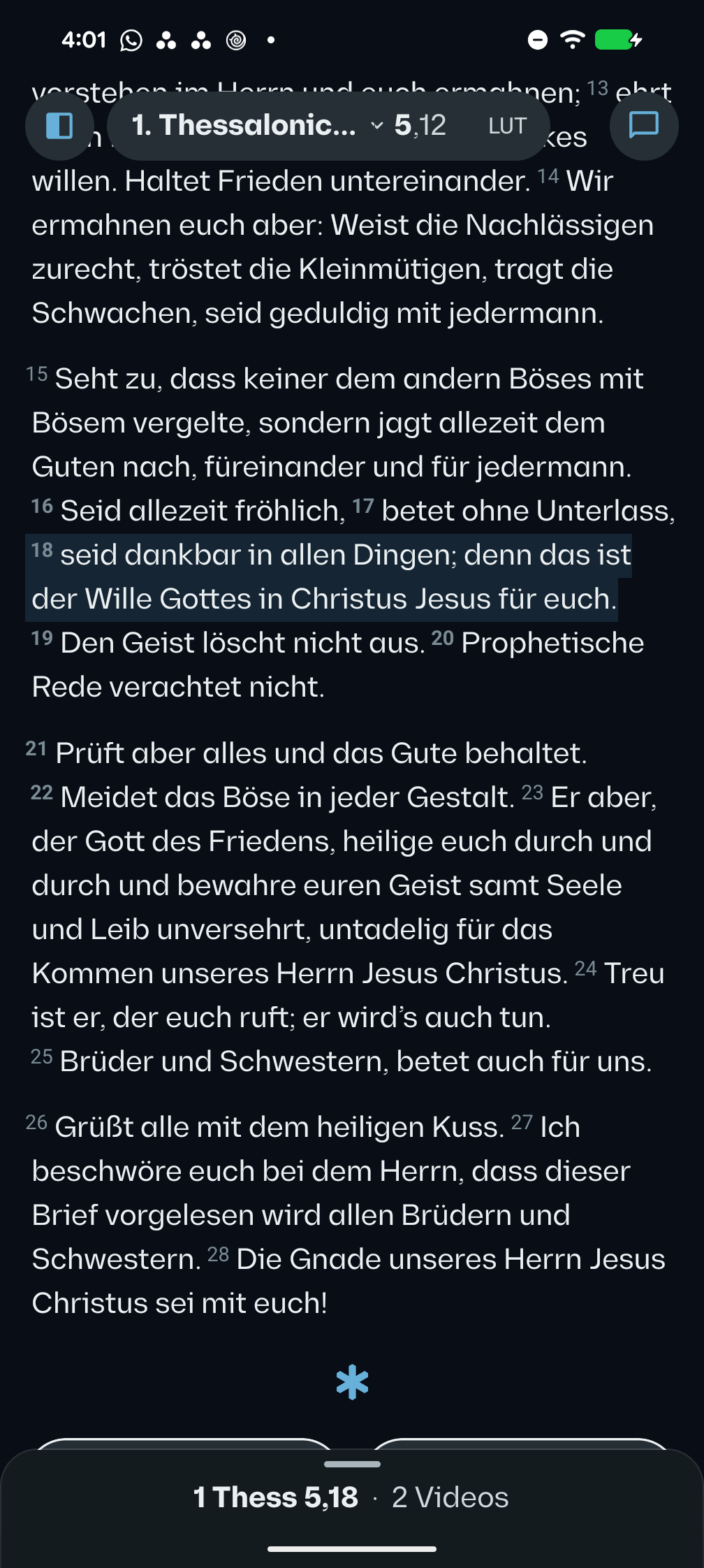 VSB · Android 17 · Pixel 8 Pro · German interface
A selection survives returning from its study sheet
Direct Android prototype capture
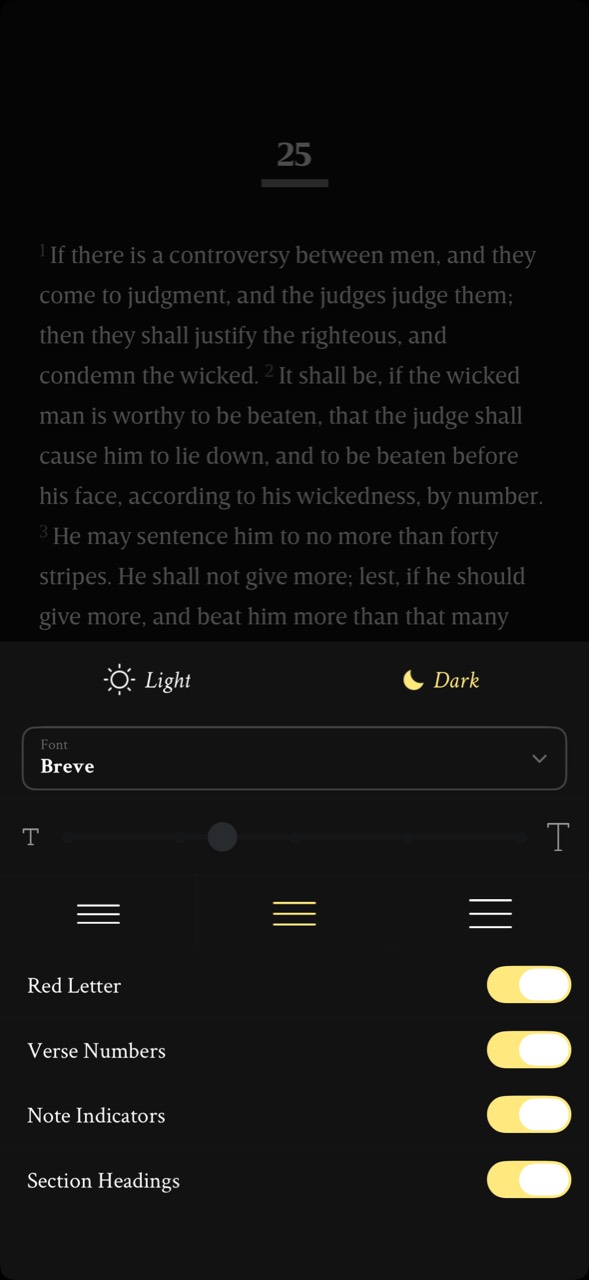 Mere Bible (formerly NeuBible) · Mobile interface · device and OS not independently verified
Reading settings in a bottom drawer
User-contributed screenshot · unedited
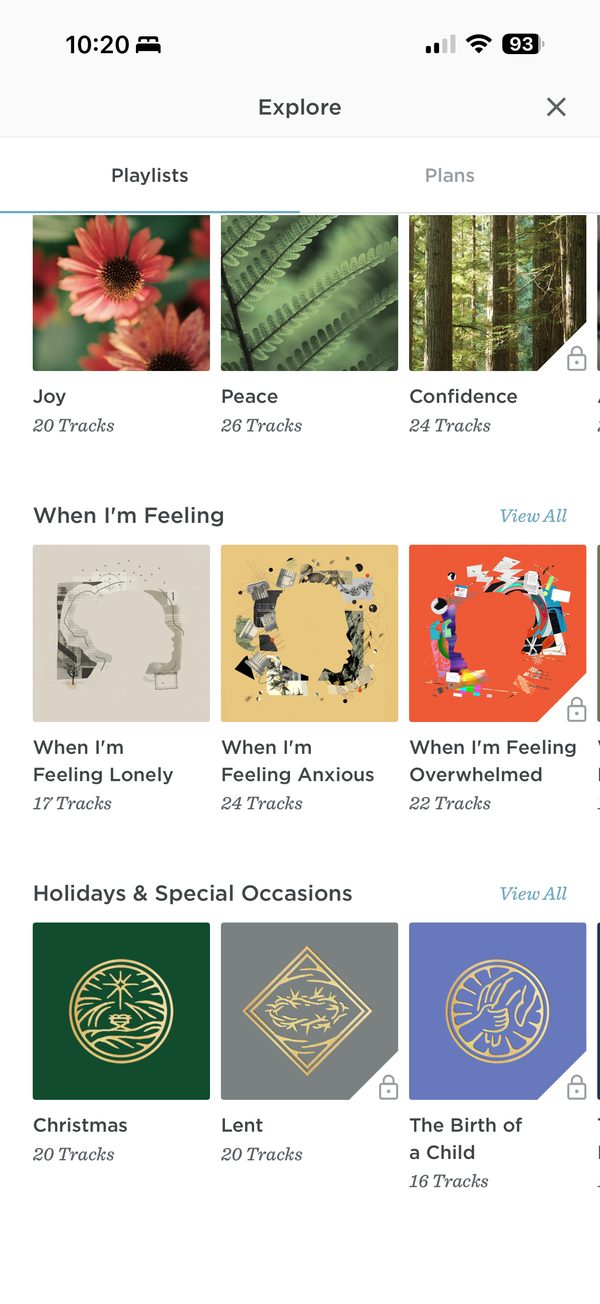 ESV Bible · iOS app · device model not recorded
Audio playlists by feeling
User-contributed screenshot · resized, content unchanged
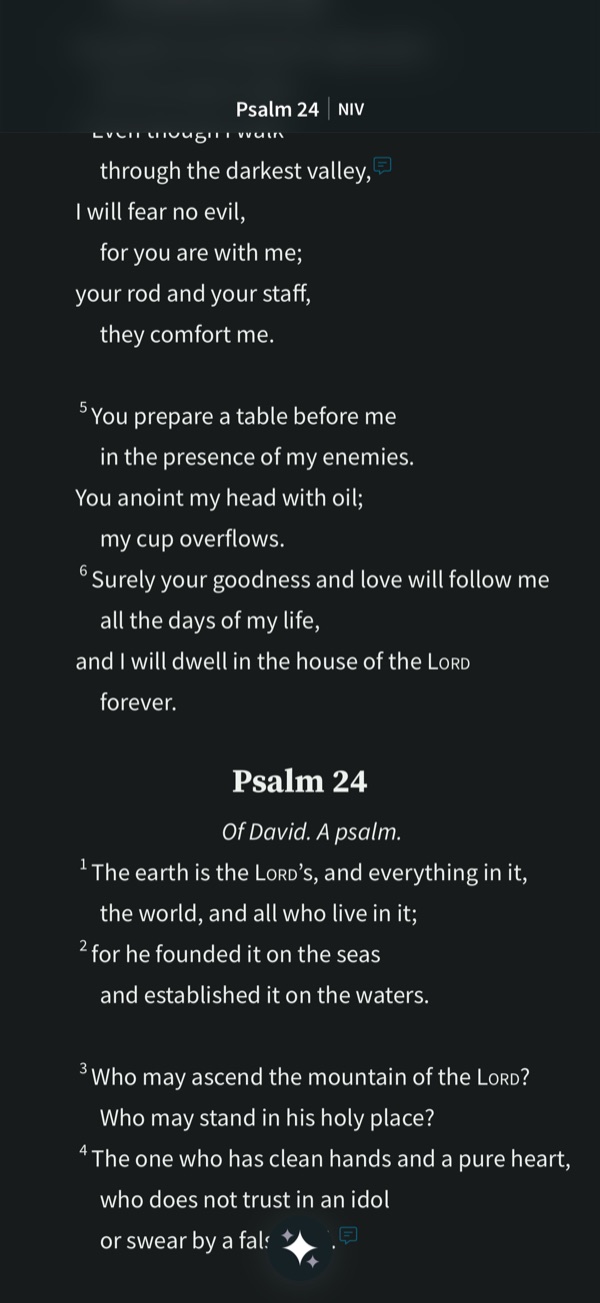 Spark Bible · iOS app · device model not recorded
A small media marker on Psalm 23:4
User-contributed screenshot · resized, content unchanged
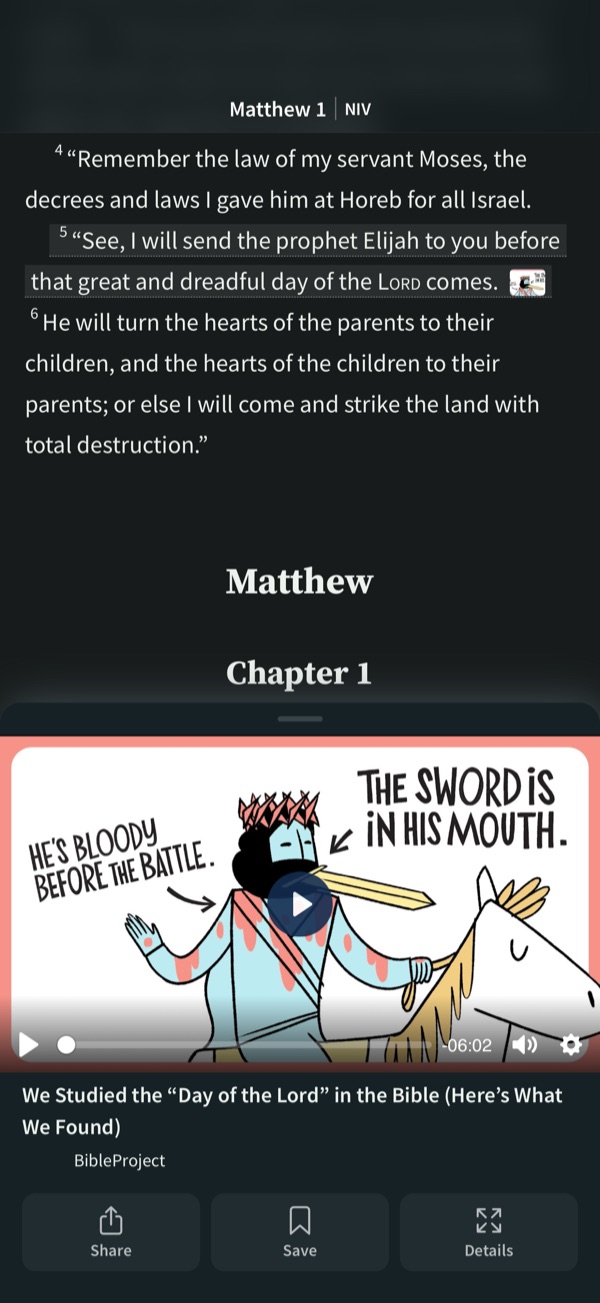 Spark Bible · iOS app · device model not recorded
A video docked over the passage
User-contributed screenshot · resized, content unchanged
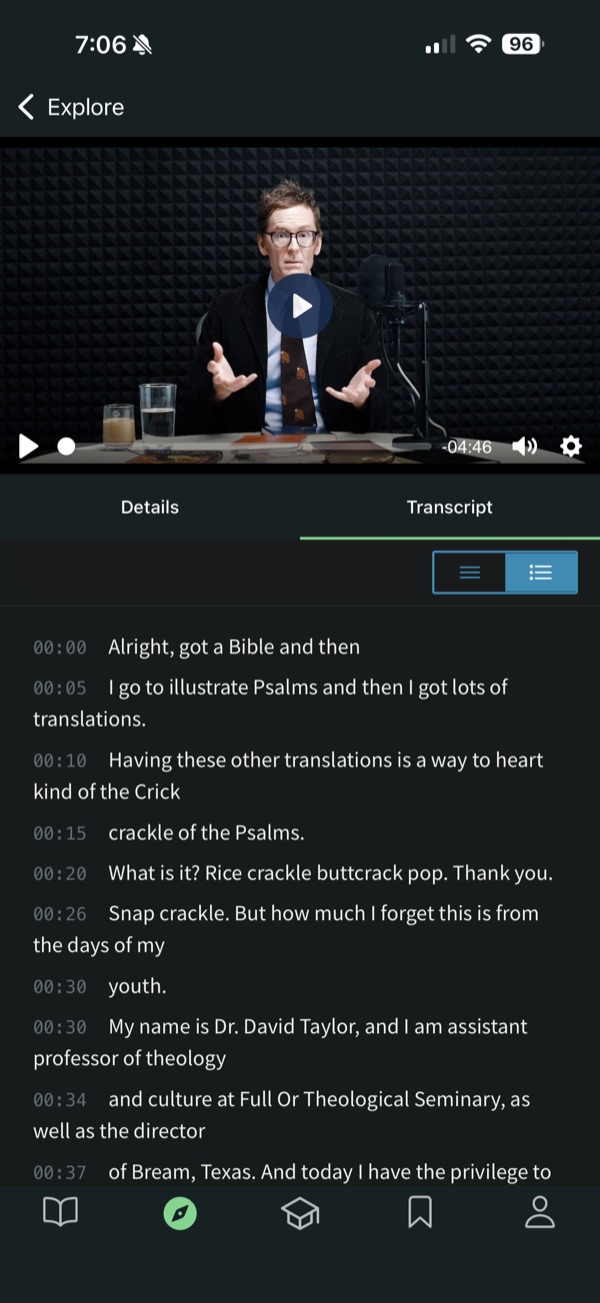 Spark Bible · iOS app · device model not recorded
A timestamped transcript, with recognition errors
User-contributed screenshot · resized, content unchanged
 Olive Tree Bible · iOS app · device model not recorded
A Resource Guide panel below the text
User-contributed screenshot · resized, content unchanged
Research screens
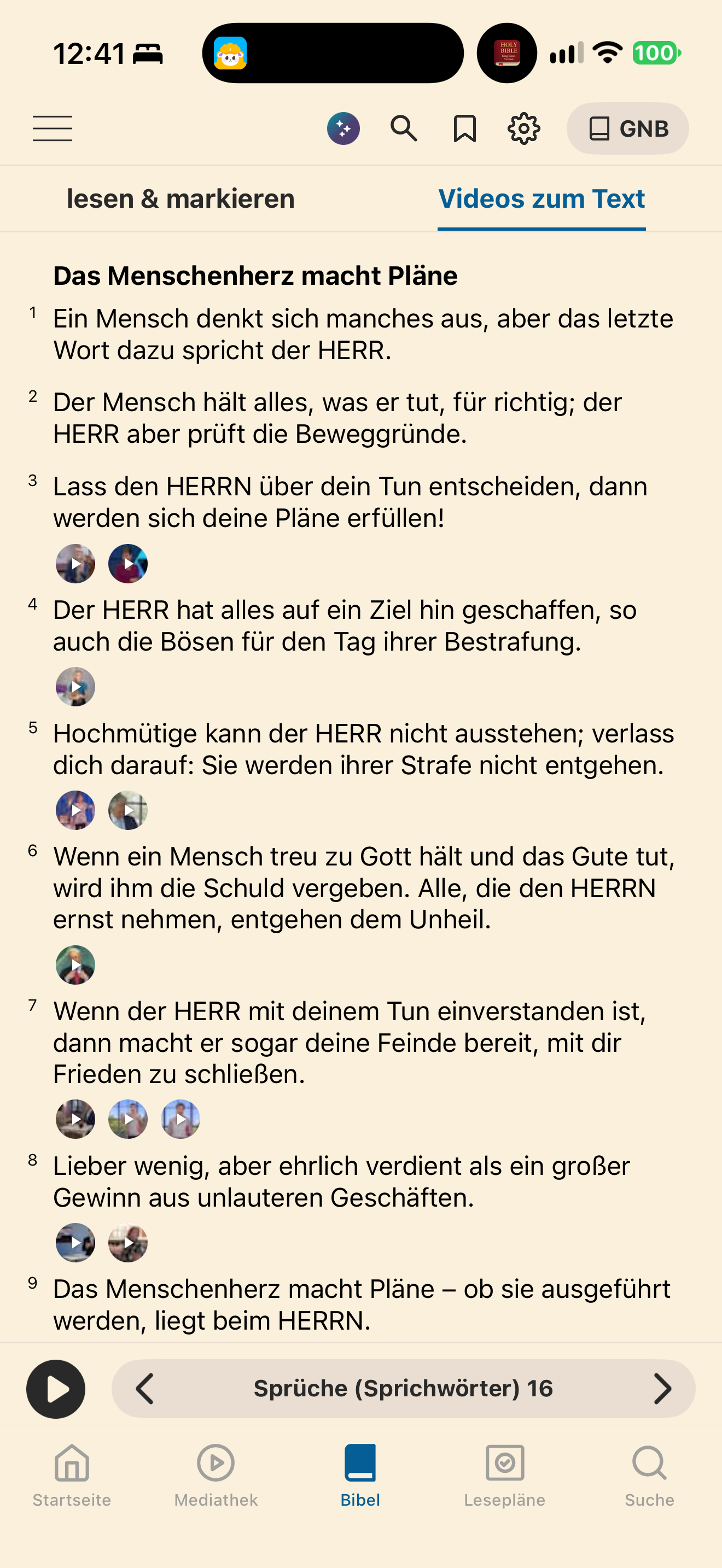
Bibel TV shows circular video thumbnails beside verses in its “Videos zum Text” mode.
BibelTV · 2026-10-25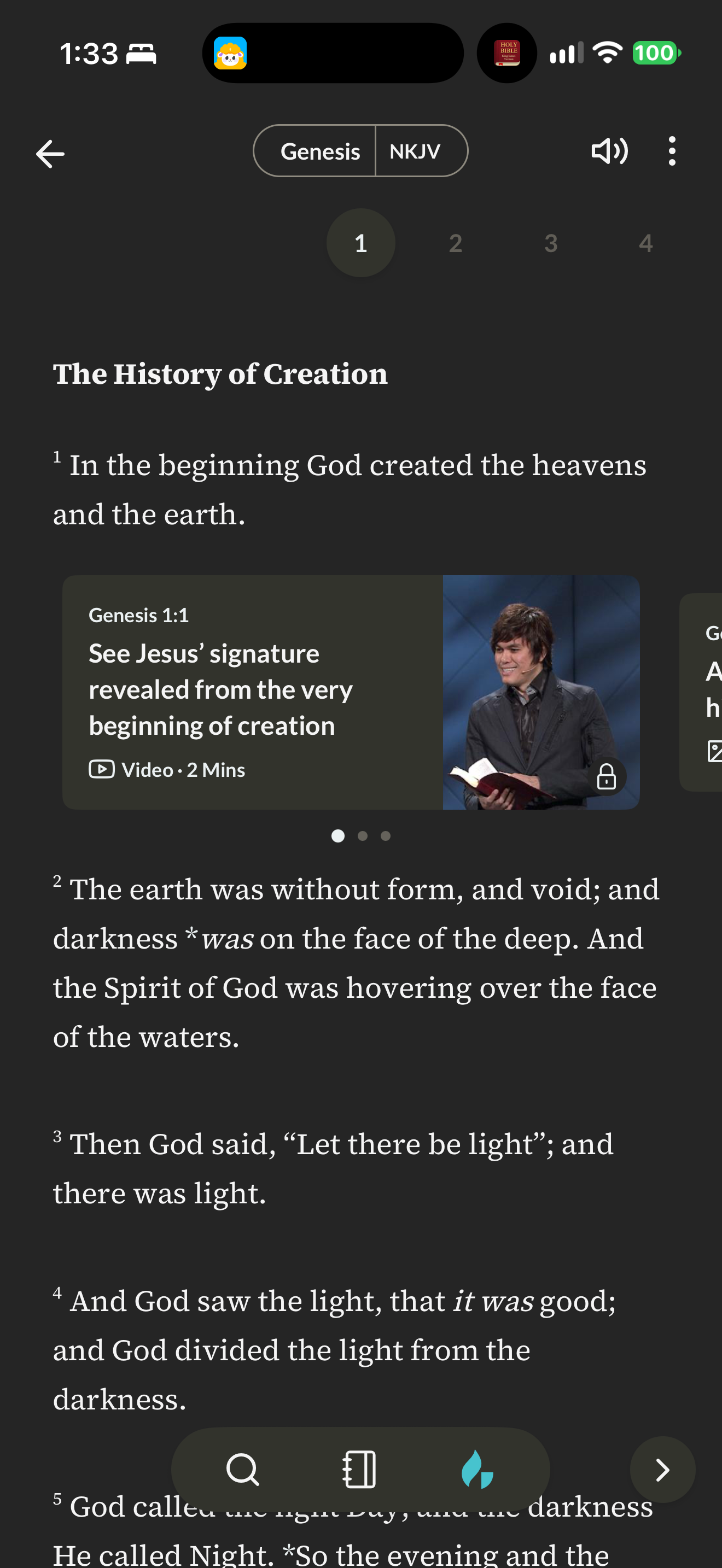
Gospel Partner places a verse-linked study-video card with a lock icon between the verses of Genesis 1.
Gospel Partner · 2026-10-25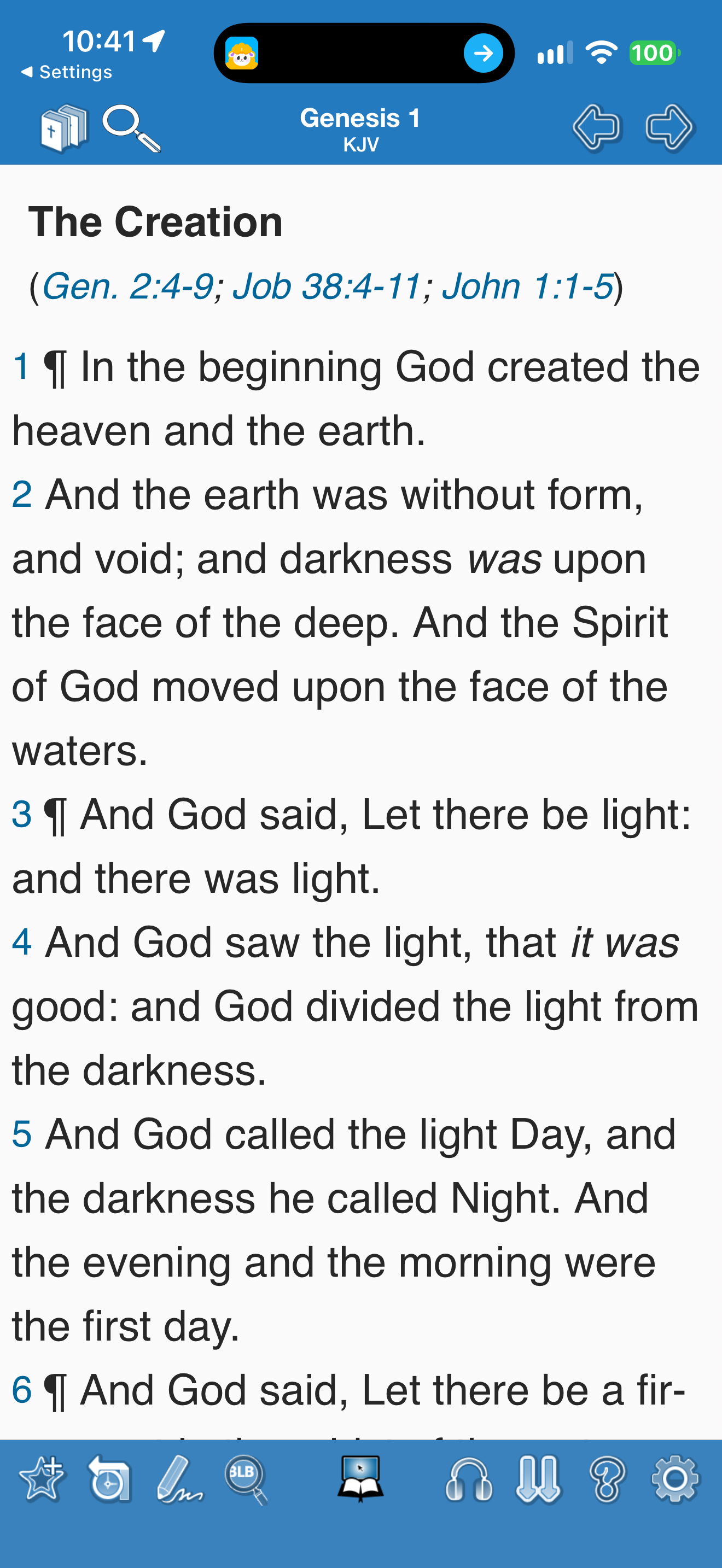
Blue Letter Bible places a heading and linked cross-references above the numbered KJV text.
Blue Letter Bible · 2026-10-24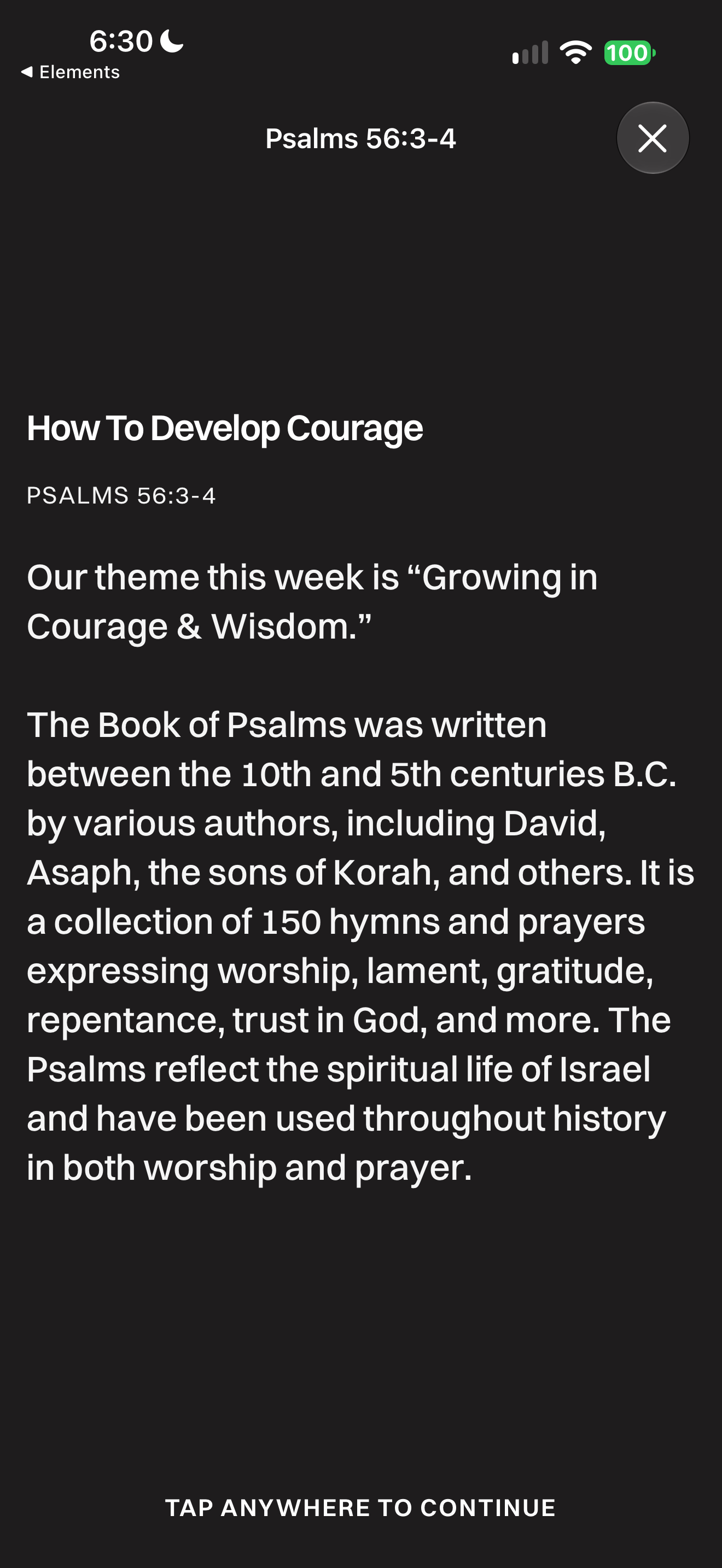
Glorify presents an explanatory introduction before continuing to the Psalm passage.
Glorify · 2026-10-13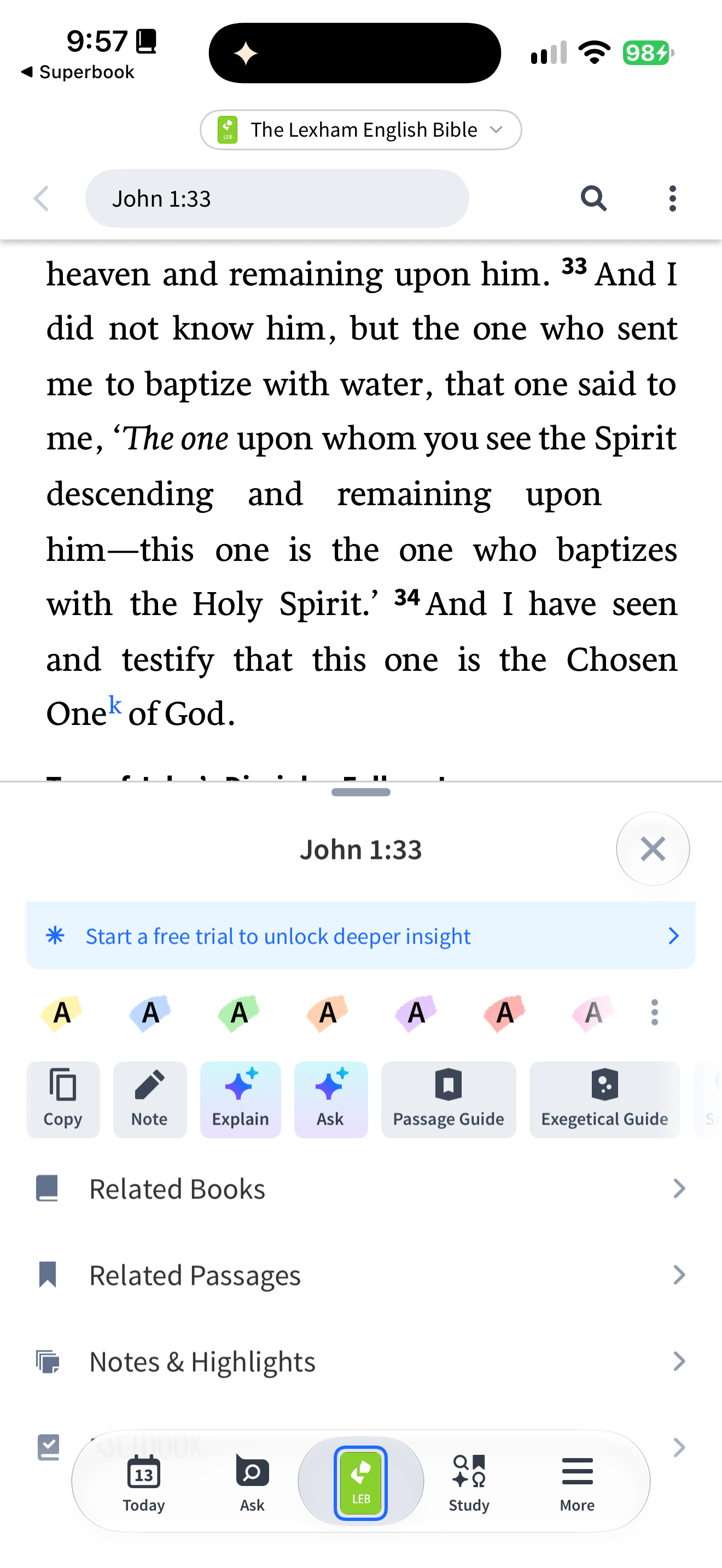
Logos opens a verse sheet combining highlight colours, annotation and study actions.
Logos Bible · 2026-10-13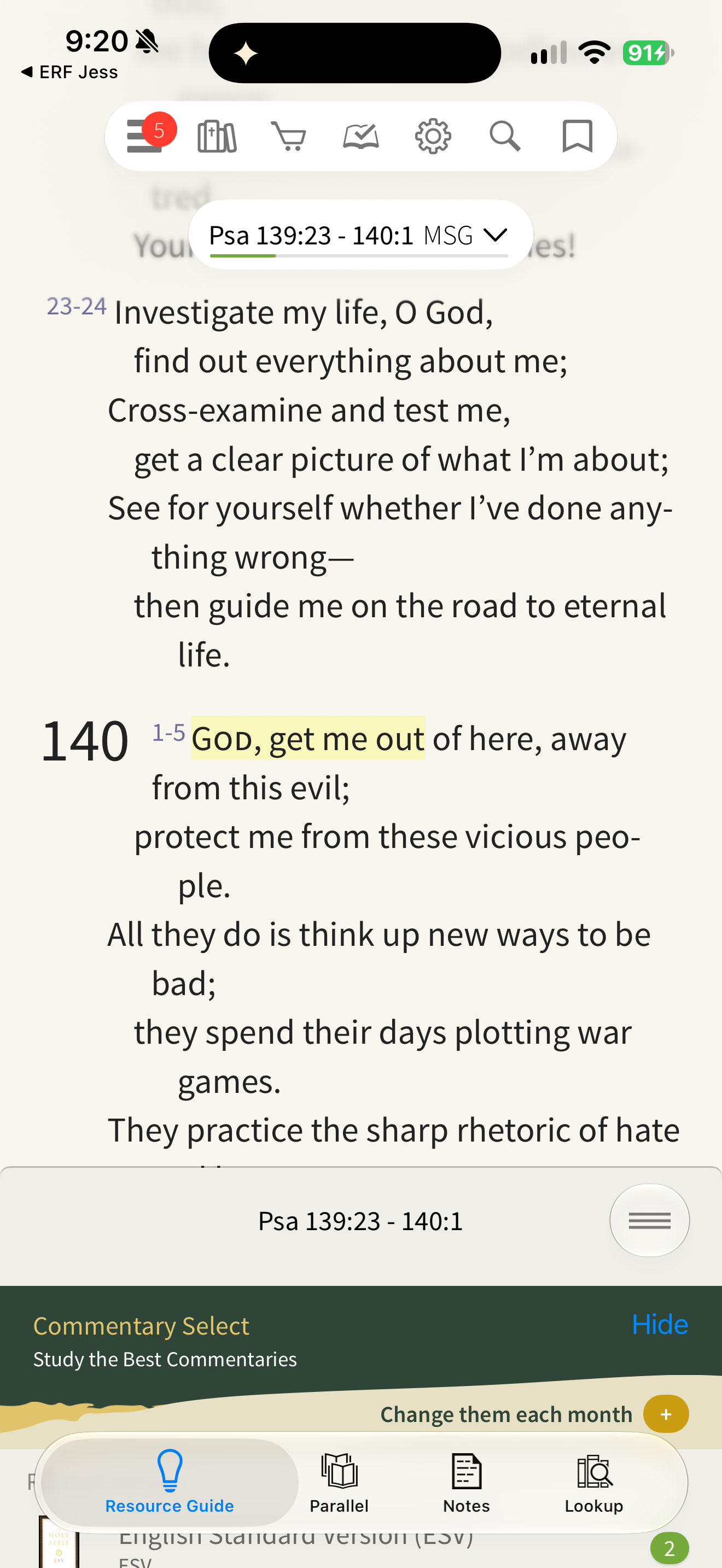
Olive Tree opens its Resource Guide beneath the Scripture reader.
Olive Tree Bible · 2026-10-13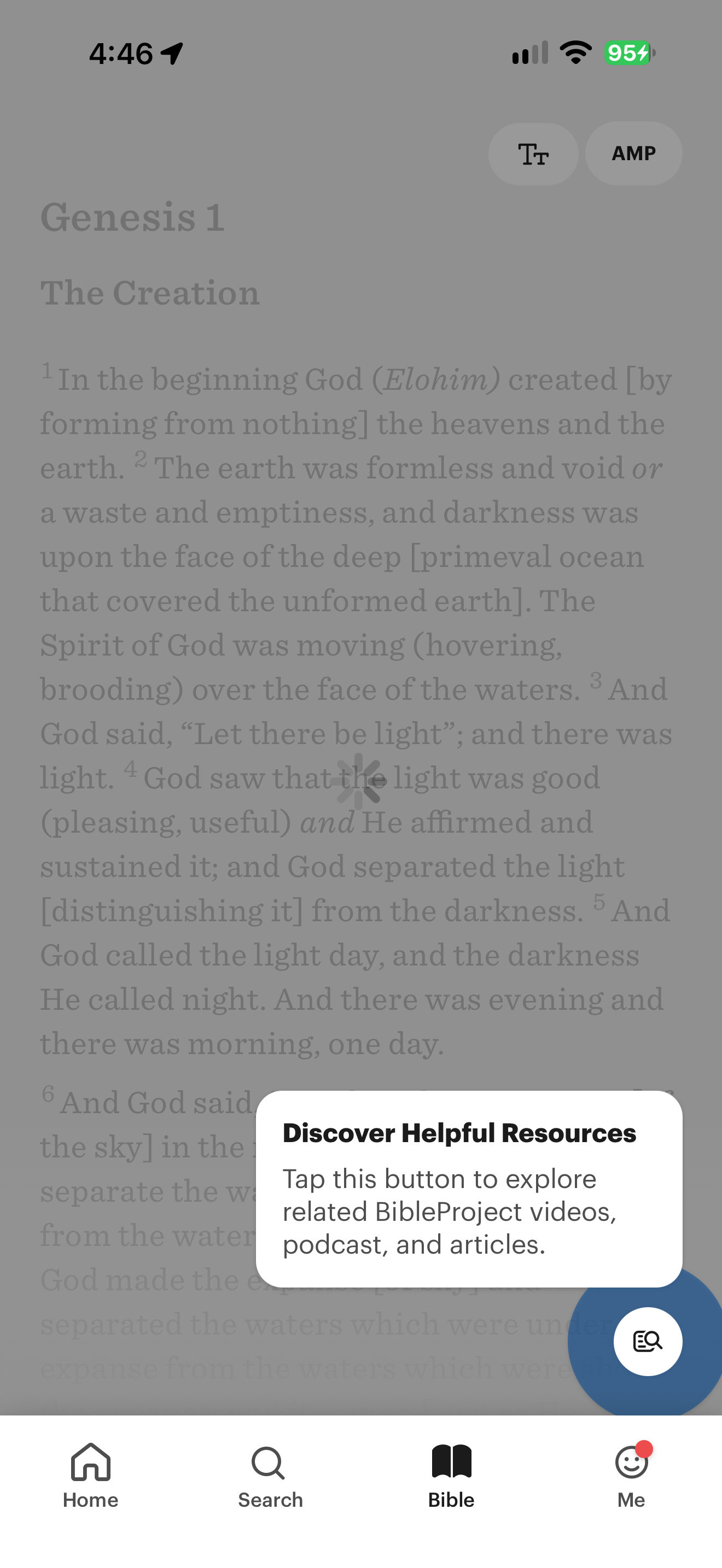
BibleProject spotlights the button for related chapter resources.
BibleProject · 2026-10-11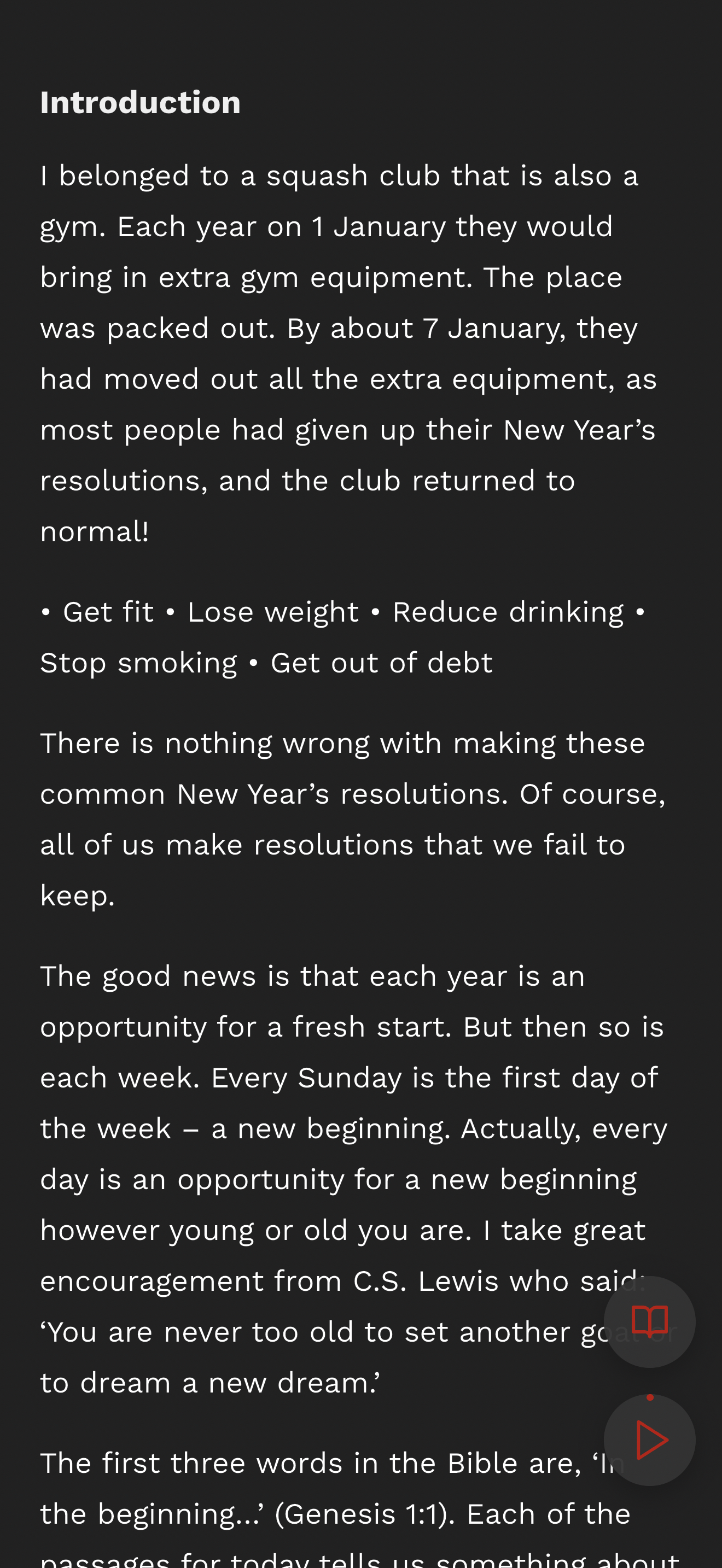
Bible in One Year presents a long-form introduction with floating reading and playback controls.
Bible · 2026-10-24See all 164 screens for this pattern · Browse apps · How we review
Screenshots: respective app publishers. Captions describe the captured state; generated responses can differ.
Theological reflection
What is this practice for?
What help is for
The Levites read the Law, “explaining it and giving insight, so that the people could understand what was being read” (Nehemiah 8:8). The Ethiopian asked, “How can I … unless someone guides me?” (Acts 8:31). The risen Jesus “explained to them what was written in all the Scriptures about Himself” (Luke 24:27). Help is part of how Scripture is received, and the Bereans still “examined the Scriptures every day to see if these teachings were true” (Acts 17:11).
Where Christians differ
Catholic canon law allows translations prepared with other Christians to be published “provided with appropriate annotations”. The King James translators allowed no interpretive notes at all, after the Geneva Bible’s notes were judged partisan. Protestant traditions affirm that Scripture is clear enough to read without an interpreter, while valuing teachers; Catholic and Orthodox traditions read Scripture within the church’s teaching.
What follows for design
Every note carries a voice and a tradition. Name the author, date and tradition, keep the help visibly beside the text and not inside it, and always return the reader to the verse. Offering more than one voice respects readers as Bereans who can weigh what they hear.
In conversation with
- Augustine, On Christian Doctrine I.36.40 held that whoever interprets Scripture in a way that does not “build up this twofold love of God and our neighbor, does not yet understand them as he ought.”
- Second Vatican Council, Dei Verbum (1965) asks for editions “provided with suitable footnotes”, even for readers outside the church: help is part of access.
Scripture is quoted from the Berean Standard Bible. This reflection is the editor’s, written from within the Christian tradition and open to correction. How we approach theology here →
Three ways to build
What would each way do here?
ExploitativeTakes from the person
Sponsored or in-house commentary appears without an author and crowds out the text.
EthicalDoes no harm
Name author, date and tradition, and always return to the verse.
RedemptiveGives something up for them
Include trusted voices from other traditions and the global church, not only the publisher’s own.
The three ways are Praxis’s frame for redemptive entrepreneurship; their application here is ours. Why we use it, and its limits →
Take into your next review
Does the reader know who is speaking, which verse the help is about, and how to get back to it?
Exercise
Give three readers Psalm 23:4 with your app’s help on it. Ask each to open it, say who wrote it and when, and return to reading. Note who lands on the same verse. Then play a sermon clip and the minute before it, and ask whether the meaning changed.
Record the decision with the worksheet
Something missing or wrong here? Send a correction or suggest a topic.
Good help sends the reader back to the verse with more than they came with.
Details
Go further
Explore 3 related design decisions, with guidance, wireframes and sources.
Edge cases to design for
Start with a short preview anchored to the verse, with the full resource one tap away. For longer help, use a sheet that leaves the verse visible, or a study panel on larger screens, and say whether the panel follows the reading or is pinned. If help takes the whole screen, make Back return to the same verse and show it. Mark verses with resources quietly, and let readers turn markers off. Show the kind of resource, its author and date, and where several voices disagree, show more than one. For media, show where the clip sits in the whole, offer what came before, and provide captions and a corrected transcript.
What tends to go wrong
A commentary styled like Scripture; no author or date; markers on every verse; autoplaying video between verses; a panel that changes without saying so; Back that returns to the top of the chapter; a 30-second clip presented as the speaker’s whole view; automatic transcripts quoted uncorrected; locked resources shown as if available.
How to test it
Ask readers to open help on a verse, read it and return; note whether they are on the same verse. Ask who wrote the help and when. Scroll with a following panel and ask why it changed. Watch a clip, then the two minutes before, and ask whether the meaning changed. Test with captions, a screen reader and 200% text.
Related decision: Preview before deep study
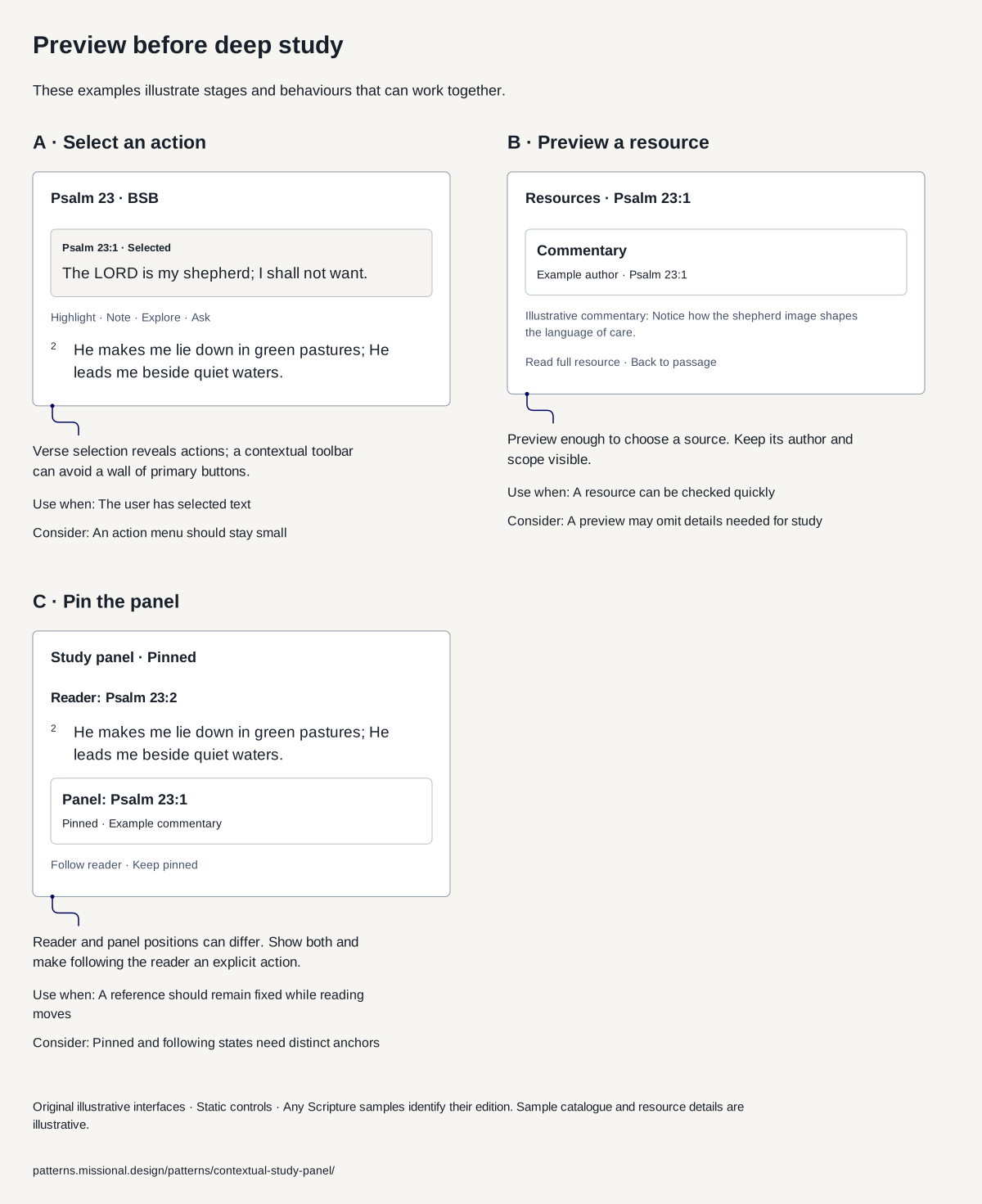
Reveal relevant information from a passage without replacing the reader.
Guidance
Offer a small selection action menu, then preview the relevant resource before deeper study. Let a linked panel either follow the passage or remain pinned, with its current anchor visible.
What tends to go wrong
A panel silently following a different verse; a resource opened without source context; a crowded selection menu that prevents reading.
How to test it
Test moving between verses with a linked and pinned panel. Can readers identify the panel’s anchor and recover the main reading task?
Sources
- Resource GuidePublisher feature description reviewed · A product reference; its native interface was not independently tested.
- Where should AI sit in your UIArticle reviewed · Its role interpretations should be tested with the intended audience; they do not establish universal layout rules.
- The Shape of AICatalogue and named entries reviewed · The site states CC BY NC SA. This reference uses original text and original wireframes; it does not reproduce the source illustrations.
- Android Study CenterHelp updated July 2026; reviewed 5 October 2026 · Documented Android behaviour; not a live capture or an endorsement of every default.
- Psalm 23, Berean Standard BiblePassage text taken from API.Bible, 9 October 2026 · Provides the Scripture wording; evaluate the interface through separate usability research.
Related decision: How visible should extra resources be?
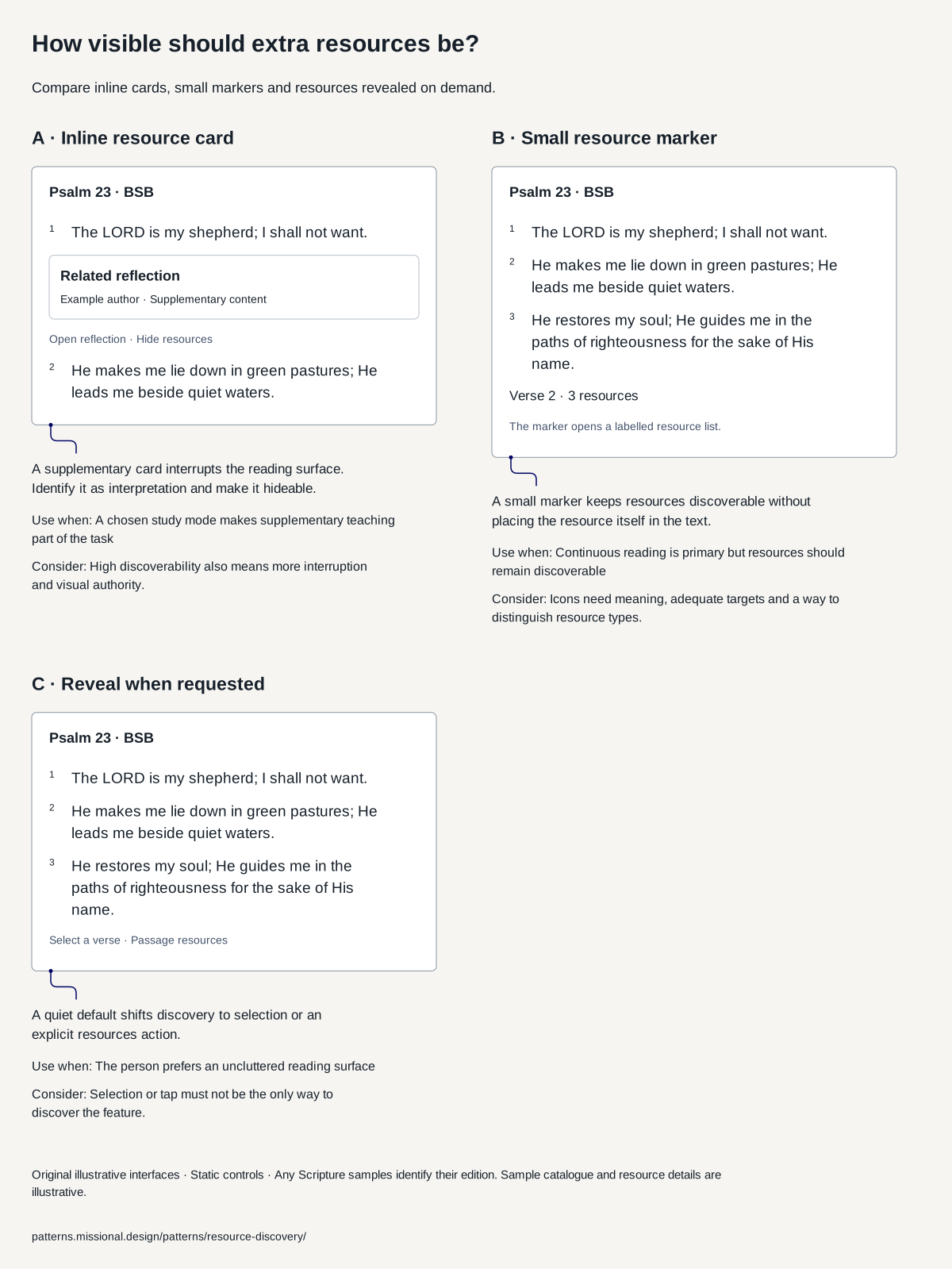
Compare inline cards, small markers and resources revealed on demand.
Guidance
Choose the visibility of supplementary material by the reading task. Keep it clearly separate from Scripture, with author and type visible. Offer a quiet reading mode. A hidden-on-selection design still needs a discoverable Resources action and keyboard and assistive-technology access.
What tends to go wrong
A teaching card mistaken for part of the translation; unexplained icons; autoplay between verses; a gesture-only resource menu; locked material presented as already available.
How to test it
Ask a new reader to find supplementary content, identify its author, hide it and resume at the same verse. Compare continuous reading with an intentional study task; include unavailable and paid resources.
Sources
- Joseph Prince Study Bible: multimedia resourcesOfficial overview reviewed 5 October 2026 · Provider description, not outcome evidence. Exact current card placement was not verified.
- Android Study CenterHelp updated July 2026; reviewed 5 October 2026 · Documented Android behaviour; not a live capture or an endorsement of every default.
- Understanding ReflowOfficial guidance reviewed on 5 October 2026 · Semantic scroll restoration is an original design proposal, not a requirement stated by this criterion.
- Psalm 23, Berean Standard BiblePassage text taken from API.Bible, 9 October 2026 · Provides the Scripture wording; evaluate the interface through separate usability research.
Related decision: Original media before synthesis
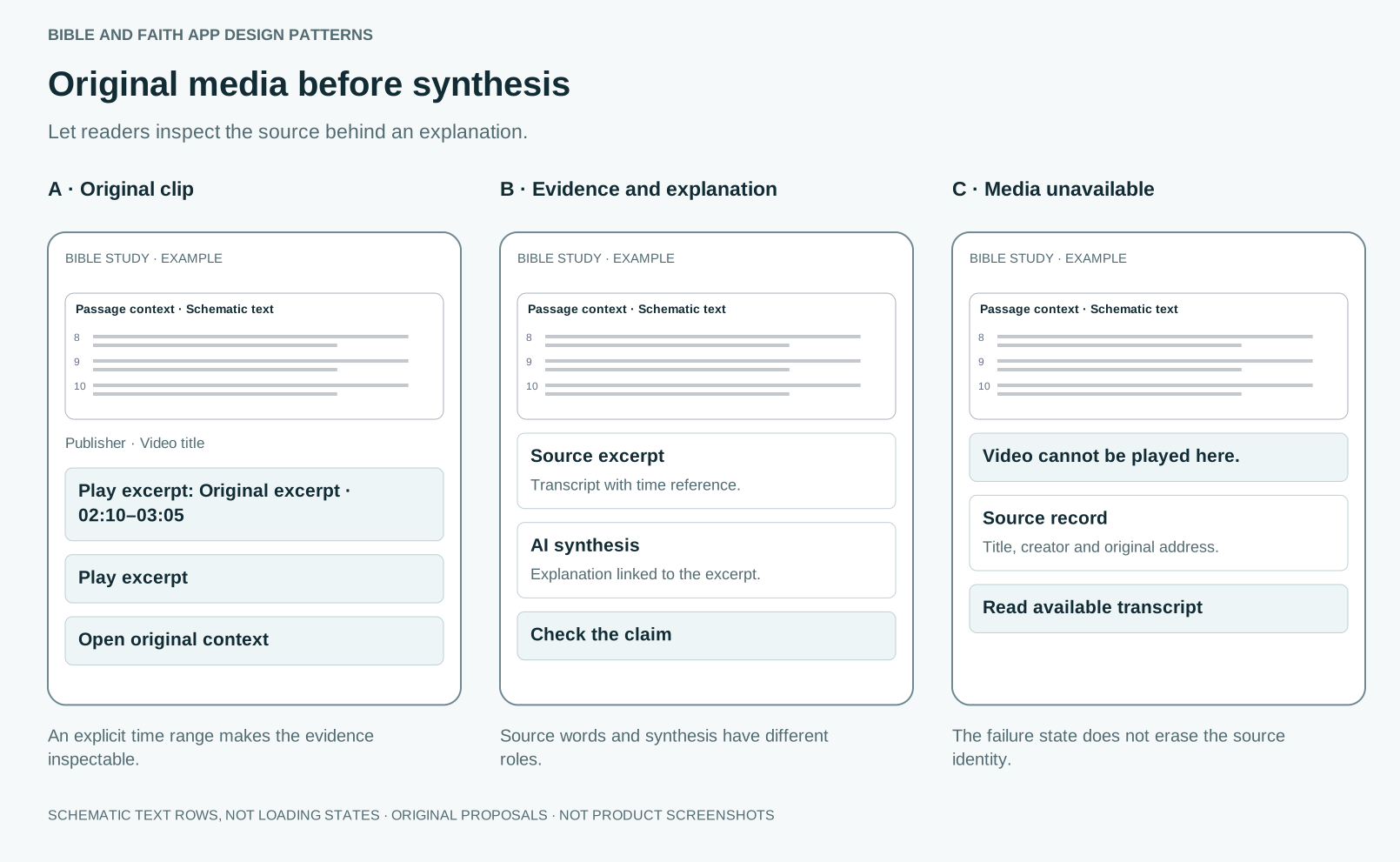
Let readers inspect the source behind an explanation.
Guidance
Use media cards with creator, original source, duration and relevant time range. Link supported claims to precise excerpts. Offer transcript and original context; playback starts deliberately and failure leaves the conversation readable.
What tends to go wrong
Autoplay; incorrect time windows; edited clips that reverse meaning; source opinions presented as consensus; a missing video hidden behind a confident synthesis.
How to test it
Check whether every evidence claim is supported at the linked position. Test unavailable media, captions, returning from playback and the context before and after an excerpt.
Sources
- CitationsPattern detail reviewed · Citation presence alone does not establish claim support.
- The Shape of AICatalogue and named entries reviewed · The site states CC BY NC SA. This reference uses original text and original wireframes; it does not reproduce the source illustrations.
- Designing Audio AI People Actually TrustArticle reviewed · The author scopes this to responsible audio AI, not a complete conversational-agent guideline.
Sources and their limits
Research-informed design proposal. Original prototypes await user testing.
- Cognitive load in hypertext reading: a reviewAbstract reviewed · Hypertext research, not Bible apps.
- Spatial contiguity and spatial split-attention effects in multimedia learning environments: a meta-analysisAbstract reviewed · Learning studies with diagrams and text, not Scripture.
- Page PreviewsProject page and A/B test summary reviewed · Desktop hover previews on an encyclopaedia; touch behaviour differs.
- The cost of interrupted work: more speed and stressPaper reviewed · Office email tasks with external interruptions, not self-chosen study.
- Bottom sheetsGuidelines reviewed · Platform guidance; does not address Scripture.
- Android Study CenterHelp updated July 2026; reviewed 5 October 2026 · Documented Android behaviour; not a live capture or an endorsement of every default.
- Joseph Prince Study Bible: multimedia resourcesOfficial overview reviewed 5 October 2026 · Provider description, not outcome evidence. Exact current card placement was not verified.
- Bible, glossed: MarkCatalogue description reviewed · One manuscript description; layouts varied.
- A few of King James’s approved rules for the new translationArticle reviewed · A popular history magazine summary of the rules.
- The Geneva Bible, banned by King JamesArticle reviewed · Secondary popular history.
- Matthew Henry’s Concise Commentary on Psalm 23Text reviewed · One devotional voice from 1706.
- Cambridge Bible for Schools and Colleges on Psalm 23:4Text reviewed · Nineteenth-century scholarship; later scholars differ.
- Understanding Captions (Prerecorded)Guidance reviewed · Accessibility guidance.
- Understanding ReflowOfficial guidance reviewed on 5 October 2026 · Semantic scroll restoration is an original design proposal, not a requirement stated by this criterion.
Faith and interpretation
Scripture itself shows readers helped beside the text: the Levites “read from the Book of the Law of God, explaining it and giving insight, so that the people could understand what was being read” (Nehemiah 8:8), and the Ethiopian asked, “How can I … unless someone guides me?” (Acts 8:31). The medieval Glossa Ordinaria set the text in the centre of the page and the commentary around it, in a smaller hand. The King James translators allowed no interpretive notes in the margin, only notes on words and cross-references, because the Geneva Bible’s notes were thought partisan. Where help sits, and whose voice it carries, has always been a theological question as well as a layout one.