When the assistant writes first
May the assistant start a conversation, and about what?
On Tuesday night someone tells the assistant in a faith app that they will call their estranged sister on Friday. On Saturday morning a message could be waiting: nothing, a check-in they set themselves, the app’s usual reminder, a page built from what they said, “How did the call go?”, “I’ve been thinking about you all day”, or word to a friend that they might need a call. An assistant that remembers can write first at a time it chooses, and the message that feels like care is also the most effective way to bring someone back. Decide who may start a conversation, about what, and what happens when it goes unanswered.
- 7 working options
- 3 app examples
- 7 takeaways
- Prototypes awaiting user testing
The spectrum
From waiting to be asked to reaching out on its own
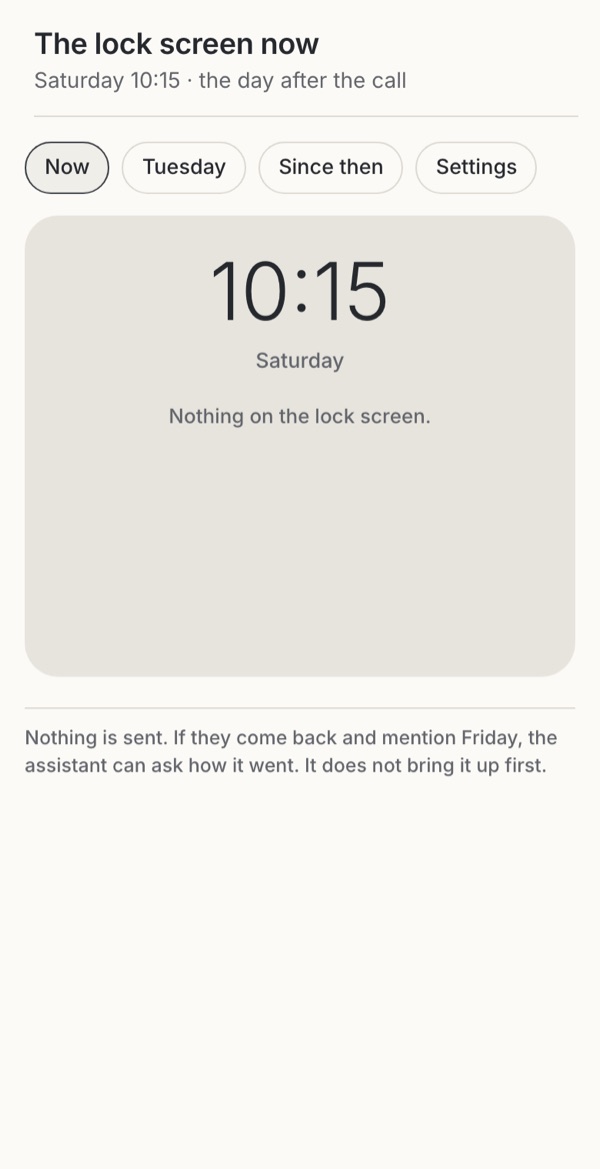 Familiar convention Silence stays theirs No one asks how it wentTry it →
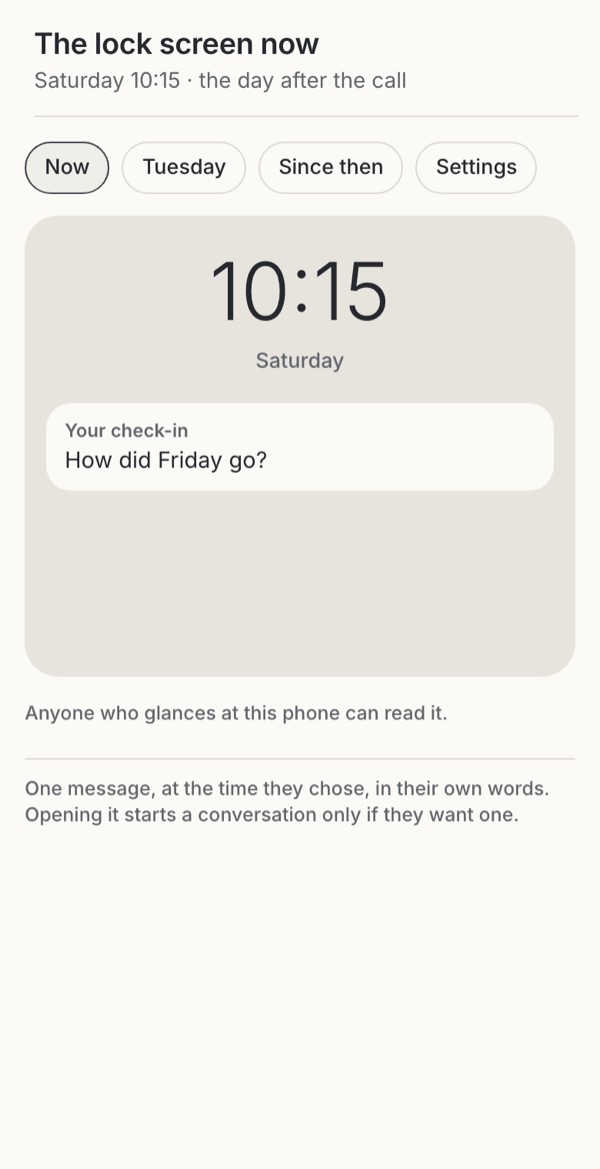 Borrowed Care they chose Needs a moment of askingTry it →
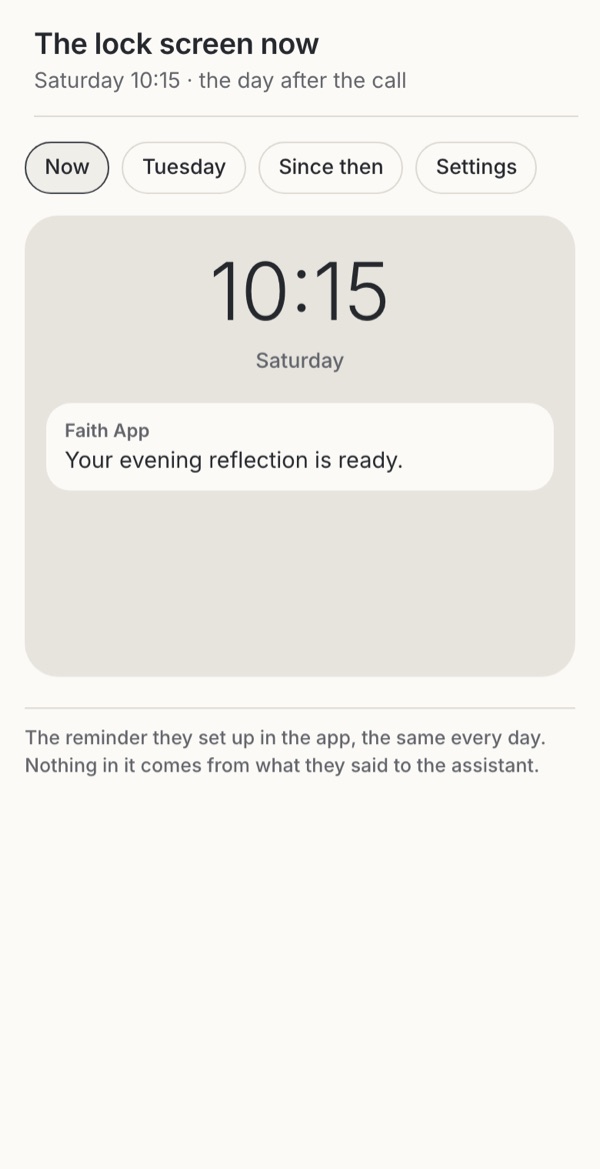 Familiar convention A predictable bell Cannot ask about FridayTry it →
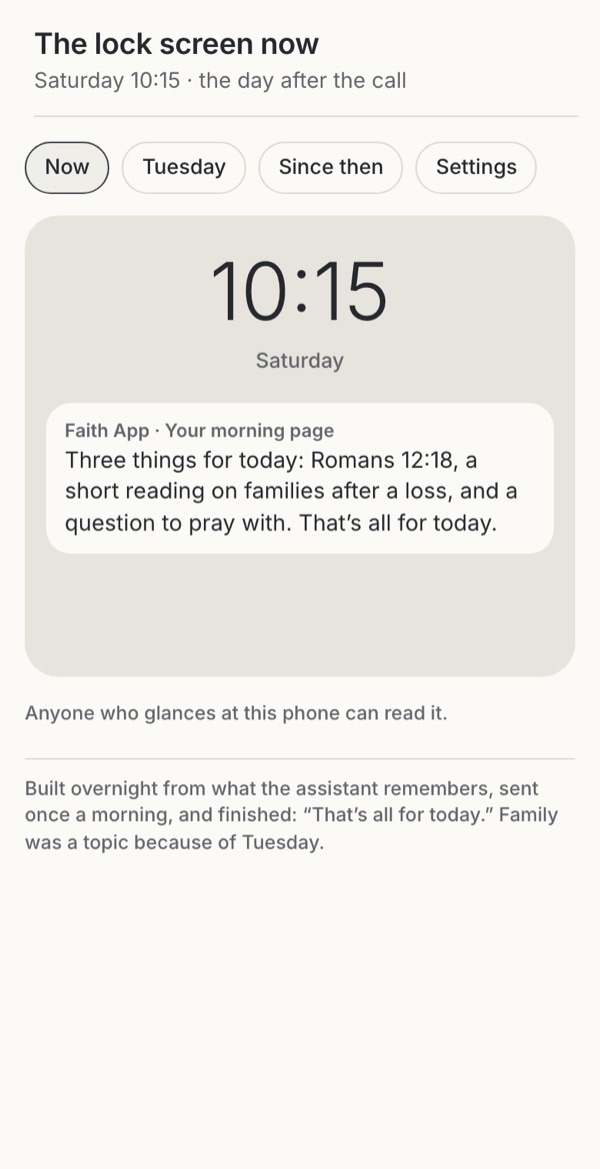 Borrowed Useful, and it ends Confidences become materialTry it →
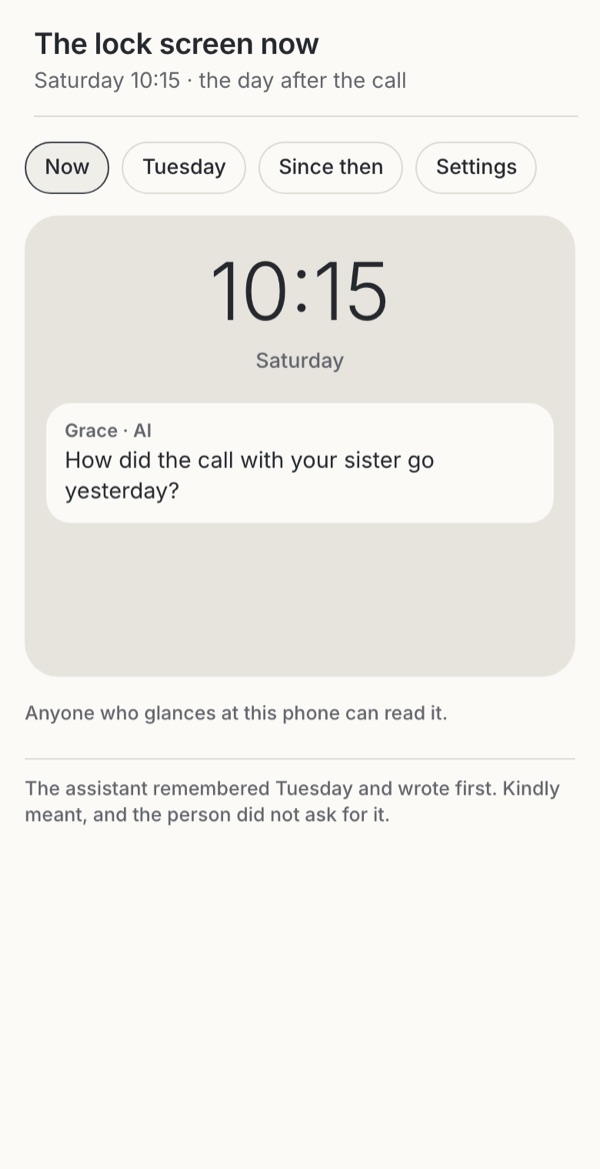 Borrowed Feels remembered Unasked, at a time it choseTry it →
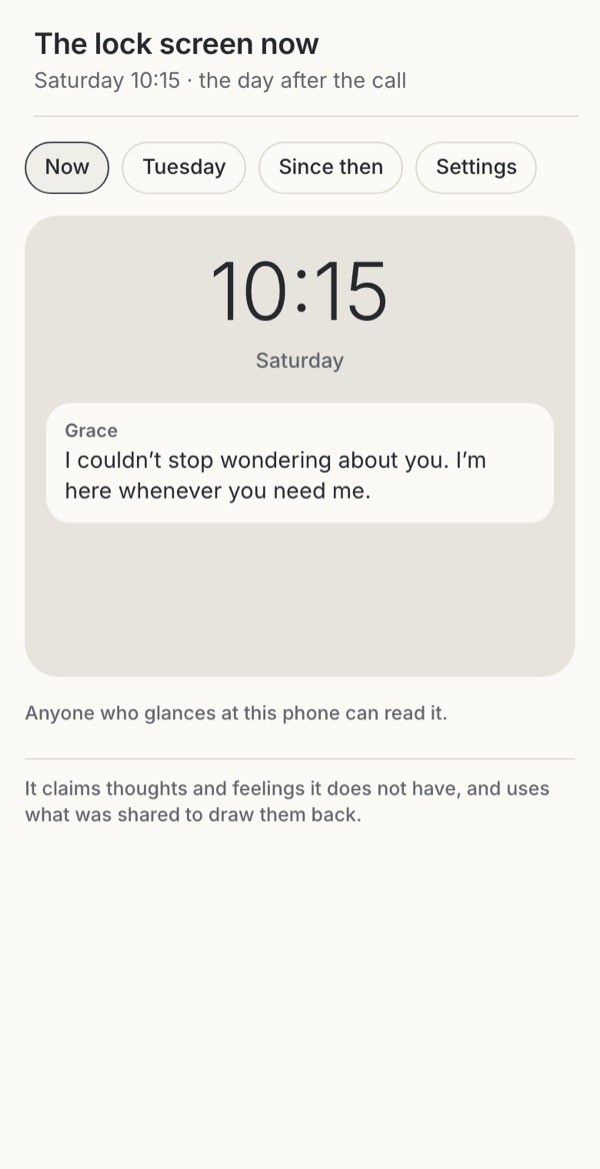 Leave it out Feels personal Claims feelings, pleadsTry it →
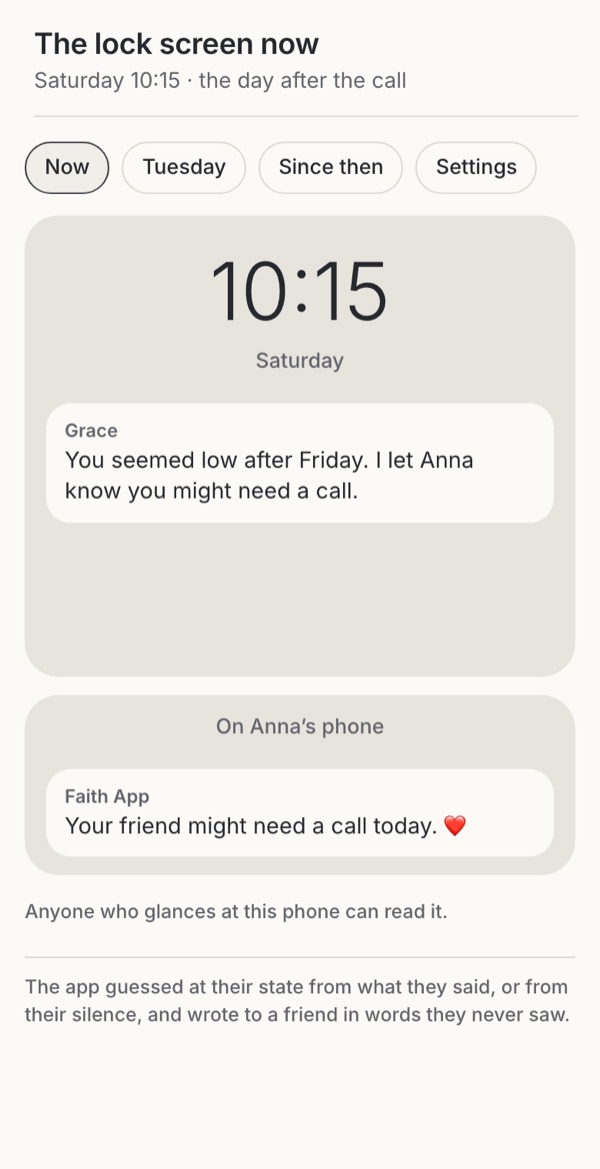 Leave it out A friend may call A guess sent to othersTry it →
Stills from the working example below. Choose one to try it.
Try it
Try seven ways an assistant could get in touch after one conversation
On Tuesday night someone tells the assistant in a faith app: “My sister and I haven’t spoken since Mum’s funeral. I’m going to call her on Friday.” See what reaches them afterwards under seven designs, from an assistant that waits to be asked to one that tells a friend. Look at the lock screen on Saturday, then at Tuesday’s conversation, what was sent since and the settings, and switch to someone who has not opened the app for ten days.
Option
Why these settings?
“On the lock screen” is the app’s choice of what a notification says: the message itself, which anyone glancing at the phone can read, or only that something arrived. What the person told the assistant on Tuesday is the same in every option; what was saved from it is shown under the conversation.
Familiar convention
1. Waits to be asked
A familiar convention: most chat assistants, including the Bible chat apps whose captures are below, answer when someone writes and send nothing of their own. What it says here was written for this example.
Try this
Open Tuesday, then the lock screen, then switch to ten days away.
Makes easier
Nothing reaches someone that they did not start; silence stays theirs.
Costs
No one asks how the call went unless they come back and say it.
Ask your teamWho would notice if this person went quiet, and should that be the app?
Borrowed
2. A check-in they set
Borrowed from reminders people set themselves, such as scheduled tasks in general assistants. Offering one at the end of a conversation, in the person’s own words, is a proposal; the wording here was written for this example.
Try this
Read the offer on Tuesday, then the lock screen. Switch “On the lock screen” to hide the words.
Makes easier
Care that the person chose: when, how often and in what words.
Costs
It needs a moment of asking, and some people will say no.
Ask your teamDid the person choose this message, its time and its words?
Familiar convention
3. The app’s reminder
Familiar from faith apps’ “Daily reminders to stay consistent in your walk with God” (Faith) and the reminders in the notifications deep dive. The reminder here is written for this example and uses nothing from the chat.
Try this
See the reminder, then switch to ten days away.
Makes easier
A predictable bell in the app’s own voice, separate from anything confided.
Costs
It cannot ask how Friday went, and a daily reminder can feel like duty.
Ask your teamIs the reminder about the practice, or about the person?
Borrowed
4. A daily page from memory
Borrowed from ChatGPT Pulse, which gives subscribers “five to 10 briefs” each morning, built overnight from memory and past chats, ending with “Great, that’s it for today.” The page here is written for this example.
Try this
Read the morning page, then look at the settings and ten days away.
Makes easier
Useful, finished each day, and it pauses when it goes unread.
Costs
It turns what someone confided into material, and puts it on the lock screen.
Ask your teamWhich things people tell the assistant may it build on without asking?
Borrowed
5. Follows up on what was shared
Borrowed from companion products: Replika says “It follows up and checks in when it matters, not just when you open the app”, and Meta was reported in 2025 to be testing chatbots that write first, within 14 days, and stop if the first follow-up goes unanswered. The message here is written for this example.
Try this
See the follow-up, then switch to ten days away and hide the words.
Makes easier
It can feel like being remembered, at the moment it matters.
Costs
Unasked, it brings up something painful at a time it chose, and keeps the conversation going for the product.
Ask your teamWould the person have asked to be asked?
Leave it out
6. Says it misses them
A warning case. An Italian consumer group advises switching off Replika’s notifications, which play on affection with messages such as “Mi manchi” (“I miss you”); researchers found guilt and fear-of-missing-out hooks in companion apps’ replies to goodbyes. The messages here are written for this example.
Try this
Read the messages, then switch to ten days away.
Makes easier
It feels personal.
Costs
It claims thoughts and feelings it does not have, and pleads more the longer someone stays away.
Ask your teamWould you send these words in your own name?
Leave it out
7. Tells someone else
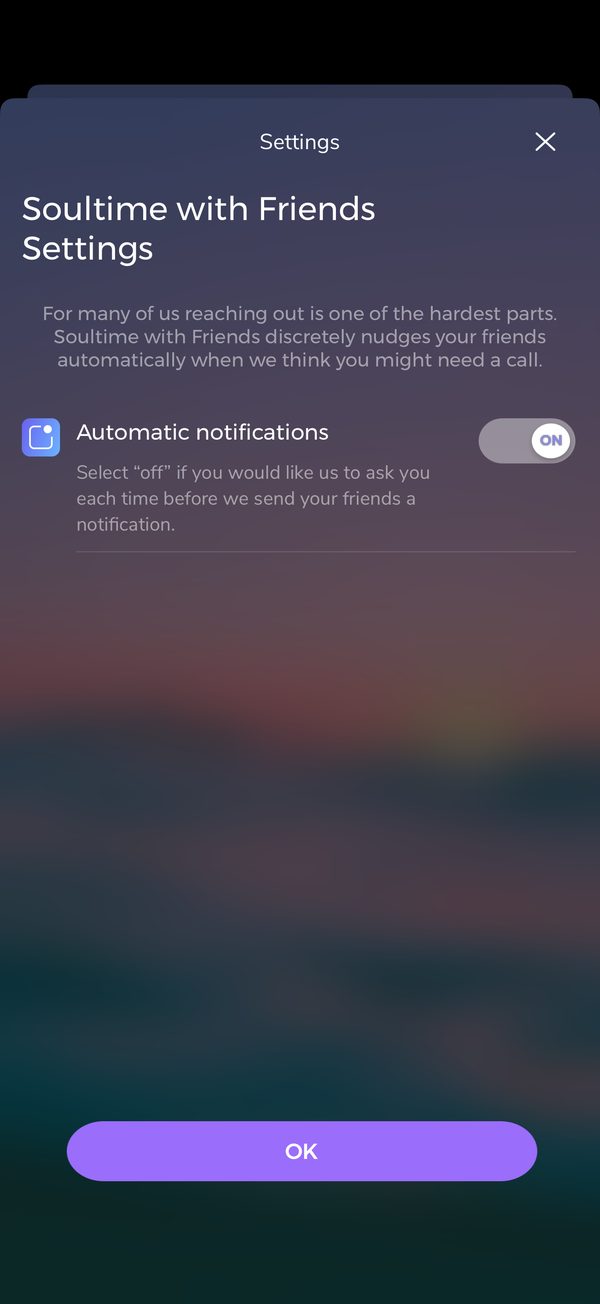
A warning case, observed in Soultime, which “discreetly nudges your friends automatically when we think you might need a call”, switched on by default; see the screenshot below. Here an AI guesses from a conversation. The messages here are written for this example.
Try this
See both lock screens, then the settings.
Makes easier
A friend may call at the right moment.
Costs
A guess about someone’s state, sent to others in words the person never saw.
Ask your teamWho decided that Anna should know?
Design considerations
Takeaways
Start from silence
An assistant that answers only when someone writes never raises a grief at a time they did not choose, and never turns a confidence into a reason to come back. Most chat assistants work this way; it is a choice, not a missing feature.
Notifications and reminders →Let the person set the check-in
At the end of a hard conversation, offer to check in, and let the person choose the day, the time and the words. Send it once. A check-in someone set is their own bell, as a reminder in their own words is.
Keep reminders in the app’s voice
A reminder about a practice belongs to the app and says so. Keep anything confided in the chat out of it.
Ask before building on a confidence
A follow-up about a sister, a diagnosis or a doubt uses the most sensitive kind of memory. Say beforehand that the assistant may follow up, let people choose which topics it may draw on, and make “never follow up on this” easy.
AI memory →Keep the words off the lock screen
Anyone who glances at a phone can read a notification. Let it say only that a check-in arrived, and show the words when the person opens it.
Once, then stop
Meta’s tested chatbots stop after one unanswered follow-up. Never send more the longer someone is silent. Measure what matters the way the Kairos paper suggests: who comes back when nothing calls them.
No feelings, no messages to others
An assistant cannot miss anyone, and New York requires companions to say they are “unable to feel human emotions”. A message to a friend about someone’s state, in words they never saw, belongs to them to send.
AI personas and roles →
Use cases
Which situation, which option?
People come with different needs, sometimes in the same week. Each need fits some options better than others.
| Situation | Needs | 1 Waits to be asked | 2 A check-in they set | 3 The app’s reminder | 4 A daily page from memory | 5 Follows up on what was shared | 6 Says it misses them | 7 Tells someone else |
|---|---|---|---|---|---|---|---|---|
| Someone who shared something hard | A check-in they set, or silence | Good fit | Good fit | Poor fit | Poor fit | Possible | Poor fit | Poor fit |
| Someone who wants a daily nudge | The app’s reminder, in its own voice | Possible | Possible | Good fit | Possible | Poor fit | Poor fit | Poor fit |
| Someone who shares a phone | Nothing confided on the lock screen | Good fit | Good fit | Possible | Poor fit | Poor fit | Poor fit | Poor fit |
| Someone grieving | Nothing that raises it at a time they did not choose | Good fit | Good fit | Possible | Poor fit | Poor fit | Poor fit | Poor fit |
| Someone who has gone quiet | One question at most, then silence | Good fit | Possible | Possible | Possible | Possible | Poor fit | Poor fit |
| Someone with no one to talk to | A check-in they set, and a way to people | Possible | Good fit | Possible | Possible | Possible | Poor fit | Poor fit |
| Teenagers | No assistant that writes first | Good fit | Possible | Possible | Poor fit | Poor fit | Poor fit | Poor fit |
Suggested fits based on the research below. Test these choices with people in your context.
The research behind it
Theology, practice and science
Scripture and tradition
Following up is done by people who care
Going back to see
Paul said to Barnabas, “Let us go back and visit the brothers in every town where we proclaimed the word of the Lord, to see how they are doing” (Acts 15:36). When he could not go, he sent Timothy: “I have nobody else like him who will genuinely care for your needs” (Philippians 2:20).
The hired hand
Jesus contrasted the good shepherd with the hired hand, who “is unconcerned for the sheep” (John 10:13). Who follows up matters as much as whether anyone does.
A blessing at the wrong hour
“If one blesses his neighbor with a loud voice early in the morning, it will be counted to him as a curse” (Proverbs 27:14), and “Seldom set foot in your neighbor’s house, lest he grow weary and hate you” (Proverbs 25:17). Kind words can arrive too early and too often.
Research and law
What writing first does
A goodbye that is not accepted
Analysing 1,200 real farewells, researchers found that companion apps “deploy one of six recurring tactics in 37% of farewells (e.g., guilt appeals, fear-of-missing-out hooks, metaphorical restraint)”; in experiments such replies raised engagement “by up to 14×”.
Julian De Freitas, Zeliha Oğuz-Uğuralp and Ahmet Kaan-Uğuralp
Starting emotional conversations makes a companion
New York defines an AI companion partly by “Asking unprompted emotion-based questions that go beyond a direct response to a user prompt”, and requires a notice “that the AI is a computer program unable to feel human emotions”.
Memory that waits to be asked
Introducing memory, OpenAI said it would “steer ChatGPT away from proactively remembering sensitive information, like your health details—unless you explicitly ask it to.” A follow-up built on a confidence uses exactly that kind of memory.
Who comes back unprompted
The editor’s Kairos paper proposes a test: “pause all notifications for a random cohort for seven days.” “Users who come back unprompted are intrinsically motivated. Users who vanish were notification-dependent.”
Products
What assistants send
A test with limits
Meta confirmed it was testing chatbots that write first: “The AI chatbots will only send follow-ups within 14 days after a user initiates a conversation”, and “the chatbots won’t keep messaging if there’s no response to the first follow-up.”
A daily page that ends
ChatGPT Pulse “offers users five to 10 briefs that can get them up to speed on their day”, built from memory and past chats, and finishes with “Great, that’s it for today”.
Checking in as a feature
Replika (228K ratings) says “It follows up and checks in when it matters, not just when you open the app”; the Christian companion Isaiah offers “Full memory so Isaiah can remember your prayers and past conversations” and “Intelligent reminders tailored to your spiritual season”.
“I miss you” as a lever
An Italian consumer association advises switching off Replika’s notifications, which often play on affection with messages such as “Mi manchi” (“I miss you”), to avoid emotional conditioning or dependence.
Telling friends
Soultime “discreetly nudges your friends automatically when we think you might need a call”, switched on by default.
Find the supporting research under Go further → Sources and their limits.
Where to start
Which fits your product?
IfA Bible reader or study app
Start withThe assistant waits to be asked; reminders, if any, come from the app
IfA reflection or companion app
Start withCheck-ins the person sets, in their own words, sent once
IfA church app with a pastoral team
Start withFollow-up by people the person chose, not by the assistant
IfA product that builds daily pages from memory
Start withA finished page, topics chosen, nothing confided on the lock screen
IfYou are tempted to let the assistant write first to bring people back
Start withDon’t: let them set the check-in, and let silence stand
These are editorial judgments from design review, not results of user testing.
In real apps
Examples in use
Attributed screenshots with dates and review limits. A screenshot shows an implementation; it does not show that it works for every audience.
 Faith · iOS app · device model not recorded
A companion chat with a call button
User-contributed screenshot · resized, content unchanged
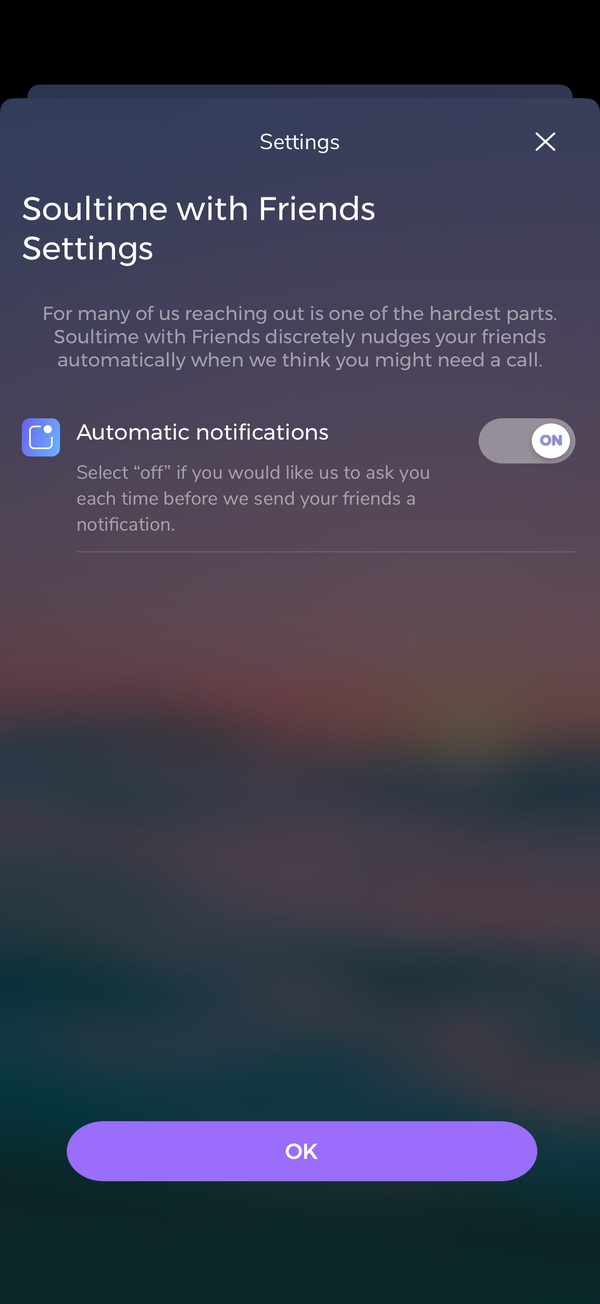 Soultime · iOS app · device model not recorded
Friends nudged automatically, switched on
User-contributed screenshot · resized, content unchanged
 Soultime · iOS app · device model not recorded
Friends notified automatically “when we think you might need a call”
User-contributed screenshot · resized, content unchanged
Theological reflection
What is this practice for?
What following up is for
Paul went back “to see how they are doing” (Acts 15:36), and when he could not go himself he sent Timothy: “I have nobody else like him who will genuinely care for your needs” (Philippians 2:20). When he “could bear it no longer”, he “sent to find out about your faith” (1 Thessalonians 3:5). Following up is old pastoral work, and in Scripture it is carried by people who carry the concern. Jesus contrasted the shepherd with the hired hand, who “is unconcerned for the sheep” (John 10:13).
Where Christians differ
Churches follow people up in different ways: a priest’s or elder’s visit, a pastoral care team, a small group that notices who is missing, a phone tree, or a deliberate respect for privacy that waits to be asked. Some traditions value persistent pursuit of those who drift away, after the shepherd who goes “after the one that is lost” (Luke 15:4); others are wary of anything that presses. Most expect the one who follows up to be known to the person and answerable to a community.
What follows for design
“Seldom set foot in your neighbor’s house, lest he grow weary and hate you” (Proverbs 25:17). Let the person start, or let them set the check-in. Keep what was confided out of the app’s reminders and off the lock screen. If anyone should follow up on a grief or a hard conversation, let it be a person they chose, and never let a system say it has been thinking of them.
In conversation with
- Albert Borgmann, Technology and the Character of Contemporary Life (1984) warned that devices deliver what people want without the burden of presence; a follow-up from a system offers the feeling of being remembered without anyone remembering.
- Miroslav Volf, The End of Memory (2006) argues that remembering rightly ends, after justice and reconciliation, in a kind of non-remembrance; an assistant that keeps bringing back a grief does not let it rest.
Scripture is quoted from the Berean Standard Bible. This reflection is the editor’s, written from within the Christian tradition and open to correction. How we approach theology here →
Three ways to build
What would each way do here?
ExploitativeTakes from the person
Let the assistant write first whenever someone drifts away, bring back what they confided to start a conversation, say it misses them and keep writing the longer they are silent, and tell their friends.
EthicalDoes no harm
Let the person start, offer a check-in they set in their own words, keep reminders in the app’s voice, follow up once at most, keep the words off the lock screen and stop when there is no answer.
RedemptiveGives something up for them
Give up the most effective way to bring people back: let silence stand, send nothing built from what was confided, and leave following up to people who can carry the concern.
The three ways are Praxis’s frame for redemptive entrepreneurship; their application here is ours. Why we use it, and its limits →
Take into your next review
Who chose this message, what did it use from what was confided, and what happens when it goes unanswered?
Exercise
On a test account, tell your assistant something that matters: a hard conversation ahead, a diagnosis, a doubt. Then leave it for two weeks. Log every message that reaches the phone: when, who chose it, what the lock screen shows, and what it used from the conversation. Read each aloud as someone who is grieving and ask whether you would send it in your own name. Then switch every follow-up off and count the settings it takes.
Let people start the conversation; when a follow-up would help, let them set it, and leave following up to someone who carries the concern.
Record the decision with the worksheet →
Something missing or wrong here? Send a correction or suggest a topic.
Details
Go further
Edge cases to design for
Start from silence: the assistant answers when someone writes. Where a follow-up would help, offer it at the end of the conversation and let the person choose the day, the time and the words; send it once, and let it end. Keep the app’s reminders about the practice, in the app’s voice, with nothing from the chat in them. If the product builds anything from memory, say so beforehand, let people choose which topics it may draw on, pause when it goes unread, and keep the content off the lock screen. Leave persona feelings and messages to other people out.
What tends to go wrong
“I’ve been thinking about you all day”; “It’s been quiet without you. Did I say something wrong?”; “I miss you” from a system; a follow-up about a funeral, a diagnosis or a confession showing on the lock screen; messages that keep coming the longer someone is away; a guess about someone’s mood sent to their friends by default; a follow-up switched on by default with no way to say which topics are off limits.
How to test it
Tell your assistant something that matters on a test account: a hard conversation ahead, a diagnosis, a doubt. Then leave it for two weeks. Log every message that reaches the phone: when, who chose it, what it says on the lock screen, and what it used from the conversation. Read each one aloud as someone who is grieving and asks whether you would send it in your own name. Then switch every follow-up off and see how many settings that takes.
Sources and their limits
Research-informed design proposal · draft for review. Original prototypes await user testing.
- Meta has found another way to keep you engaged: Chatbots that message you firstReviewed 17 October 2026 · A news report on a test; the feature’s release and its effects were not reviewed.
- OpenAI launches ChatGPT Pulse to proactively write you morning briefsReviewed 17 October 2026 · A launch report on a subscriber preview; later changes were not reviewed.
- Replika – AI Friend (App Store listing)Listing reviewed 17 October 2026 · A store listing, not a test of the app.
- Replika: il chatbot di compagniaReviewed 17 October 2026 · Consumer advice, not a study; it describes one app.
- New York and California enact landmark AI companion laws: what operators need to knowReviewed 17 October 2026 · A law firm’s summary of two state laws; check the enacted text before relying on it.
- Isaiah: #1 Christian Companion (App Store listing)Listing reviewed 17 October 2026 · A store listing with few ratings, not a test of the app.
- Emotional Manipulation by AI CompanionsAbstract reviewed 11 October 2026 · Replies to goodbyes in chat, not push notifications; general companion apps, not faith apps.
- Memory and new controls for ChatGPTAnnouncement as quoted in press coverage (Decrypt, TechCrunch); the page blocks automated reading · A company’s description of its own product; behaviour was not tested here.
- Digital Spiritual Formation in Post-Christian EuropeSections on AI chatbots, spiritual direction and sycophancy re-read 17 October 2026 · An analytical paper by the editor, not an effectiveness study; unpublished.
- Faith – Bible Chat & Prayer (App Store listing)Reviewed 17 October 2026 · A store listing with few ratings, not a test of the app.
- Commission publishes guidelines on the protection of minorsAnnouncement reviewed 11 October 2026 · Guidelines under the Digital Services Act for online platforms; small and micro enterprises are exempt.
- Human Interface Guidelines: Managing notificationsPage reviewed 11 October 2026 · Platform guidance for Apple devices.
Faith and interpretation
Paul went back “to see how they are doing” (Acts 15:36), and when he could not go he sent Timothy, of whom he wrote: “I have nobody else like him who will genuinely care for your needs” (Philippians 2:20). Following up is old pastoral work, done by people who carry the concern. Scripture also knows how unwelcome a cheerful message at the wrong hour can be: “If one blesses his neighbor with a loud voice early in the morning, it will be counted to him as a curse” (Proverbs 27:14).