

Course preview in onboarding
Duomo · 25 October 2026 · Version 6.4.8
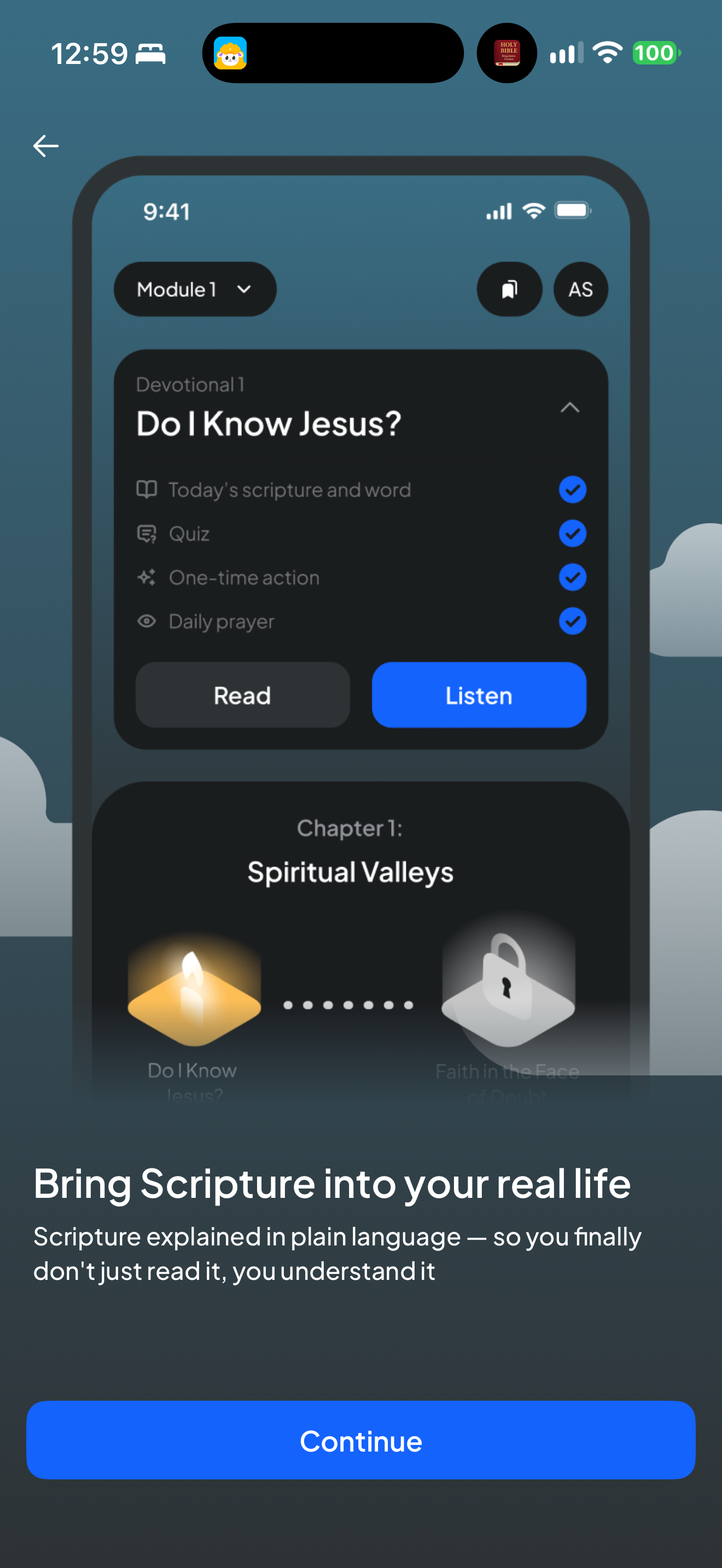
What this shows
Duomo uses a phone mockup to preview course steps and reading or listening options.
Capture context
Embedded phone is a publisher demonstration; its checkmarks and initials are mockup content, not the owner’s progress or identity.
Captured for interface research. Screen behavior may change between app versions.
Selected text visible in this screen
Interface labels transcribed during review.
Bring Scripture into your real life; Do I Know Jesus?; Today’s scripture and word; Quiz; One-time action; Daily prayer; Read; Listen; Continue
Patterns about this screen
The design decisions this screen shows, with the options and research behind each.
- First use
What does someone have to give before they reach what they came for? · Money, data and trust
Explore this screen
- Screen type
- Onboarding
- Patterns / features
- Not specified
- User tasks
- Join & personalize
- Interface states
- Not specified
Component details
Illustration · Primary button
Original descriptive labels
Browsing uses consistent groups. The original reviewed labels stay searchable; they can describe settings, context or capture details rather than a user task or interface state.
- Screen description
- Onboarding
- Task descriptions
- Join and personalize
- State and context descriptions
- Default
- Feature descriptions
- Not recorded