

Verse study menu
Scroll The Bible · 24 October 2026 · Version 1.26
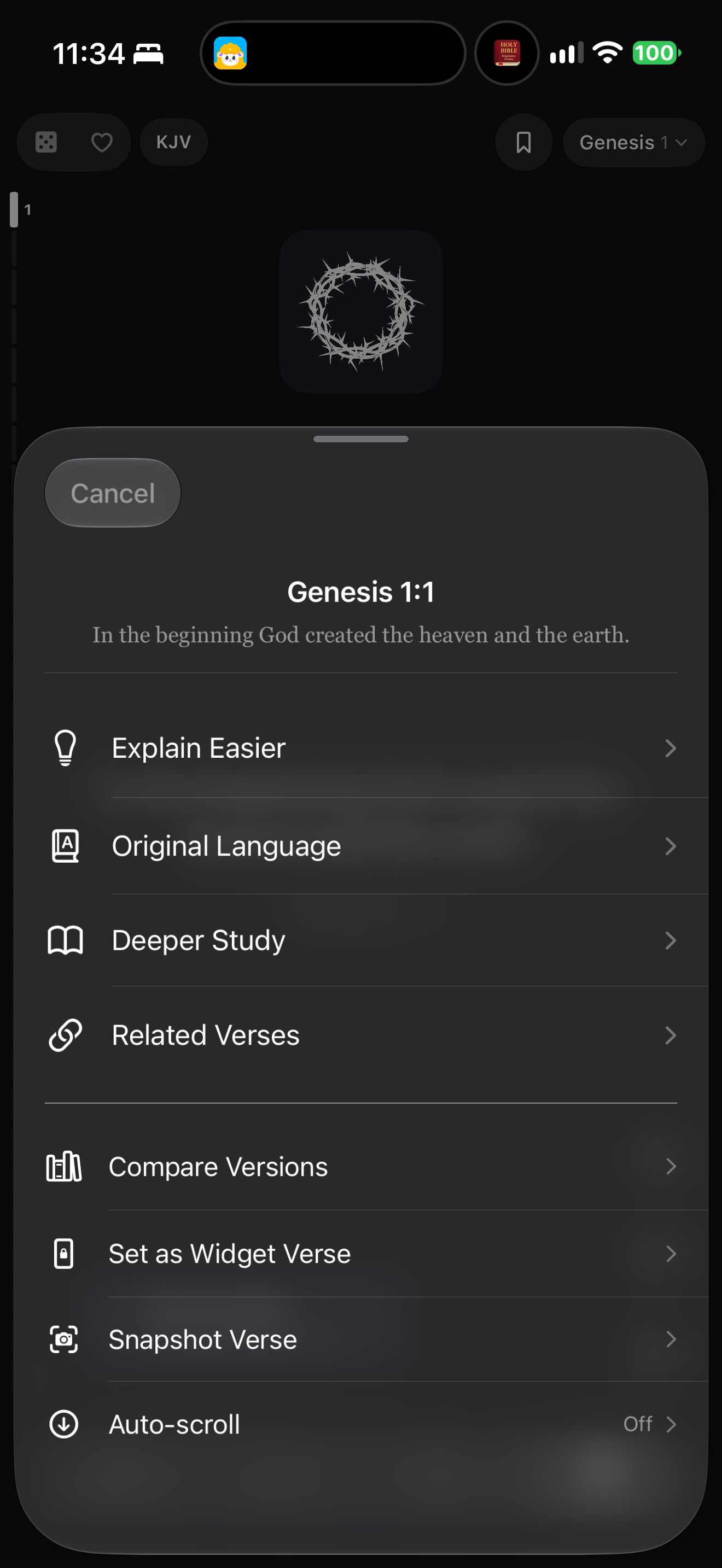
What this shows
A sheet combines study routes, version comparison and presentation actions.
Capture context
Publisher content in the captured screen; no complete flow or outcome is implied.
Captured for interface research. Screen behavior may change between app versions.
Selected text visible in this screen
Interface labels transcribed during review.
Cancel; Genesis 1:1; Explain Easier; Original Language; Deeper Study; Related Verses; Compare Versions; Set as Widget Verse; Snapshot Verse; Auto-scroll; Off
Patterns about this screen
The design decisions this screen shows, with the options and research behind each.
- Study helps
Where should commentary and notes open? · Reading the Bible
- Translations
One at a time, side by side or verse by verse? · Reading the Bible
Explore this screen
- Screen type
- Menus & overlays
- Components
- Bottom sheetList
- Patterns / features
- Not specified
- User tasks
- Study a passageManage settings
- Interface states
- Expanded
Component details
Bottom sheet · Study rows · Utility rows
Original descriptive labels
Browsing uses consistent groups. The original reviewed labels stay searchable; they can describe settings, context or capture details rather than a user task or interface state.
- Screen description
- Action sheet
- Task descriptions
- Study passage · Manage reading
- State and context descriptions
- Open
- Feature descriptions
- Not recorded