

Audio options sheet
audibible · 11 October 2026 · Version
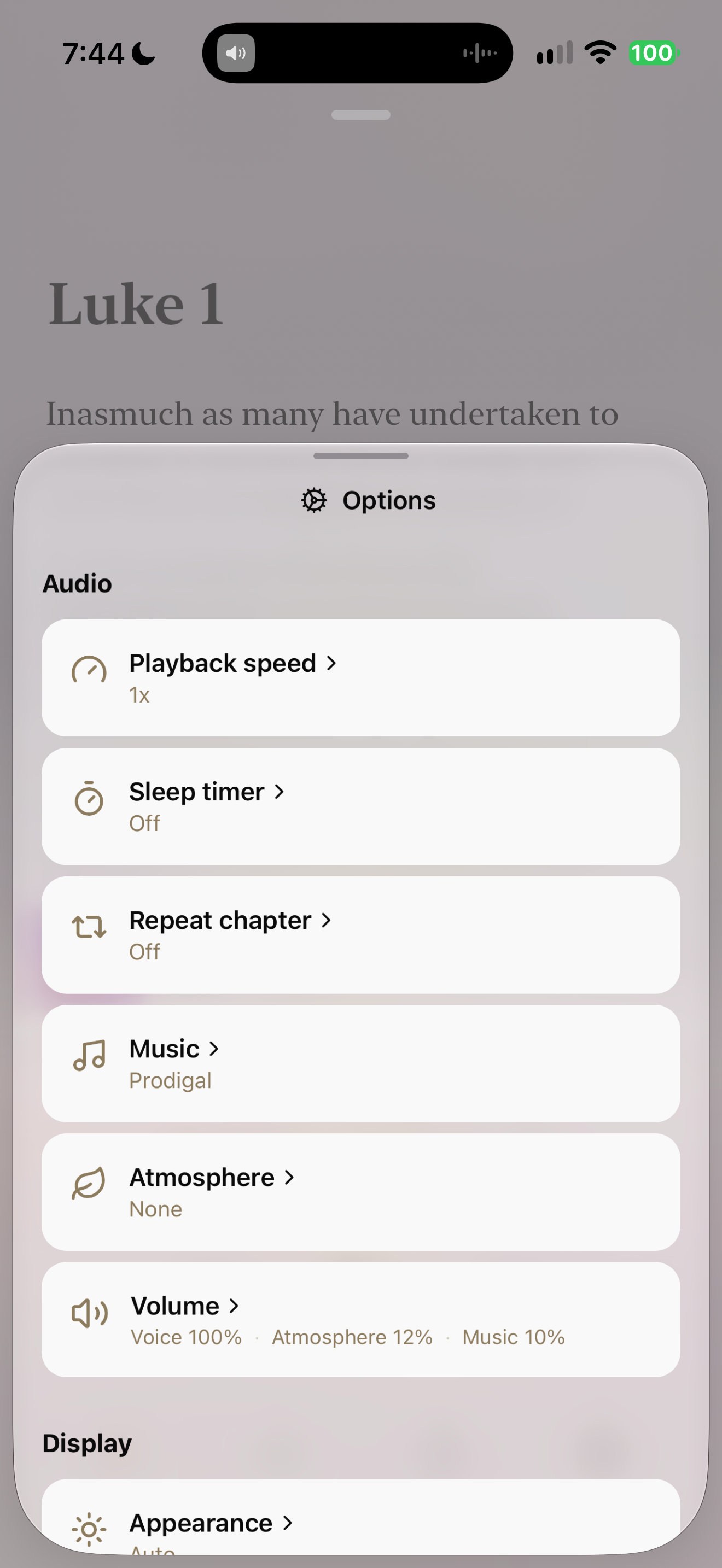
What this shows
Audibible exposes speed, timer, repeat, music, atmosphere and separate volume levels.
Capture context
Single retained research capture. Michael is the visible narrator/voice label, not an owner identity. Audio configuration and chapter queues are visible; no private notes or prayer disclosures. Duration, offer and catalog copy are historical observations.
Captured for interface research. Screen behavior may change between app versions.
Selected text visible in this screen
Interface labels transcribed during review.
Options; Audio; Playback speed; 1x; Sleep timer; Off; Repeat chapter; Off; Music; Prodigal; Atmosphere; None; Volume; Voice 100%; Atmosphere 12%; Music 10%; Display; Appearance
Patterns about this screen
The design decisions this screen shows, with the options and research behind each.
- Bible audio
How should Scripture be heard: as text, voice or read-along? · Reading the Bible
Explore this screen
- Screen type
- Settings
- Components
- Bottom sheetListProgress indicator
- Patterns / features
- Not specified
- User tasks
- Listen & watch
- Interface states
- Not specified
Component details
Bottom sheet · Option rows · Current values
Original descriptive labels
Browsing uses consistent groups. The original reviewed labels stay searchable; they can describe settings, context or capture details rather than a user task or interface state.
- Screen description
- Settings
- Task descriptions
- Adjust listening
- State and context descriptions
- Default
- Feature descriptions
- Not recorded