

A single word selected
Logos Bible · 24 October 2026 · Version 54.0.2
What this shows
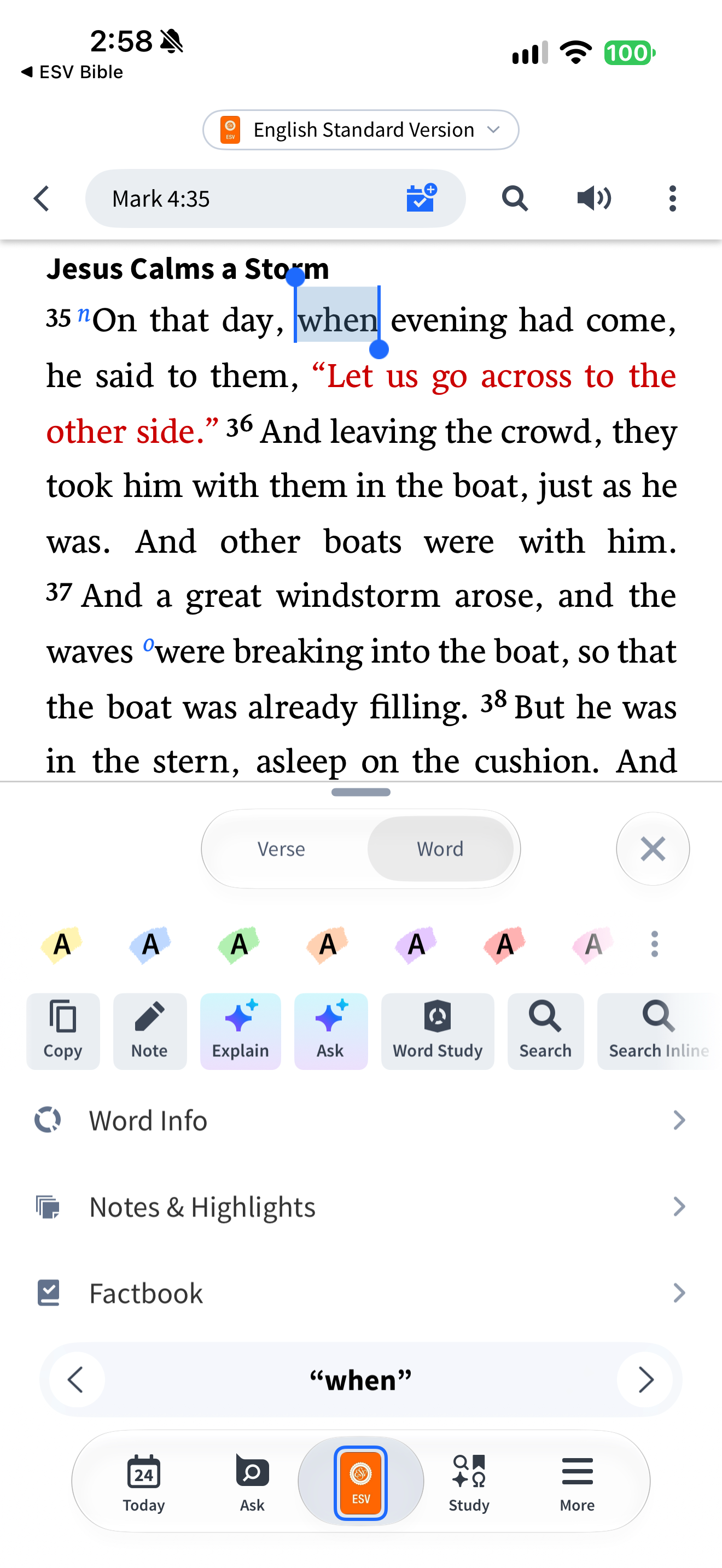
Logos exposes word-level actions and highlight colors for the selected word when.
Capture context
One word is selected; seven color swatches and a further menu are visible. No eighth color is asserted from the filename.
Captured for interface research. Screen behavior may change between app versions.
Selected text visible in this screen
Interface labels transcribed during review.
English Standard Version; Mark 4:35; Verse; Word; when; Copy; Note; Explain; Ask; Word Study; Search; Search Inline; Word Info; Notes & Highlights; Factbook.
Patterns about this screen
The design decisions this screen shows, with the options and research behind each.
- Highlights and notes
How should readers mark a passage? · Reading the Bible
Explore this screen
- Screen type
- Bible reader
- User tasks
- Read ScriptureMark & saveStudy a passage
- Interface states
- Selected
Component details
Bottom sheet · Text selection · Color picker · Tabs · Icon button
Original descriptive labels
Browsing uses consistent groups. The original reviewed labels stay searchable; they can describe settings, context or capture details rather than a user task or interface state.
- Screen description
- Bible reader
- Task descriptions
- Read Scripture · Mark and save · Study a passage
- State and context descriptions
- Selected
- Feature descriptions
- Highlight · Note