

Prepare offline library
Bible Strong · 11 October 2026 · Version
What this shows
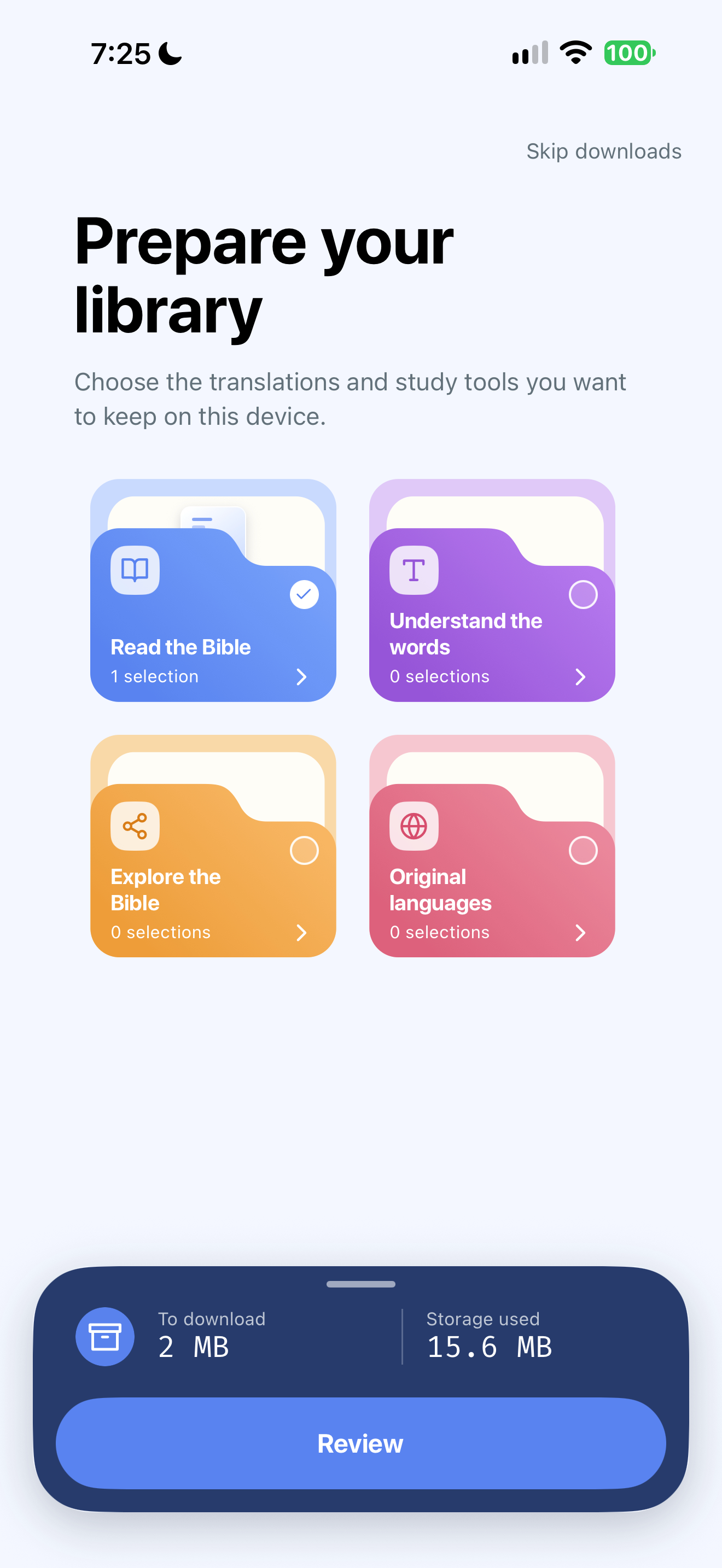
Bible Strong groups downloadable resources by task and shows download and storage totals.
Capture context
Single retained capture. Publisher demo highlighting is contextualized as illustration; reader colors and inline cards do not establish their provenance or use. No private note text, account identity or prayer disclosure visible. Migration safety copy is a publisher claim.
Captured for interface research. Screen behavior may change between app versions.
Selected text visible in this screen
Interface labels transcribed during review.
Skip downloads; Prepare your library; Choose the translations and study tools you want to keep on this device.; Read the Bible; 1 selection; Understand the words; 0 selections; Explore the Bible; 0 selections; Original languages; 0 selections; To download; 2 MB; Storage used; 15.6 MB; Review
Patterns about this screen
The design decisions this screen shows, with the options and research behind each.
- First use
What does someone have to give before they reach what they came for? · Money, data and trust
- Study helps
Where should commentary and notes open? · Reading the Bible
Explore this screen
- Screen type
- Onboarding
- Components
- GridProgress indicatorText contentButton
- Patterns / features
- Not specified
- User tasks
- Manage settings
- Interface states
- Not specified
Component details
Resource category grid · Selection counts · Storage summary · Review · Skip downloads
Original descriptive labels
Browsing uses consistent groups. The original reviewed labels stay searchable; they can describe settings, context or capture details rather than a user task or interface state.
- Screen description
- Onboarding
- Task descriptions
- Prepare offline resources
- State and context descriptions
- Default
- Feature descriptions
- Not recorded