

Verse annotation tools
Gospel Partner · 25 October 2026 · Version 5.4.10
What this shows
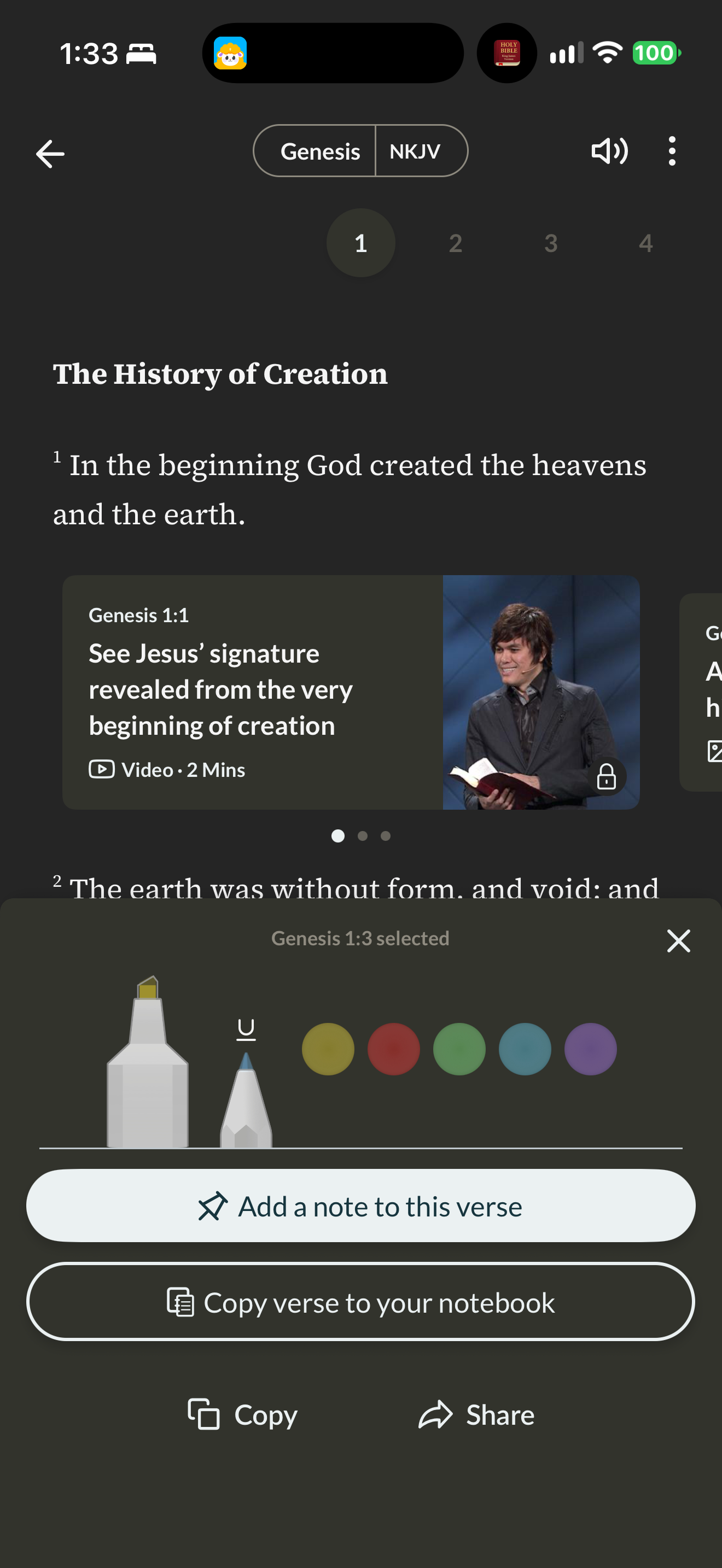
Gospel Partner opens color, underline, note, copy and share actions for a verse.
Capture context
Genesis 1:3 is selected while the viewport shows Genesis 1:1 and publisher video material. No note content or completed saved mark is shown.
Captured for interface research. Screen behavior may change between app versions.
Selected text visible in this screen
Interface labels transcribed during review.
Genesis; NKJV; The History of Creation; Genesis 1:3 selected; Add a note to this verse; Copy verse to your notebook; Copy; Share
Patterns about this screen
The design decisions this screen shows, with the options and research behind each.
- Highlights and notes
How should readers mark a passage? · Reading the Bible
Explore this screen
- Screen type
- Annotation editor
- Components
- Bottom sheetColor picker
- Patterns / features
- Not specified
- User tasks
- Mark & save
- Interface states
- Selected
Component details
Bottom sheet · Color picker
Original descriptive labels
Browsing uses consistent groups. The original reviewed labels stay searchable; they can describe settings, context or capture details rather than a user task or interface state.
- Screen description
- Annotation editor
- Task descriptions
- Mark and save
- State and context descriptions
- Selected
- Feature descriptions
- Not recorded