

A dark reader after hiding personal marks
Logos Bible · 24 October 2026 · Version 54.0.2
What this shows
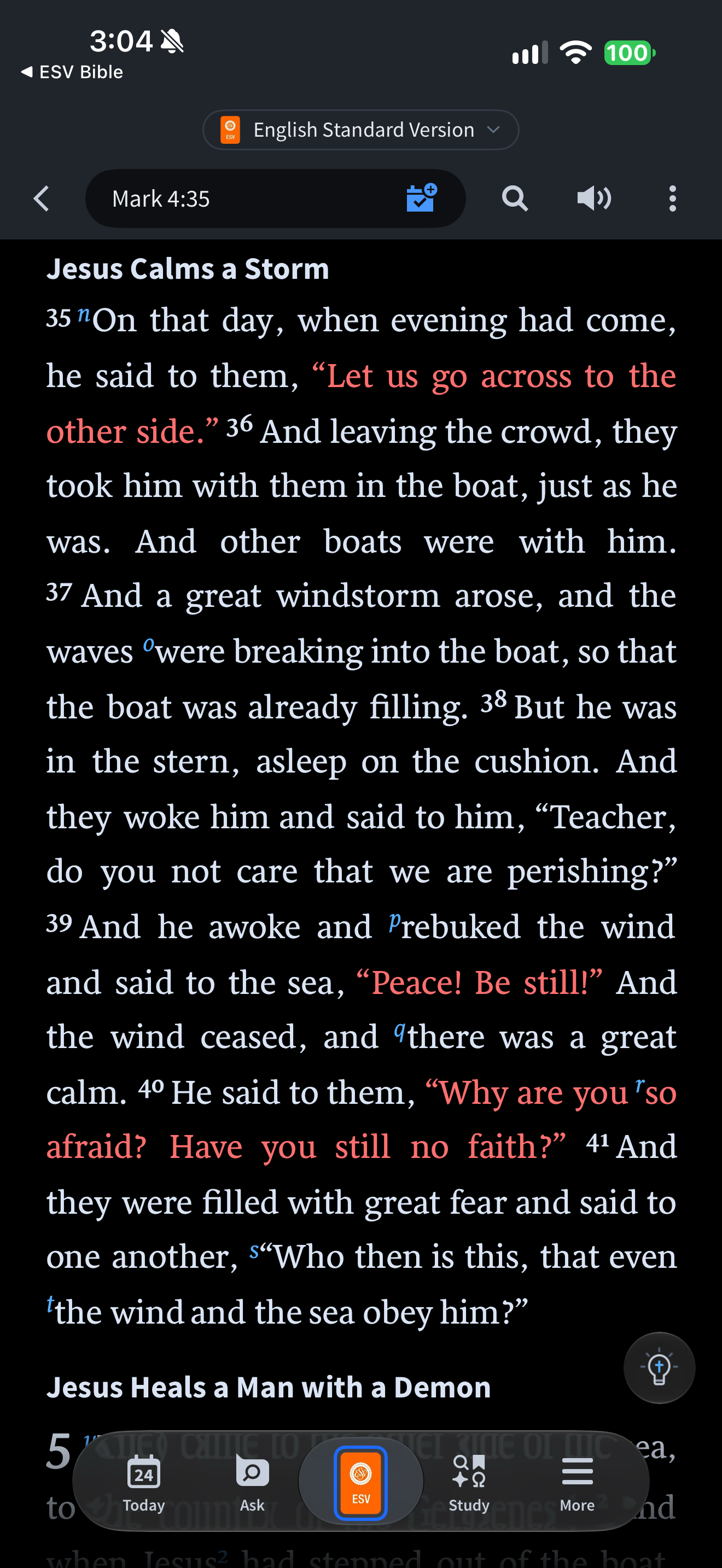
Logos shows Mark 4 in a dark reader after the captured session turned Show Notes/Highlights off.
Capture context
The visible frame has no personal highlight backgrounds or note markers; red-letter speech and editorial reference letters remain. The session log records the setting change. This frame alone does not prove that saved records persist or that no mark exists elsewhere.
Captured for interface research. Screen behavior may change between app versions.
Selected text visible in this screen
Interface labels transcribed during review.
English Standard Version; Mark 4:35; Jesus Calms a Storm; Today; Ask; Study; More.
Patterns about this screen
The design decisions this screen shows, with the options and research behind each.
- Highlights and notes
How should readers mark a passage? · Reading the Bible
Explore this screen
- Screen type
- Bible reader
- Patterns / features
- Hide marksDark themeEditorial cues
- User tasks
- Read ScriptureManage settings
- Interface states
- Not specified
Component details
Navigation bar · Reference field · Icon button · Bottom navigation
Original descriptive labels
Browsing uses consistent groups. The original reviewed labels stay searchable; they can describe settings, context or capture details rather than a user task or interface state.
- Screen description
- Bible reader
- Task descriptions
- Read Scripture · Customize appearance
- State and context descriptions
- Default
- Feature descriptions
- Hide marks · Dark theme · Editorial cues