

Reader gesture tutorial
Logos Bible · 11 October 2026 · Version
What this shows
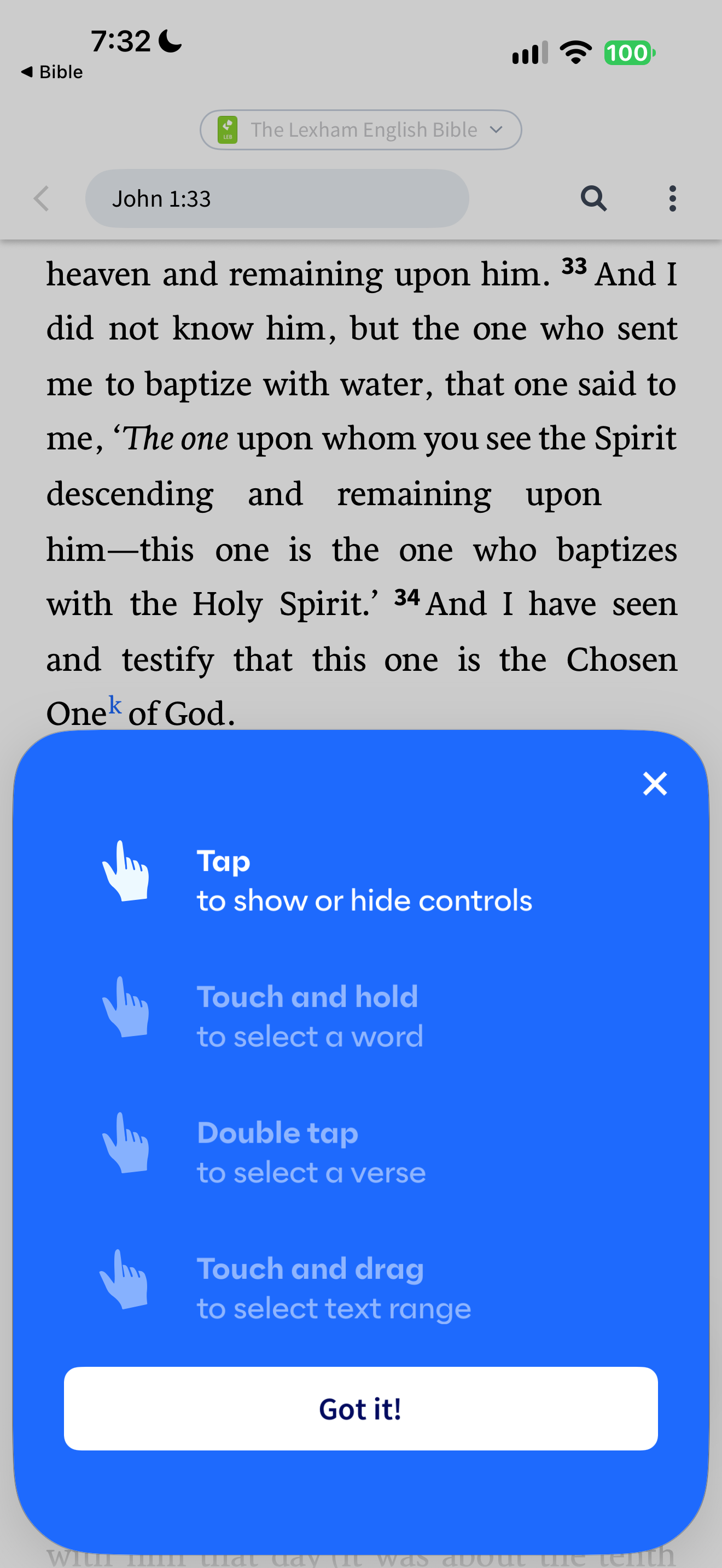
Logos overlays its Lexham English Bible reader with selection instructions.
Capture context
Single retained capture. Publisher copy and demonstration mockups are not verified outcome or privacy claims. No entered private account information.
Captured for interface research. Screen behavior may change between app versions.
Selected text visible in this screen
Interface labels transcribed during review.
The Lexham English Bible; John 1:33; Tap to show or hide controls; Touch and hold to select a word; Double tap to select a verse; Touch and drag to select text range; Got it!
Patterns about this screen
The design decisions this screen shows, with the options and research behind each.
- First use
What does someone have to give before they reach what they came for? · Money, data and trust
- Highlights and notes
How should readers mark a passage? · Reading the Bible
Explore this screen
- Screen type
- Bible reader
- Components
- OverlayButtonText field
- Patterns / features
- Not specified
- User tasks
- Manage settings
- Interface states
- Not specified
Component details
Tutorial overlay · Close · Passage field
Original descriptive labels
Browsing uses consistent groups. The original reviewed labels stay searchable; they can describe settings, context or capture details rather than a user task or interface state.
- Screen description
- Bible reader
- Task descriptions
- Learn reader gestures
- State and context descriptions
- Default
- Feature descriptions
- Not recorded