

screen:shot-90d620e79748fa75ebd4screencom.yourcompany.TecartaBibleAnnotation editorText selectionColor pickerBottom sheetMark and saveSelectedAll screenshots 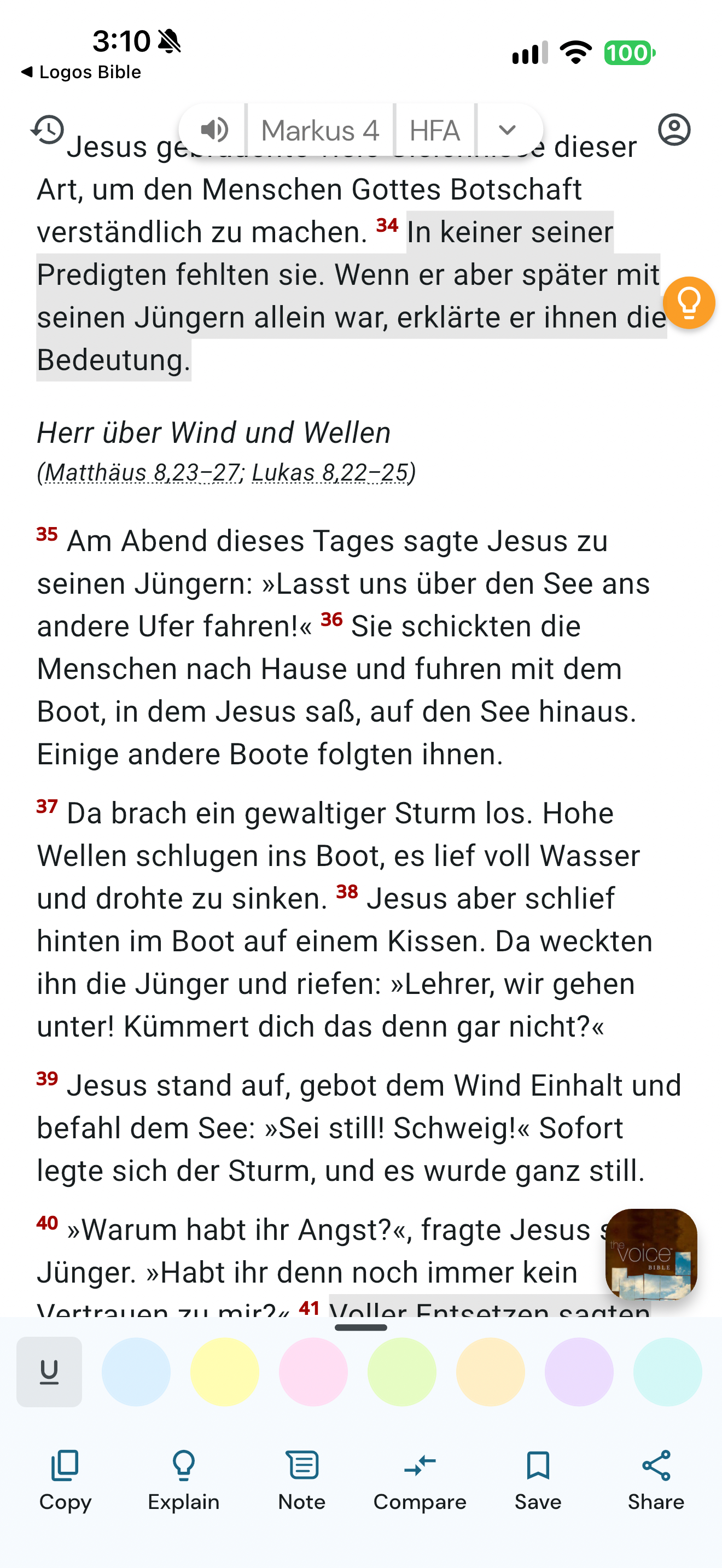
App interface screenshot · Life Bible. Original pixels preserved.
Mark verse selection
Life Bible · 24 October 2026 · Version 10.2.557
What this shows
Life Bible opens its annotation toolbar with grey verse selection and seven colours plus underline.
Capture context
Grey selection is visible near verse 34 and at the lower edge; this frame alone does not establish a yellow saved mark.
Captured for interface research. Screen behaviour may change between app versions.
Selected text visible in this screen
Interface labels transcribed during review.
Markus 4; HFA; Copy; Explain; Note; Compare; Save; Share
Explore this screen
- Screen type
- Annotation editor
- Components
- Text selectionColor pickerBottom sheet
- Interactions
- Tasks
- Mark and save
- States
- Selected
Component details
Text selection · Color picker · Bottom sheet