

Listening options
Dwell · 14 October 2026 · Version
What this shows
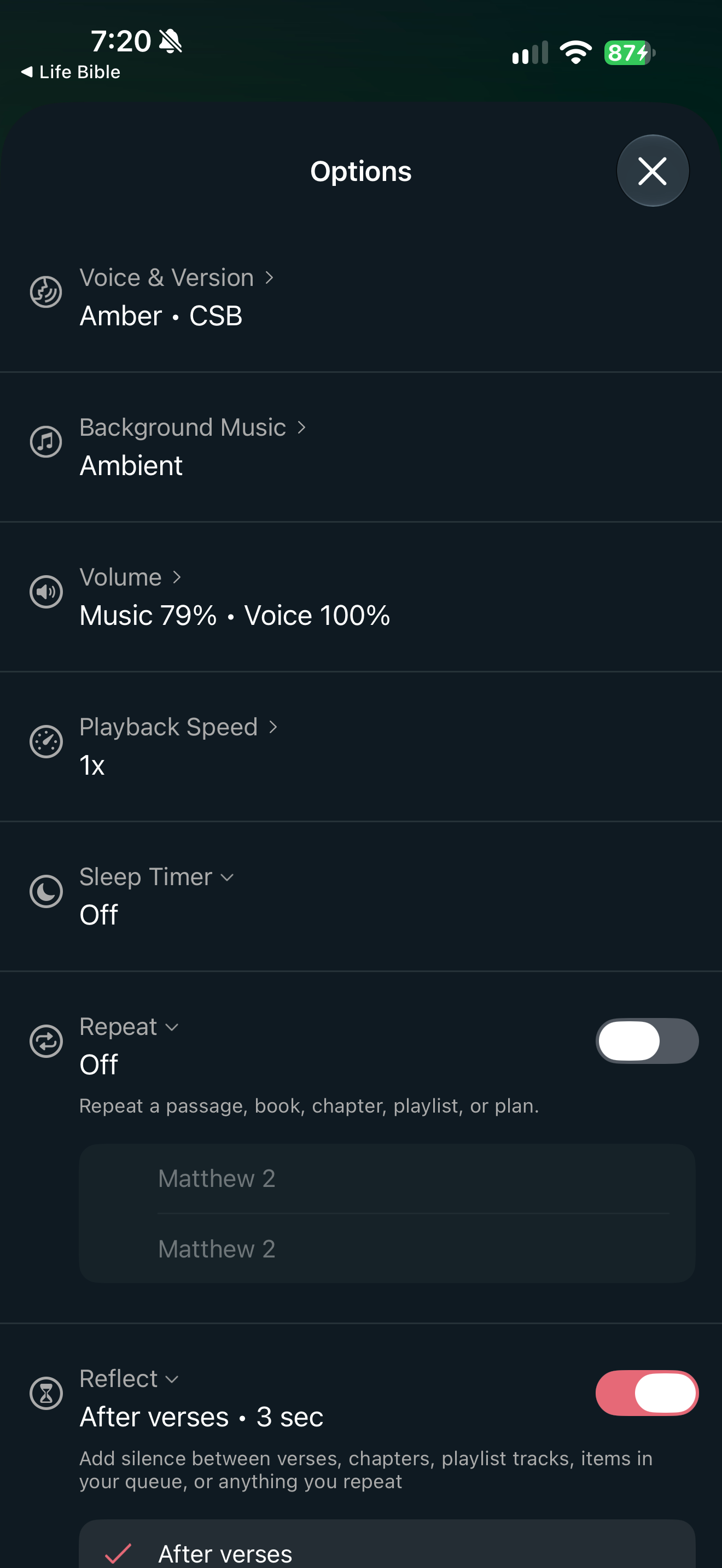
Options page summarizes voice, music, volume and playback settings.
Capture context
Publisher content in the captured screen; no complete flow or outcome is implied.
Captured for interface research. Screen behavior may change between app versions.
Selected text visible in this screen
Interface labels transcribed during review.
Options; Voice & Version; Amber · CSB; Background Music; Ambient; Volume; Music 79% · Voice 100%; Playback Speed; 1x; Sleep Timer; Off; Repeat; Off; Reflect; After verses · 3 sec; Add silence between verses, chapters, playlist tracks, items in your queue, or anything you repeat
Patterns about this screen
The design decisions this screen shows, with the options and research behind each.
- Bible audio
How should Scripture be heard: as text, voice or read-along? · Reading the Bible
Evidence for a design observation
- Attention and agency
Visible iOS playback stopping and silence controls in the 14 October captures only.
Explore this screen
- Screen type
- Settings
- Patterns / features
- Not specified
- User tasks
- Listen & watch
- Interface states
- Not specified
Component details
Option rows · Toggles · Close
Original descriptive labels
Browsing uses consistent groups. The original reviewed labels stay searchable; they can describe settings, context or capture details rather than a user task or interface state.
- Screen description
- Settings
- Task descriptions
- Manage listening
- State and context descriptions
- Default
- Feature descriptions
- Not recorded