

Voice mode start screen
bible.ai · 28 October 2026 · Version
What this shows
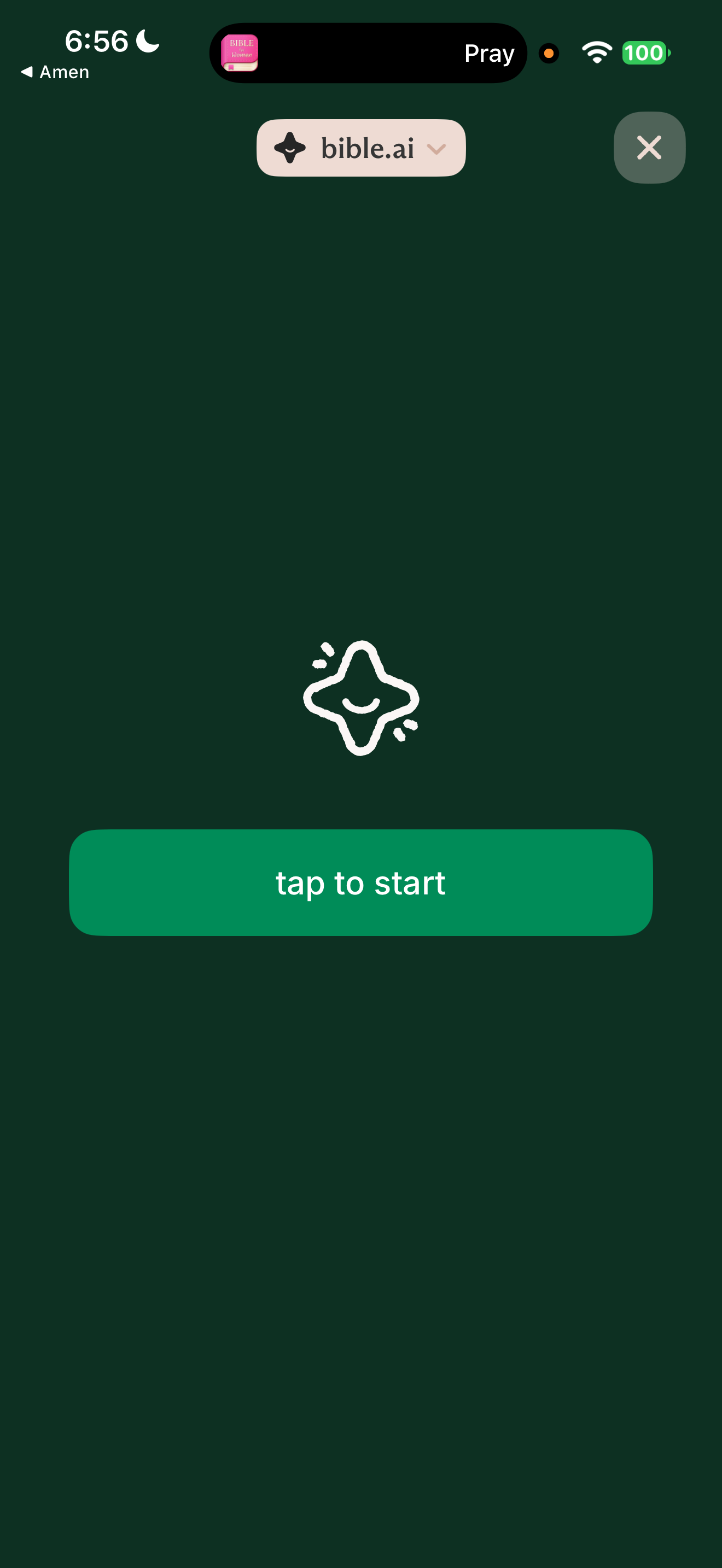
Full-screen voice mode shows the app's smiling four-point star mascot above a single "tap to start" button, with a close button top right. No transcript or text is shown before the conversation starts.
Capture context
iOS capture, 28 October 2026. Existing account or guest state; not installation defaults. Captured sequence may have gaps. OS previous-app return labels and persistent Live Activities from other apps are not part of the foreground product. Apple free trial active (renewal cancelled). Microphone access had just been allowed; the orange dot is the iOS microphone indicator.
Captured for interface research. Screen behaviour may change between app versions.
Selected text visible in this screen
Interface labels transcribed during review.
Explore this screen
- Screen type
- Chat
- Components
- Unspecified componentButton
- Patterns / features
- AI personaChat
- User tasks
- Ask & explore with AI
- Interface states
- Not specified
Component details
Mascot · Primary button · Close button
Original descriptive labels
Browsing uses consistent groups. The original reviewed labels stay searchable; they can describe settings, context or capture details rather than a user task or interface state.
- Screen description
- AI conversation
- Task descriptions
- Begin chat
- State and context descriptions
- Default
- Feature descriptions
- AI persona · AI chat