

Financial accountability FAQ
The Story of God · 11 October 2026 · Version
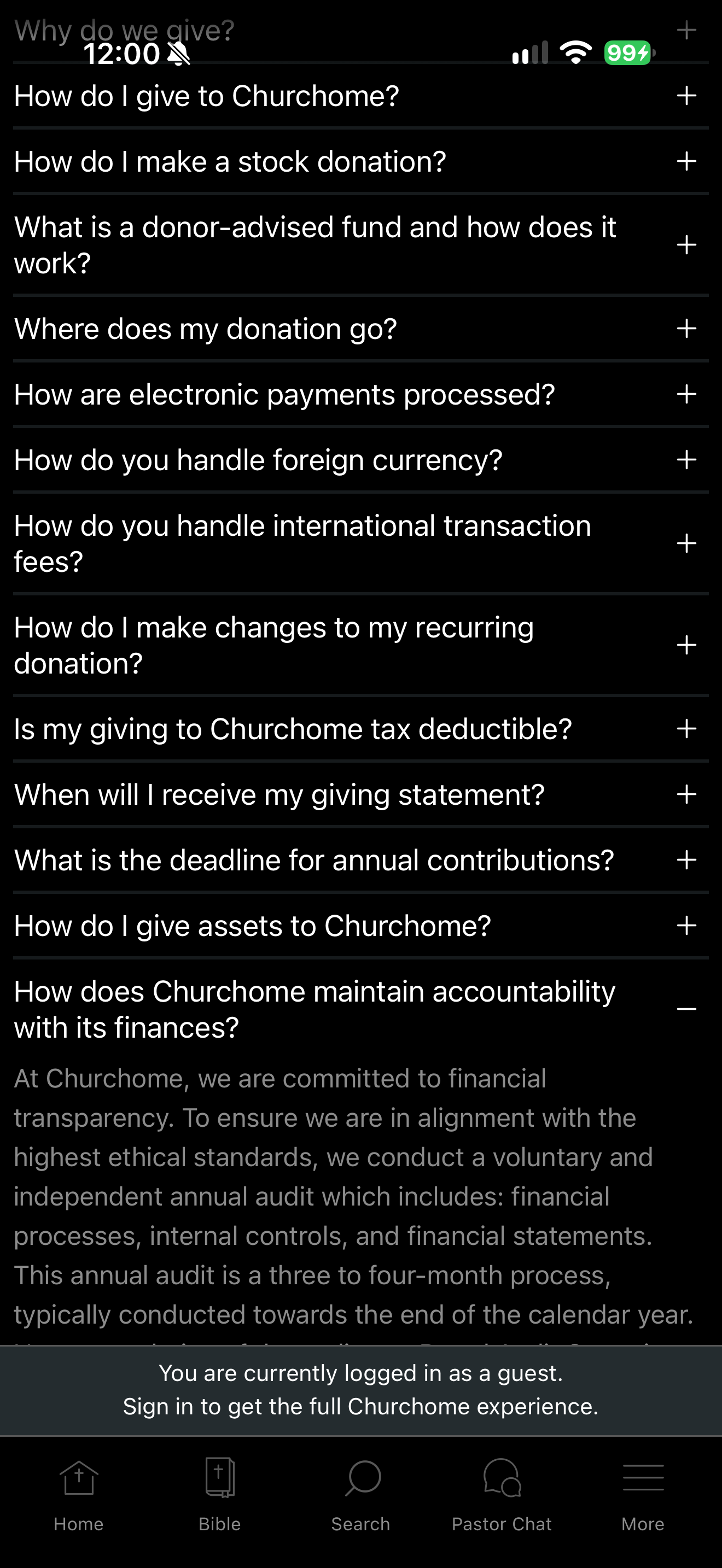
What this shows
Churchome displays its claim of an independent annual audit.
Capture context
Single retained research capture. Public publisher theological, allocation and audit statements are attributed claims, not independently verified. Giving setup shows no donor identity, payment credentials, authorization or completed transaction.
Captured for interface research. Screen behavior may change between app versions.
Selected text visible in this screen
Interface labels transcribed during review.
How do I give to Churchome?; How do I make a stock donation?; What is a donor-advised fund and how does it work?; Where does my donation go?; How are electronic payments processed?; How do you handle foreign currency?; How do you handle international transaction fees?; How do I make changes to my recurring donation?; Is my giving to Churchome tax deductible?; When will I receive my giving statement?; What is the deadline for annual contributions?; How do I give assets to Churchome?; How does Churchome maintain accountability with its finances?; At Churchome, we are committed to financial transparency. To ensure we are in alignment with the highest ethical standards, we conduct a voluntary and independent annual audit which includes: financial processes, internal controls, and financial statements. This annual audit is a three to four-month process, typically conducted towards the end of the calendar year.
Patterns about this screen
The design decisions this screen shows, with the options and research behind each.
- Giving and offerings
How should a faith app ask for gifts, and what should it never promise? · Money, data and trust
Explore this screen
- Screen type
- Giving
- Patterns / features
- Not specified
- User tasks
- Manage privacy & permissions
- Interface states
- Not specified
Component details
Expanded FAQ · Guest notice
Original descriptive labels
Browsing uses consistent groups. The original reviewed labels stay searchable; they can describe settings, context or capture details rather than a user task or interface state.
- Screen description
- Giving information
- Task descriptions
- Read accountability explanation
- State and context descriptions
- Default
- Feature descriptions
- Not recorded