

Display switches before changing theme
Bible Gateway · 24 October 2026 · Version 200.2.1
What this shows
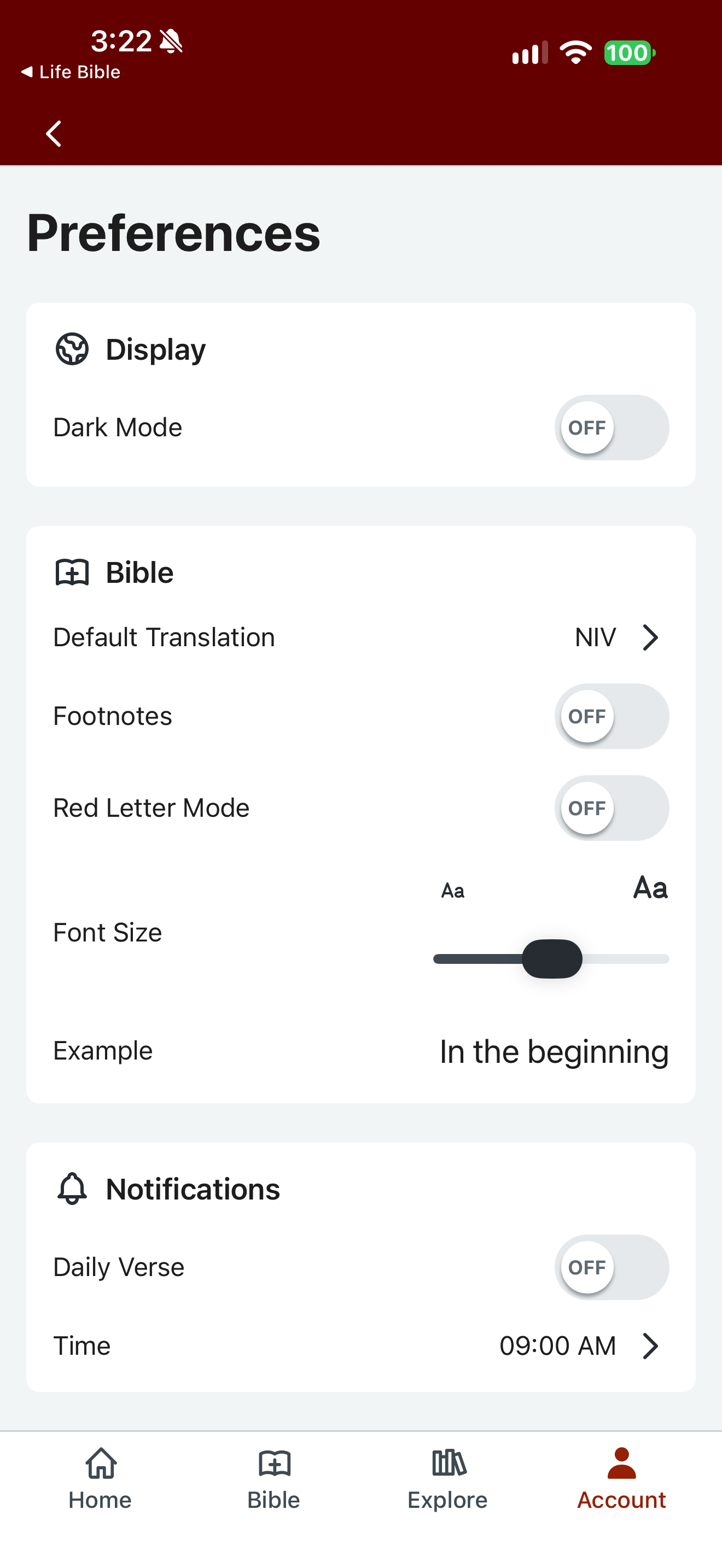
Bible Gateway’s Preferences show dark mode, footnotes and red-letter mode switched off.
Capture context
The filename names features, but visible toggles are off. The disabled Daily Verse setting does not establish an active personal schedule.
Captured for interface research. Screen behavior may change between app versions.
Selected text visible in this screen
Interface labels transcribed during review.
Preferences; Display; Dark Mode; OFF; Bible; Default Translation; NIV; Footnotes; OFF; Red Letter Mode; OFF; Font Size; Example; In the beginning; Notifications; Daily Verse; OFF; Time; 09:00 AM.
Patterns about this screen
The design decisions this screen shows, with the options and research behind each.
- Numbers, headings and notes
How much should surround the text? · Reading the Bible
- Notifications and reminders
When may a faith app interrupt someone, in whose voice, and who decides? · Habits and attention
Explore this screen
- Screen type
- Settings
- Patterns / features
- Text sizeTranslationReminders
- User tasks
- Manage settingsRead Scripture
- Interface states
- Not specified
Component details
Toggle · Slider · List
Original descriptive labels
Browsing uses consistent groups. The original reviewed labels stay searchable; they can describe settings, context or capture details rather than a user task or interface state.
- Screen description
- Settings
- Task descriptions
- Manage settings · Read Scripture
- State and context descriptions
- Default
- Feature descriptions
- Text size · Translation · Reminders