

YouVersion · User-contributed screenshot · resized, content unchanged
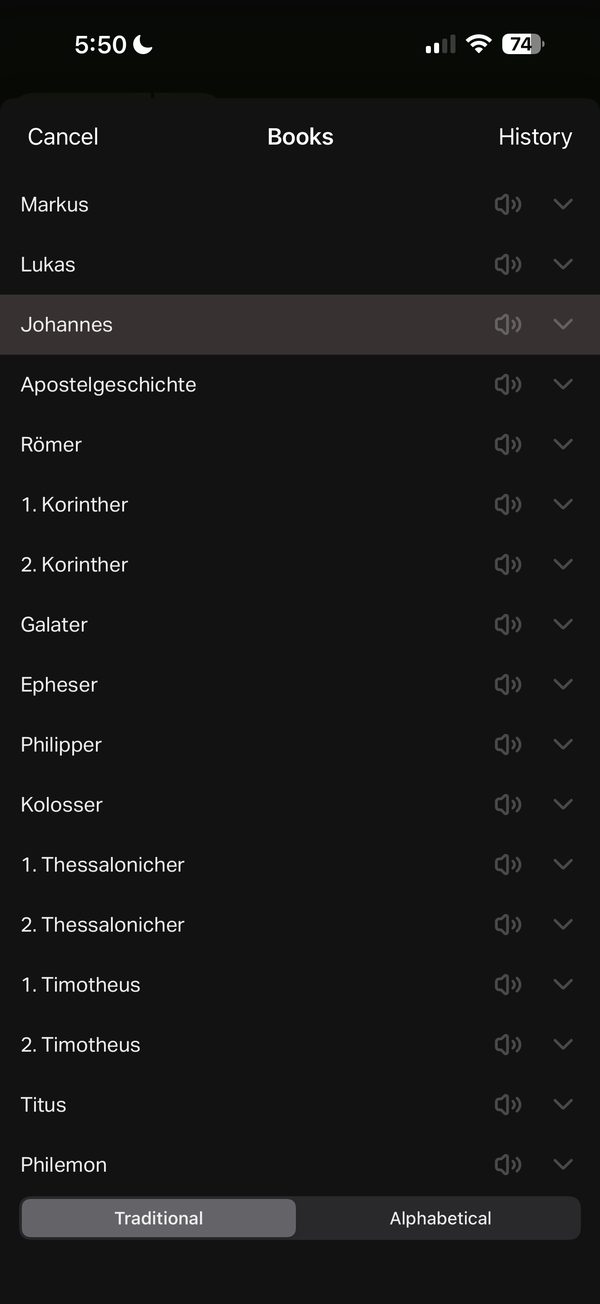
Book list with history, audio markers and two orders
The Books list (German interface) has Cancel and History at the top, a speaker icon and an expand arrow on every book row, and a Traditional or Alphabetical switch at the bottom.
Observed in Bible: app profile, research screenshots and design review.
Design takeaway
Offering both orders helps people who know a book’s name but not its place. Label what the speaker icon means in text, not only as an icon, and keep History distinct from browsing.
What this example establishes
The Books list (German interface) has Cancel and History at the top, a speaker icon and an expand arrow on every book row, and a Traditional or Alphabetical switch at the bottom.
Limits and further verification
A still image shows one interface state. Gestures, timing, accessibility, persistence and what happens next were not tested. App version not recorded.
Provenance
- Platform
- iOS app · device model not recorded
- Image origin
- User-contributed screenshot · resized, content unchanged
- Source or capture date
- Captured 18 September 2025 · from embedded image metadata
- Reviewed
- 6 October 2026
- Version
- Not recorded
Screenshot captured by Tobias Treppmann for his app-pattern research and supplied for this design reference. Resized for the web; content unchanged. Interface, imagery and Scripture text remain the property of their respective rights holders.
Compare the relevant patterns
Finding a passage
Let people browse when they do not know a reference and jump when they do.
Editorial design proposal89 · Reading and ScriptureBook and chapter pickers: list, grid or drill-down?
Choose the browsing shape independently from the search field.
Editorial design proposal