

Bible reading settings
Bible · 24 October 2026 · Version 11.33.1
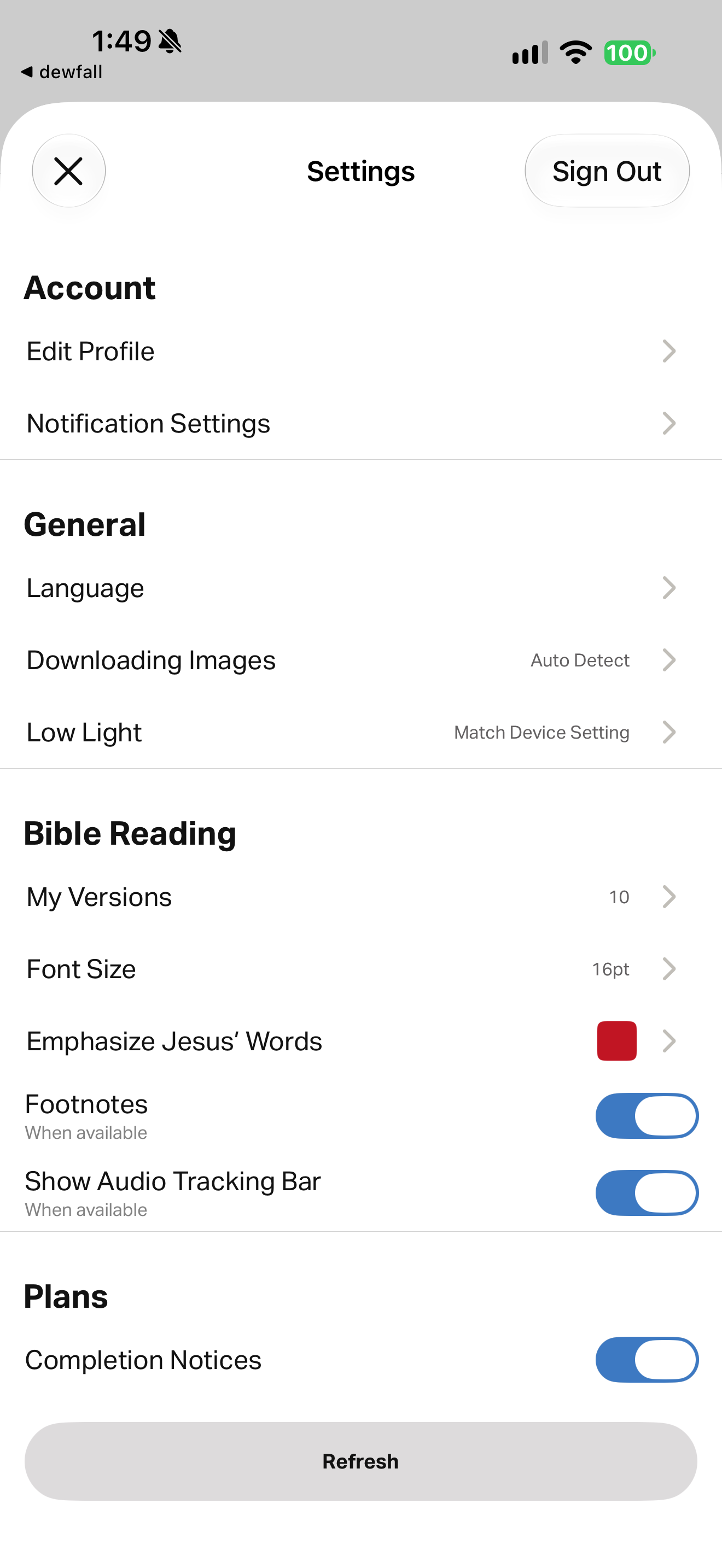
What this shows
YouVersion exposes emphasis color, footnotes and audio tracking controls alongside general settings.
Capture context
Controlled neutral research session; capture log identifies temporary test marks on Mark 4:37–38. Captions follow visible content rather than filename state claims. No account identity is displayed; version count is a configuration value rather than reading history. Fresh catalog identity checked against foreground content: Bible (tv.lifechurch.bible). Logged version 11.33.1.
Captured for interface research. Screen behavior may change between app versions.
Selected text visible in this screen
Interface labels transcribed during review.
Settings; Sign Out; Account; Edit Profile; Notification Settings; General; Language; Downloading Images; Auto Detect; Low Light; Match Device Setting; Bible Reading; My Versions; 10; Font Size; 16pt; Emphasize Jesus’ Words; Footnotes; When available; Show Audio Tracking Bar; Plans; Completion Notices; Refresh
Patterns about this screen
The design decisions this screen shows, with the options and research behind each.
- Numbers, headings and notes
How much should surround the text? · Reading the Bible
- Bible audio
How should Scripture be heard: as text, voice or read-along? · Reading the Bible
Explore this screen
- Screen type
- Settings
- Components
- ListToggleColor picker
- Patterns / features
- Not specified
- User tasks
- Manage settings
- Interface states
- Not specified
Component details
settings rows · toggle controls · color selector
Original descriptive labels
Browsing uses consistent groups. The original reviewed labels stay searchable; they can describe settings, context or capture details rather than a user task or interface state.
- Screen description
- settings
- Task descriptions
- Configure Bible reading
- State and context descriptions
- Footnotes on · Audio tracking bar on · Completion notices on
- Feature descriptions
- Not recorded