

Partial overlap render
Olive Tree Bible · 25 October 2026 · Version 8.1.4
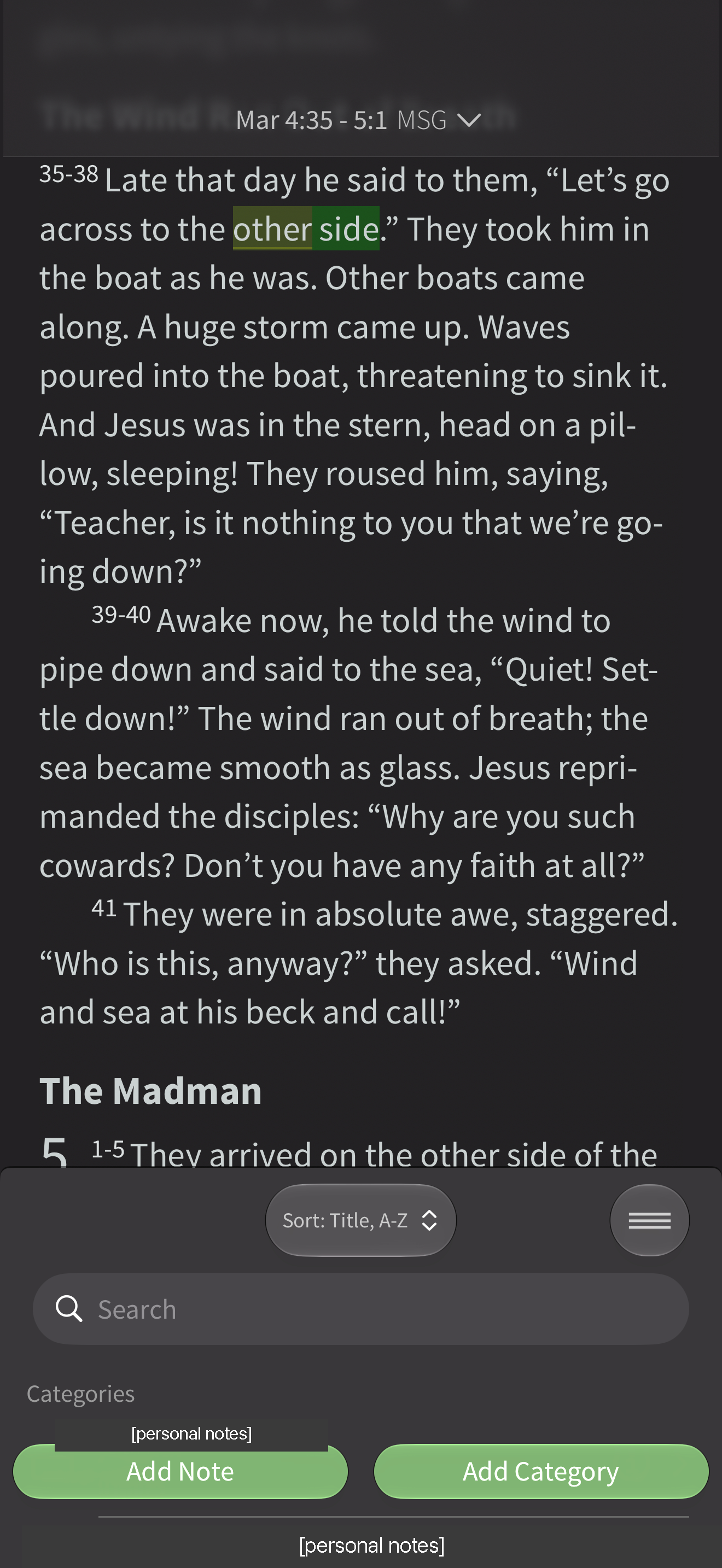
What this shows
"other side" with an overlapping green test highlight. The marks on "other" are research test marks recorded in the capture notes; the account's note categories in the lower pane are covered.
Capture context
iOS capture, 25 October 2026. Existing account or guest state; not installation defaults. Captured sequence may have gaps. OS previous-app return labels and persistent Live Activities from other apps are not part of the foreground product. Personal details are covered by labelled grey bars; all other pixels are unchanged. Note categories are covered.
Captured for interface research. Screen behaviour may change between app versions.
Selected text visible in this screen
Interface labels transcribed during review.
Explore the design questions
Explore this screen
- Screen type
- Bible reader
- Components
- Content groupUnspecified component
- Patterns / features
- HighlightNoteStudy helps
- User tasks
- Mark & save
- Interface states
- Not specified
Component details
Inline annotation · Notes pane
Original descriptive labels
Browsing uses consistent groups. The original reviewed labels stay searchable; they can describe settings, context or capture details rather than a user task or interface state.
- Screen description
- Bible reader
- Task descriptions
- Mark and save
- State and context descriptions
- Default
- Feature descriptions
- Highlight · Note · Study helps