

screen:shot-51491f559e29c5e78109screencom.BlueLetterBible.BLBAnnotation editorModalSelectorPrimary buttonHighlightVerse numbersMark and saveSelectedAll screenshots 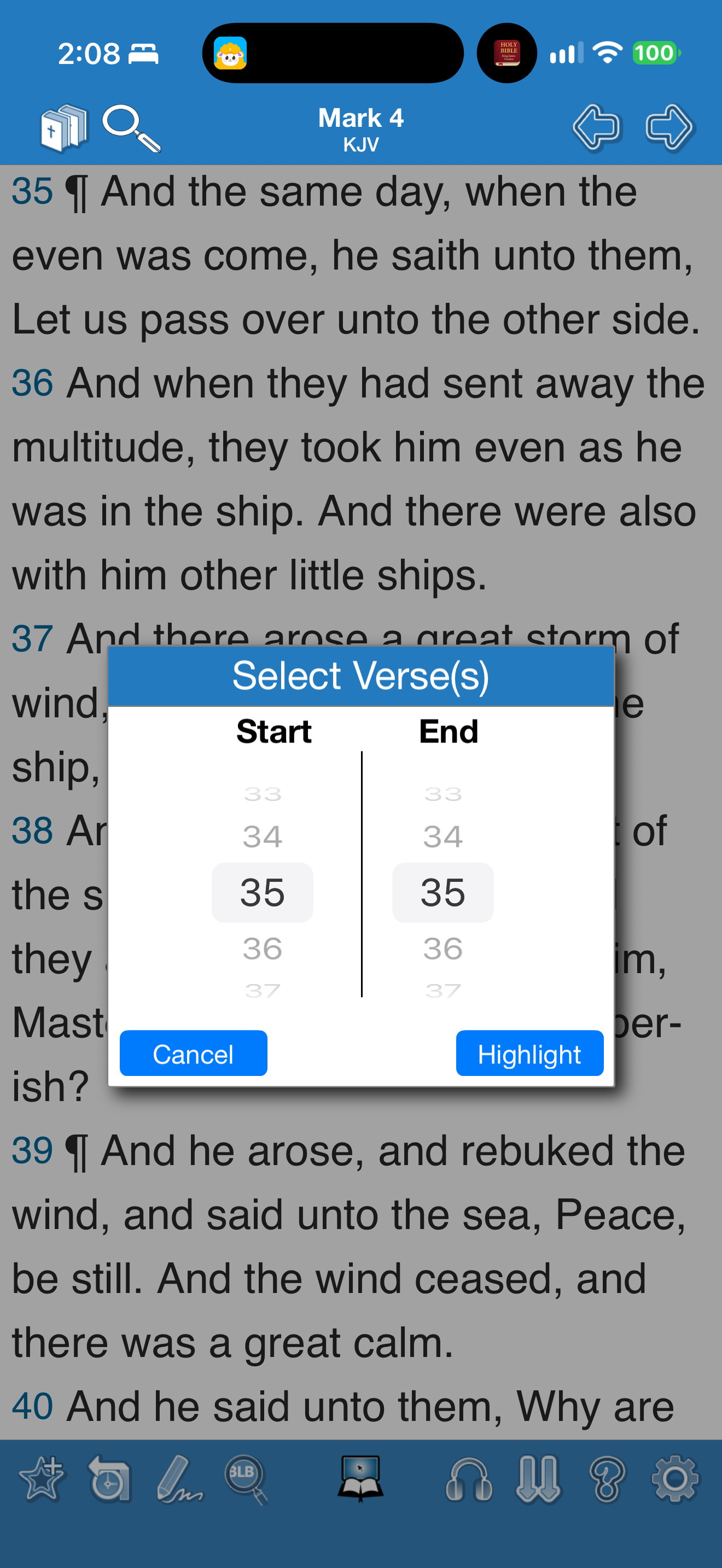
App interface screenshot · Blue Letter Bible. Original pixels preserved.
Choosing a highlight range
Blue Letter Bible · 25 October 2026 · Version 2.84.2
What this shows
Blue Letter Bible asks for start and end verses before applying a highlight.
Capture context
Verse 35 is selected at both ends in this frame. Intermediate actions before the final annotated reader are not pictured.
Captured for interface research. Screen behaviour may change between app versions.
Selected text visible in this screen
Interface labels transcribed during review.
Select Verse(s); Start; End; Cancel; Highlight; Mark 4; KJV.
Explore this screen
- Screen type
- Annotation editor
- Components
- ModalSelectorPrimary button
- Interactions
- HighlightVerse numbers
- Tasks
- Mark and save
- States
- Selected
Explore the design questions
In a captured sequence
Selected capture sequence; not a complete walkthrough.